소개
This guide will show you the steps to replacing your Maylong MN-1000P battery. This replacement is relatively easy, not time consuming and only requires one tool. This is the first step to fixing many other problems you may have with the netbook. Remember to keep out of sunlight as this may cause further damage.
필요한 것
-
-
-
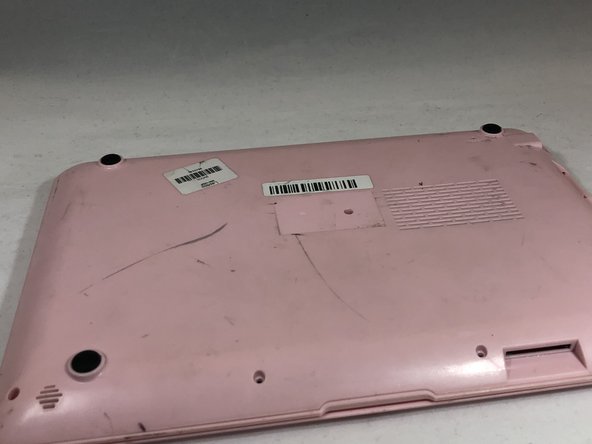
Place the netbook top down, with the opening of the netbook facing you.
 FixBot에 문의하기
-
-
-
-
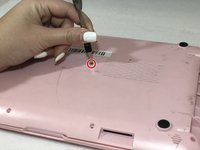
Remove the sticker in the middle of the netbook.
-
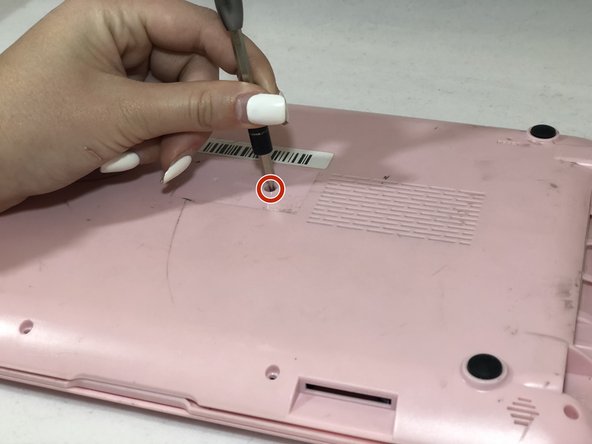
Remove the middle 6mm Phillips #00 screw.
-
-
-
Using two plastic opening tools, pry off the bottom of the netbook by going around the edges.
-
-
-
-
-
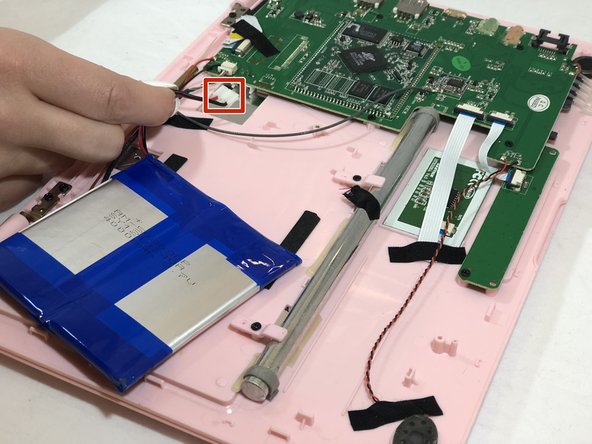
Pinch the red and black wires connected to the section closest to the small white connector, and pull to remove them from the motherboard.
-
-




To reassemble your device, follow these instructions in reverse order.

팀

Eastern Washington University, Team S1-G3, Carnegie Winter 2020 Eastern Washington University, Team S1-G3, Carnegie Winter 2020 회원
EWU-CARNEGIE-W20S1G3
3 회원들
안내서 5개를 작성함
