소개
I own an ID DEFENDER 10-sheet shredder that will go through the motions of shredding but the paper comes out wavy and not shredded. My guide will provide instructions to replace the mill cutter paper stripper and stripper guide so the shredder can shred paper correctly.
필요한 것
-
-
-
Unplug the shredder from the wall electrical outlet.
-
Remove the shredder from its catch basket and place it face down on a flat surface.
 FixBot에 문의하기
-
-
-
Locate the seven case screws and remove them with a Phillips screwdriver. The screws are identified by the seven marked circles. The screws are 15 mm in length and the head diameter is 5 mm.
-
-
-
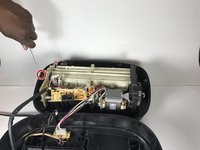
Remove the screws connecting the stripper guide and the base of the shredder's housing unit with a Phillips screwdriver. The diameter head and screws are 10 mm in length.
-
-
-
-
Once all of the screws have been removed, pull the casing apart.
-
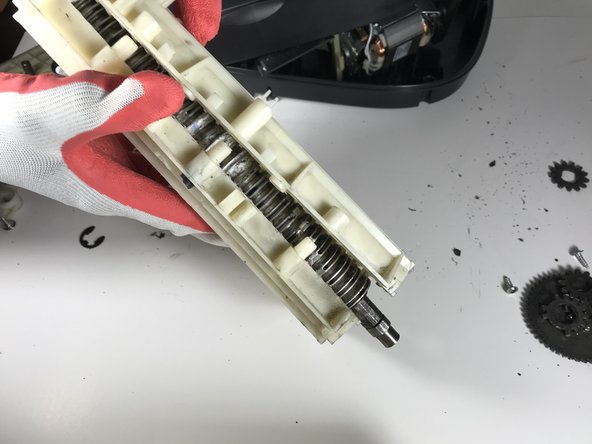
Remove the stripper guide from the housing unit.
-
-
-
Remove the e-clips from the gears on the left side with a flathead screwdriver.
-
Remove screws from the gear box cover on the right side with a Phillips screwdriver. The screws are identified by the two marked circles. The screws are 7 mm in length and the head diameter is 3 mm.
-
-
-
Remove the gears from both sides.
-
If the gears are hard to remove, use a flathead screwdriver to help remove them. The gears also may be greasy so place them on a paper towel or newspaper.
-
Remove the screws from the gearbox side plate with Phillips screwdriver to get to the gears. The screws are 7 mm in length and the head diameter is 3 mm.
-
-






To reassemble your device, follow these instructions in reverse order.
다른 한 분이 해당 안내서를 완성하였습니다.

팀

USF Sarasota-Manatee, Team S1-G1, Stewart Spring 2018 USF Sarasota-Manatee, Team S1-G1, Stewart Spring 2018 회원
USFSM-STEWART-S18S1G1
15 회원들
안내서 91개를 작성함
