소개
This guide will go through the steps of replacing the antenna for the Motorola MB525 starting from the tear down of the phone to replacement of the antenna itself.
필요한 것
-
-
Using the screwdriver and the T-5 bit, unscrew the seven 5 mm screws around the outside of the phone.
 FixBot에 문의하기
-
-
-
Remove the back cover of the phone by sliding the bottom black button to the unlock position and lifting it up.
-
-
-
-
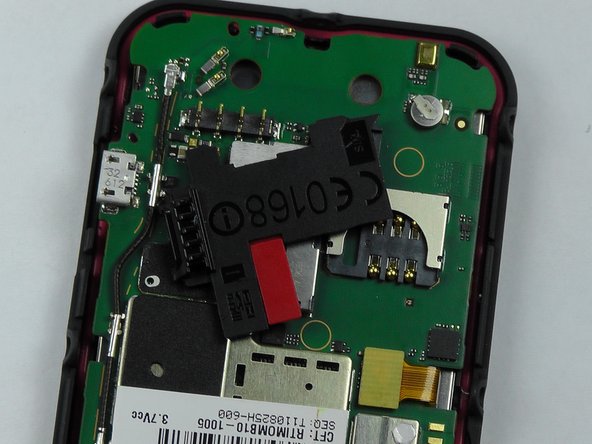
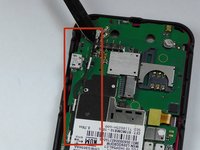
Take the metal spudger and pry the black piece, where the sim card goes, off to get to the entire antenna.
-
-
이 단계에 사용된 도구:Tweezers$4.99
-
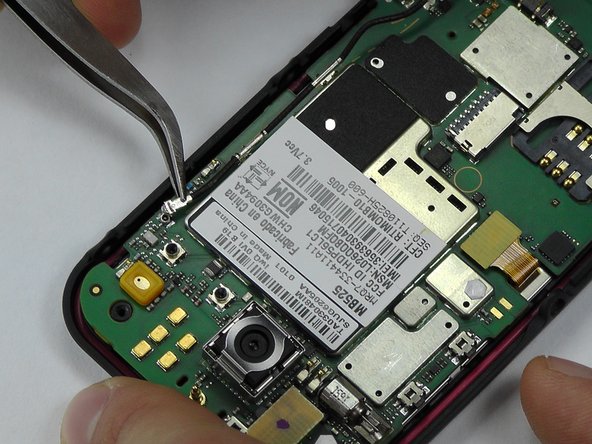
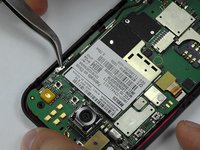
Pry the antenna off using the metal spudger and tweezers and replace with the new one.
-





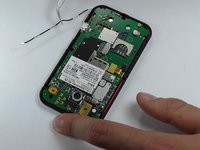
To reassemble your device, follow these instructions in reverse order.

팀

USF Tampa, Team 14-2, Leahy Fall 2014 USF Tampa, Team 14-2, Leahy Fall 2014 회원
USFT-LEAHY-F14S14G2
4 회원들
안내서 18개를 작성함
