필요한 것
-
-
Pick up the cell phone with the back facing towards you.
-
Push down on the silver tab located at the top center of the back of the Motorola W490 cellphone.
-
While pushing down on the silver tab, slide the back cover towards the silver tab. Remove the back cover.
 FixBot에 문의하기
-
-
-
-
Remove the battery by pulling the battery from the top corners labeled "Pull Here" located on either side of the top of the battery.
-
Set the battery aside.
-
-
-
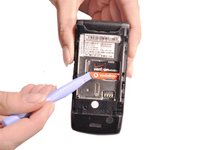
Use a plastic opening tool to make a gap between the SIM card and the phone.
-
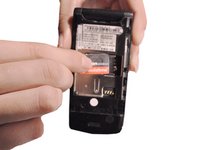
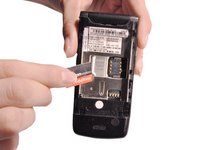
Use your thumb and index finger to pull the SIM card from the phone.
-


To reassemble your device, follow these instructions in reverse order.

팀

Clemson, Team 14-1, Benson Fall 2012 Clemson, Team 14-1, Benson Fall 2012 회원
CLEM-BENSON-F12S14G1
4 회원들
안내서 35개를 작성함
