주요 콘텐츠로 건너뛰기
수리 커뮤니티 가입 - 계정 만들기

Motorola i560 Keypad Replacement

필요한 것

  1. Motorola i560 Keypad Replacement, Battery: 1 단계, 이미지 1개 중 1개
    • Place thumb on the rubber tab on the lower back of the phone.

    • Push away from the phone to release back panel.

  2. Motorola i560 Keypad Replacement: 2 단계, 이미지 1개 중 1개
    • Lift the back panel of the phone to expose battery (not shown here).

  3. Motorola i560 Keypad Replacement, Motherboard: 3 단계, 이미지 1개 중 1개
    • Pull the antenna up to reveal two of the six screws.

  4. Motorola i560 Keypad Replacement: 4 단계, 이미지 1개 중 1개
    • Unscrew all six screws on the back side of the phone using a T-6 bit.

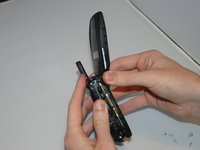
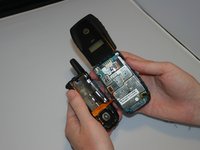
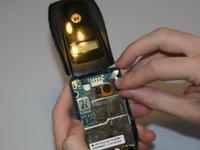
  5. Motorola i560 Keypad Replacement: 5 단계, 이미지 2개 중 1개 Motorola i560 Keypad Replacement: 5 단계, 이미지 2개 중 2개
    • Gently separate the front and back sides of the phone, as shown in the picture.

    • Be careful not to break or bend the ribbon cables.

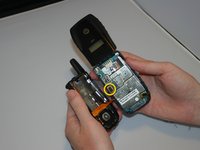
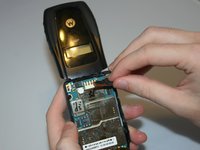
  6. Motorola i560 Keypad Replacement: 6 단계, 이미지 2개 중 1개 Motorola i560 Keypad Replacement: 6 단계, 이미지 2개 중 2개
    • Detach the first ribbon cable by unplugging it from the motherboard.

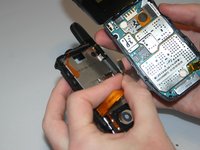
  7. Motorola i560 Keypad Replacement: 7 단계, 이미지 2개 중 1개 Motorola i560 Keypad Replacement: 7 단계, 이미지 2개 중 2개
    • Detach the speaker ribbon cable from the motherboard.

  8. Motorola i560 Keypad Replacement: 8 단계, 이미지 1개 중 1개
    • Remove the motherboard from the front half of the phone by gently shaking it loose. It should come out with little to no trouble.

  9. Motorola i560 Keypad Replacement, Keypad: 9 단계, 이미지 1개 중 1개
    • Push lightly from the front of the keypad to remove it.

결론

To reassemble your device, follow these instructions in reverse order.

다른 한 분이 해당 안내서를 완성하였습니다.

작성자

5다른 기여자 명과 함께

Haley S

회원 가입일: 03/11/13

10 평판

안내서 4개를 작성함

Clemson, Team 13-6, Benson Spring 2013 Clemson, Team 13-6, Benson Spring 2013 회원

CLEM-BENSON-S13S13G6

3 회원들

안내서 10개를 작성함

0가이드 댓글

댓글 쓰기

조회 통계:

지난 24시간: 2

지난 7일: 7

지난 30일: 15

전체 시간: 240