소개
Has the battery been damaged or the device won't charge. Changing the battery may fix these problems.
필요한 것
-
-
-
Use the plastic opening tool at the top left corner seam, then pry the corner apart.
 FixBot에 문의하기
-
-
-
Next slide the plastic opening tool across the sides of the Nabi. It will slowly open.
-
There are small plastic clips that need to be release. Gently apply outwards pressure until the clips give.
-
Go around the NABI XD and separate the rear panel from the device.
-
-
-
-
-
-
Place your fingernails on both sides of the connector and pull it straight back away from the holder.
-
-


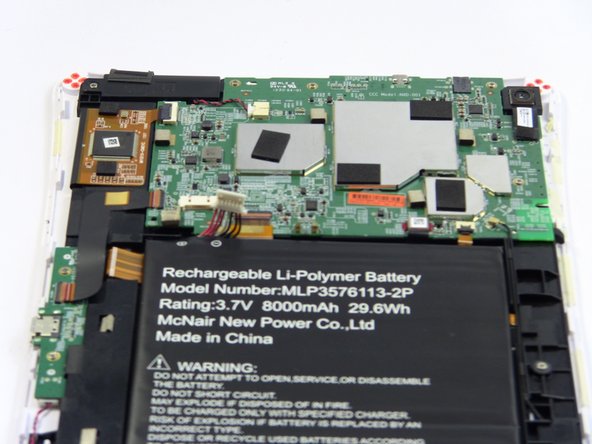


To reassemble your device, follow these instructions in reverse order.

팀

USF Tampa, Team 17-2, Blackwell Fall 2016 USF Tampa, Team 17-2, Blackwell Fall 2016 회원
USFT-BLACKWELL-F16S17G2
3 회원들
안내서 18개를 작성함
