주요 콘텐츠로 건너뛰기

Nest x Yale Lock Motherboard Replacement

필요한 것

  1. Nest x Yale Lock Motherboard Replacement, Motherboard: 1 단계, 이미지 1개 중 1개
    • Before proceeding, make sure the batteries are removed to avoid being electrocuted and damage to the lock

    • If you do not know how to remove the batteries then I would recommend looking at our battery replacement guide for help.

  2. Nest x Yale Lock Motherboard Replacement: 2 단계, 이미지 2개 중 1개 Nest x Yale Lock Motherboard Replacement: 2 단계, 이미지 2개 중 2개
    • Remove 3 screws as shown to remove the first cover.

    • The 3 screws are 0.25 inches length

  3. Nest x Yale Lock Motherboard Replacement: 3 단계, 이미지 1개 중 1개
    • Using a pin to push down the knot holding the wire and the tweezer to safely remove the wire from the motherboard

  4. Nest x Yale Lock Motherboard Replacement: 4 단계, 이미지 2개 중 1개 Nest x Yale Lock Motherboard Replacement: 4 단계, 이미지 2개 중 2개
    이 단계에 사용된 도구:
    Tweezers
    $4.99
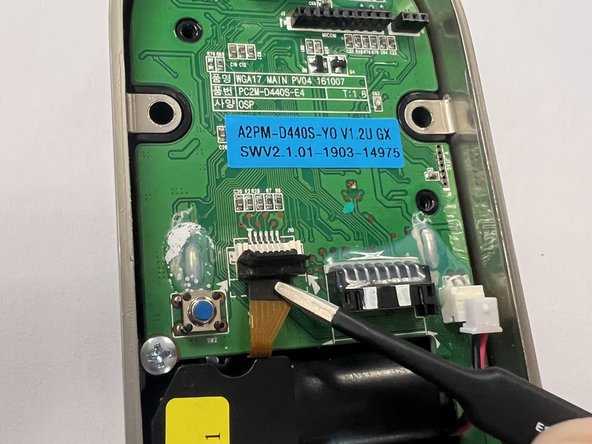
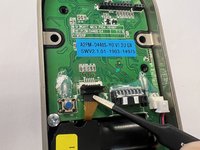
    • Use a spudger or plastic tool to lift the ZIF lock upward (as shown in the first picture).

    • Use tweezers to remove the ribbon cable from the motherboard.

  5. Nest x Yale Lock Motherboard Replacement: 5 단계, 이미지 1개 중 1개
    • Continue to remove 2 screws holding the motherboard to the lock shell.

    • The screws are 0.20 inches in length.

  6. Nest x Yale Lock Motherboard Replacement: 6 단계, 이미지 2개 중 1개 Nest x Yale Lock Motherboard Replacement: 6 단계, 이미지 2개 중 2개
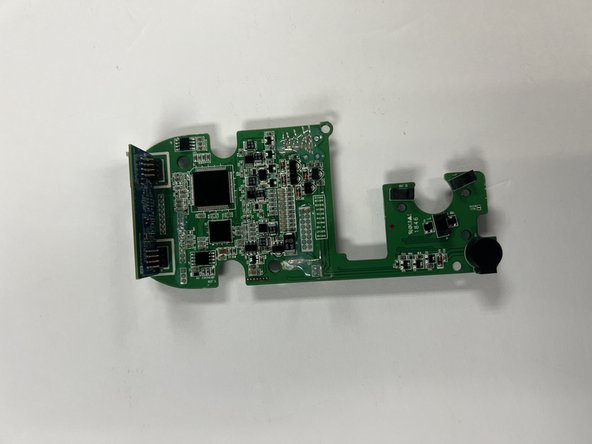
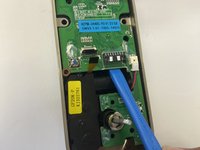
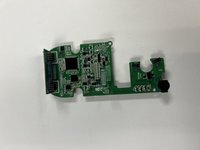
    • Use an opening tool to push the motherboard out as shown in the picture.

결론

To reassemble your device, follow these instructions in reverse order.

작성자

4다른 기여자 명과 함께

Bryant Duong

회원 가입일: 09/26/22

379 평판

안내서 2개를 작성함

CSU Los Angeles, Team 5-3, Adachi Fall 2022 CSU Los Angeles, Team 5-3, Adachi Fall 2022 회원

CSULA-ADACHI-F22S5G3

5 회원들

안내서 5개를 작성함

0가이드 댓글

댓글 쓰기

조회 통계:

지난 24시간: 1

지난 7일: 10

지난 30일: 20

전체 시간: 811