주요 콘텐츠로 건너뛰기
수리 커뮤니티 가입 - 계정 만들기

Nikon COOLPIX S610c Lens Assembly Replacement

필요한 것

  1. Nikon COOLPIX S610c Lens Assembly Replacement, Battery: 1 단계, 이미지 1개 중 1개
    • On the bottom right of the camera, locate the battery flap switch.

  2. Nikon COOLPIX S610c Lens Assembly Replacement: 2 단계, 이미지 1개 중 1개
    • Move this switch to the right so the battery flap can flip open.

  3. Nikon COOLPIX S610c Lens Assembly Replacement: 3 단계, 이미지 1개 중 1개
    • Slide the orange switch to the right as shown. Now the battery can be pulled out. Reverse these steps to re-install.

  4. Nikon COOLPIX S610c Lens Assembly Replacement, Rear Casing: 4 단계, 이미지 1개 중 1개
    • Remove the three 3x3mm screws attached to the rear casing.

  5. Nikon COOLPIX S610c Lens Assembly Replacement: 5 단계, 이미지 1개 중 1개
    • The panel can be identified by the wifi logo on its upper half on the camera's side.

    • Remove the 5x3mm screw holding down the panel on the side closest to the lens.

  6. Nikon COOLPIX S610c Lens Assembly Replacement: 6 단계, 이미지 1개 중 1개
    • Pry the panel off from the bottom using your fingernail.

  7. Nikon COOLPIX S610c Lens Assembly Replacement: 7 단계, 이미지 1개 중 1개
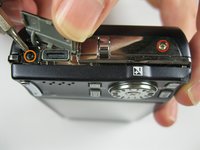
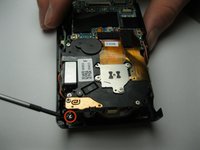
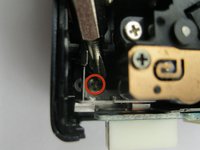
    • Remove the 3x2mm screw underneath the panel near the top of the camera.

  8. Nikon COOLPIX S610c Lens Assembly Replacement: 8 단계, 이미지 2개 중 1개 Nikon COOLPIX S610c Lens Assembly Replacement: 8 단계, 이미지 2개 중 2개
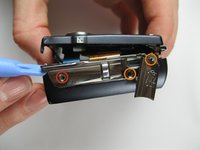
    • Remove the 4x3mm on the opposite side near the selector wheel.

    • Remove the 2x2mm and 3x2mm screws underneath the a/v flap.

  9. Nikon COOLPIX S610c Lens Assembly Replacement: 9 단계, 이미지 2개 중 1개 Nikon COOLPIX S610c Lens Assembly Replacement: 9 단계, 이미지 2개 중 2개
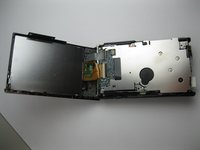
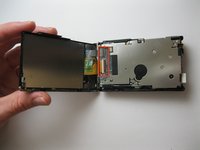
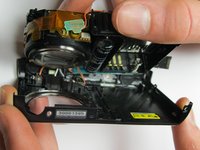
    • Pry the back panel away from the body of the camera, using the space you just opened up.

    • Be careful not to damage the ribbon cable on the opposite end of the camera.

    • A small piece of the frame of the camera may fall off, but it can be easily put back into place during reassembly.

  10. Nikon COOLPIX S610c Lens Assembly Replacement: 10 단계, 이미지 2개 중 1개 Nikon COOLPIX S610c Lens Assembly Replacement: 10 단계, 이미지 2개 중 2개
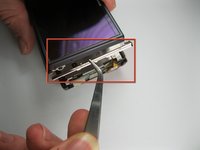
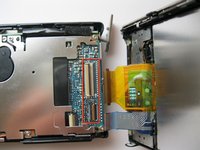
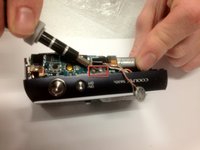
    • Pry up the plastic ribbon connectors on the body of the camera to release the ribbon cables.

    • The center connector is detached by flipping the black latch up and away from the center of the camera.

    • The smaller connector is detached by flipping the tan latch up and away from the edge of the camera.

  11. Nikon COOLPIX S610c Lens Assembly Replacement, Front Casing: 11 단계, 이미지 1개 중 1개
    • Remove the three 3x3mm screws that attach the front casing to the bottom.

  12. Nikon COOLPIX S610c Lens Assembly Replacement: 12 단계, 이미지 1개 중 1개
    • Remove the two 3x2 screws and two 3.5x2.5 screws attaching the rear panel to the motherboard.

  13. Nikon COOLPIX S610c Lens Assembly Replacement: 13 단계, 이미지 2개 중 1개 Nikon COOLPIX S610c Lens Assembly Replacement: 13 단계, 이미지 2개 중 2개
    • Lift the back panel off the motherboard.

    • Be careful not to damage the ribbon cable that attaches the mother board to the rear panel.

  14. Nikon COOLPIX S610c Lens Assembly Replacement: 14 단계, 이미지 2개 중 1개 Nikon COOLPIX S610c Lens Assembly Replacement: 14 단계, 이미지 2개 중 2개
    • Detach the ribbon cable from the motherboard by flipping up the latch on the ribbon connector.

    • Note that the white ribbon connector latch flips away from the ribbon cable.

  15. Nikon COOLPIX S610c Lens Assembly Replacement: 15 단계, 이미지 2개 중 1개 Nikon COOLPIX S610c Lens Assembly Replacement: 15 단계, 이미지 2개 중 2개
    • Remove the final 4x3mm screw at the top of the camera near the lens.

  16. Nikon COOLPIX S610c Lens Assembly Replacement: 16 단계, 이미지 2개 중 1개 Nikon COOLPIX S610c Lens Assembly Replacement: 16 단계, 이미지 2개 중 2개
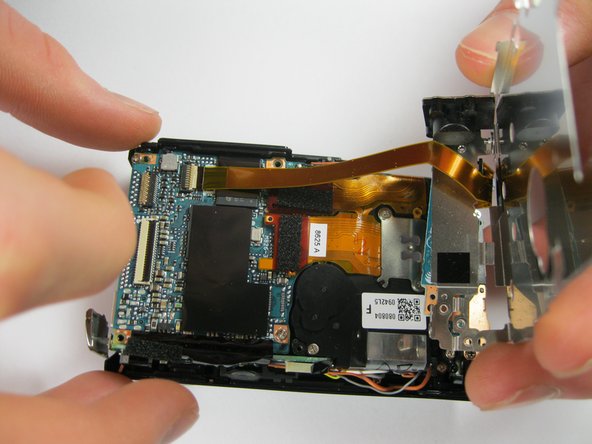
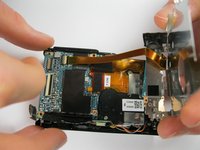
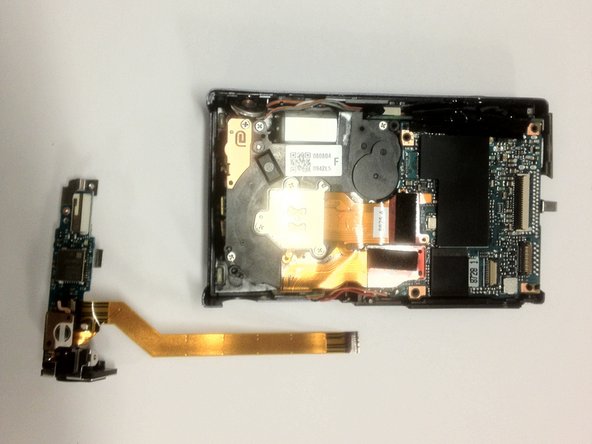
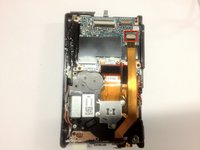
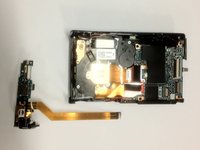
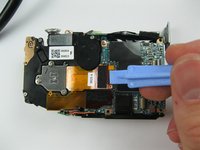
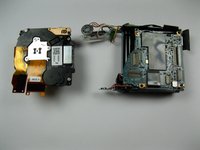
    • Pry the front casing away from the body of the camera.

    • Be careful not to damage the wires that attach the front panel to the motherboard.

    • Short the leads on the capacitor near the flash to avoid a nasty shock when separating the casing from the body.

  17. Nikon COOLPIX S610c Lens Assembly Replacement: 17 단계, 이미지 1개 중 1개
    • Unscrew the three 3x2mm screws that attach the cables to the front casing.

  18. Nikon COOLPIX S610c Lens Assembly Replacement, Lens Assembly: 18 단계, 이미지 2개 중 1개 Nikon COOLPIX S610c Lens Assembly Replacement, Lens Assembly: 18 단계, 이미지 2개 중 2개
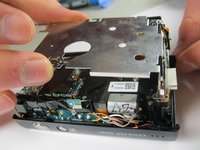
    • Pry up the ribbon connector that connects the ribbon cable to the lens assembly.

    • Take note that the ribbon connector pulls away from the ribbon.

결론

To reassemble your device, follow these instructions in reverse order.

작성자

3다른 기여자 명과 함께

Kevin Backers

회원 가입일: 01/26/12

304 평판

안내서 4개를 작성함

Cal Poly, Team 9-5, Regan Winter 2012 Cal Poly, Team 9-5, Regan Winter 2012 회원

CPSU-REGAN-W12S9G5

5 회원들

안내서 12개를 작성함

0가이드 댓글

댓글 쓰기

조회 통계:

지난 24시간: 10

지난 7일: 20

지난 30일: 59

전체 시간: 1,135