주요 콘텐츠로 건너뛰기
수리 커뮤니티 가입 - 계정 만들기

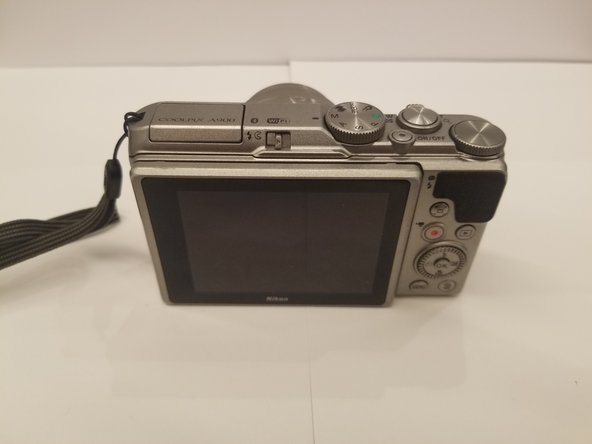
Nikon Coolpix A900 Monitor Replacement

필요한 것

  1. Nikon Coolpix A900 Monitor Replacement, Battery: 1 단계, 이미지 1개 중 1개
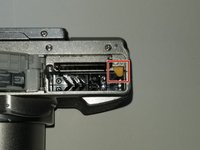
    • Orient the camera so that it is upside down, with the lens facing towards you.

  2. Nikon Coolpix A900 Monitor Replacement: 2 단계, 이미지 2개 중 1개 Nikon Coolpix A900 Monitor Replacement: 2 단계, 이미지 2개 중 2개
    • Slide the battery door lock left to unlock it.

    • The battery door will automatically open.

  3. Nikon Coolpix A900 Monitor Replacement: 3 단계, 이미지 2개 중 1개 Nikon Coolpix A900 Monitor Replacement: 3 단계, 이미지 2개 중 2개
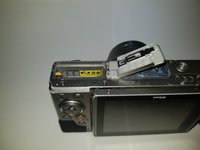
    • Slide the yellow tab up to release the battery.

    • To re-insert a battery, slide the battery back in until the yellow tab locks it in place.

    • There is a diagram on the opposite side of the battery compartment to help you orient the battery correctly.

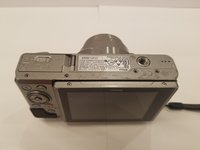
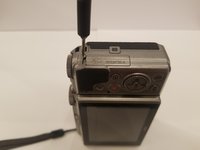
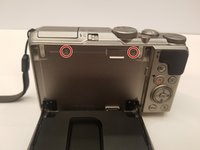
  4. Nikon Coolpix A900 Monitor Replacement, Rear Case: 4 단계, 이미지 3개 중 1개 Nikon Coolpix A900 Monitor Replacement, Rear Case: 4 단계, 이미지 3개 중 2개 Nikon Coolpix A900 Monitor Replacement, Rear Case: 4 단계, 이미지 3개 중 3개
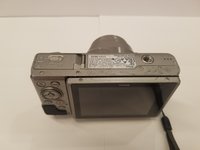
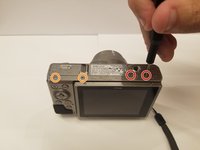
    • Orient the camera upside down, with the lens facing away from you.

    • Remove the two 3mm Phillips #00 screws from the right.

    • Remove the two 3.4mm Phillips #00 screws from the left.

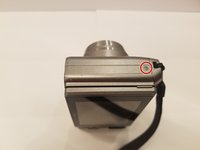
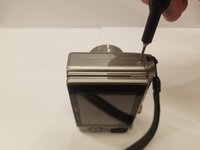
  5. Nikon Coolpix A900 Monitor Replacement: 5 단계, 이미지 3개 중 1개 Nikon Coolpix A900 Monitor Replacement: 5 단계, 이미지 3개 중 2개 Nikon Coolpix A900 Monitor Replacement: 5 단계, 이미지 3개 중 3개
    • Turn the camera on its side, with the lens facing away from you.

    • Remove the 3.4mm Phillips #00 screw. Repeat this for the opposite side of the camera.

  6. Nikon Coolpix A900 Monitor Replacement: 6 단계, 이미지 3개 중 1개 Nikon Coolpix A900 Monitor Replacement: 6 단계, 이미지 3개 중 2개 Nikon Coolpix A900 Monitor Replacement: 6 단계, 이미지 3개 중 3개
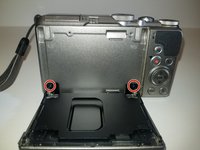
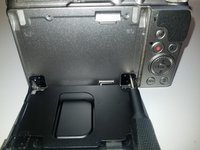
    • Place the camera upright with the lens facing away from you.

    • Move the monitor down, and remove two 4.4 mm screws.

  7. Nikon Coolpix A900 Monitor Replacement: 7 단계, 이미지 2개 중 1개 Nikon Coolpix A900 Monitor Replacement: 7 단계, 이미지 2개 중 2개
    • Remove the two black 2.5 mm screws from the monitor bracket.

  8. Nikon Coolpix A900 Monitor Replacement: 8 단계, 이미지 2개 중 1개 Nikon Coolpix A900 Monitor Replacement: 8 단계, 이미지 2개 중 2개
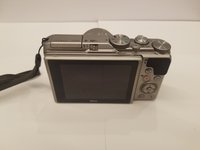
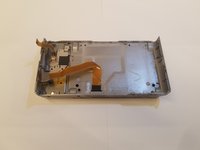
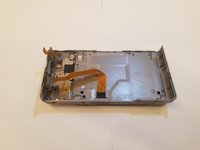
    • Return the monitor to the closed position.

    • Gently open the rear case.

    • You may need opening tools to help separate the rear case.

    • Be careful when opening the rear case to not damage the ribbon connectors.

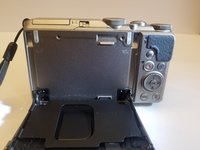
  9. Nikon Coolpix A900 Monitor Replacement: 9 단계, 이미지 3개 중 1개 Nikon Coolpix A900 Monitor Replacement: 9 단계, 이미지 3개 중 2개 Nikon Coolpix A900 Monitor Replacement: 9 단계, 이미지 3개 중 3개
    • Place the camera lens down, while supporting the rear case.

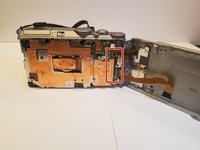
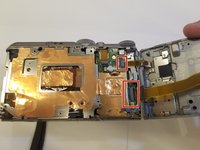
    • Unlock the two ribbons by using your finger to lift the plastic hinge on the ribbon connector.

    • With the ribbons disconnected, you can now remove the rear case.

  10. Nikon Coolpix A900 Monitor Replacement, Monitor: 10 단계, 이미지 3개 중 1개 Nikon Coolpix A900 Monitor Replacement, Monitor: 10 단계, 이미지 3개 중 2개 Nikon Coolpix A900 Monitor Replacement, Monitor: 10 단계, 이미지 3개 중 3개
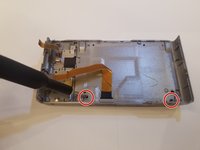
    • Set the rear case screen down.

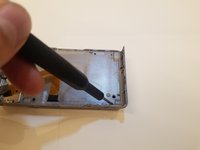
    • Remove the two 2.5 mm black Phillips #00 screws.

  11. Nikon Coolpix A900 Monitor Replacement: 11 단계, 이미지 2개 중 1개 Nikon Coolpix A900 Monitor Replacement: 11 단계, 이미지 2개 중 2개
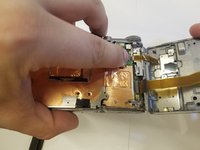
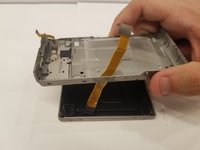
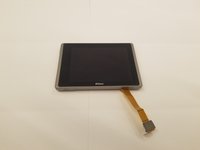
    • Separate the rear case from the monitor assembly.

    • Make sure that the ribbon cable does not snag on the rear case when removing it.

결론

To reassemble your device, follow these instructions in reverse order.

다른 한 분이 해당 안내서를 완성하였습니다.

작성자

1다른 기여자 명과 함께

Andres Aronstam

회원 가입일: 09/17/19

804 평판

안내서 5개를 작성함

4가이드 댓글

Where did you get a new monitor for your camera?

photower - 답글 공유

Bonjour superbe étape par étape ou puis je trouver l’écran LCD du NIKON A900 je ne le trouve pas ! merci de votre retour !

et un grand merci à des personnes comme vous qui nous aide nous pauvre novice !!!

Laurent Farrugia - 답글 공유
This is excellent but where would you get a new 3” monitor?

Panders McMulluon - 답글 공유

Have you tried AliExpress or Ebay?

photower - 답글 공유

댓글 쓰기

조회 통계:

지난 24시간: 2

지난 7일: 11

지난 30일: 68

전체 시간: 1,967