주요 콘텐츠로 건너뛰기

Nikon D40 Flash Pin Replacement

필요한 것

  1. Nikon D40 Flash Pin Replacement, Flash Pin: 1 단계, 이미지 1개 중 1개
    • Turn off the camera and remove the battery.

  2. Nikon D40 Flash Pin Replacement: 2 단계, 이미지 1개 중 1개
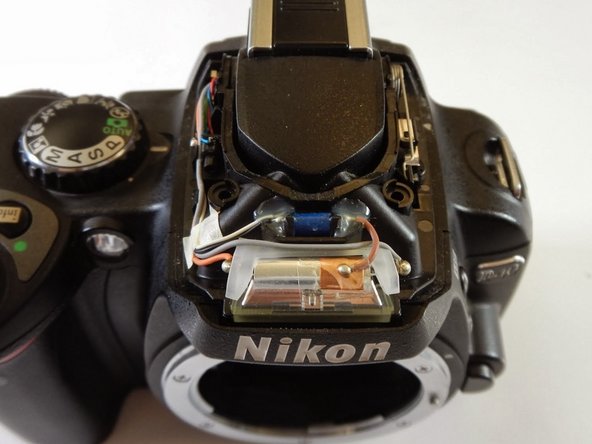
    • Pry the flash open using the plastic opening tool.

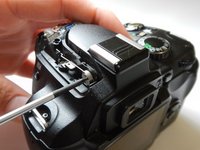
  3. Nikon D40 Flash Pin Replacement: 3 단계, 이미지 1개 중 1개
    • Remove the two Phillips #0 3.0 mm screws from the front of the flash compartment using the small Phillips Head screwdriver.

  4. Nikon D40 Flash Pin Replacement: 4 단계, 이미지 2개 중 1개 Nikon D40 Flash Pin Replacement: 4 단계, 이미지 2개 중 2개
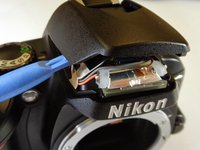
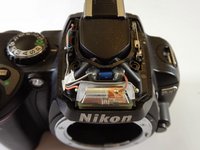
    • Pry off the back plastic of the flash compartment using the plastic opening tool.

    • When it is time to reassemble the flash module, a certain amount of force and precise alignment will be required.

  5. Nikon D40 Flash Pin Replacement: 5 단계, 이미지 2개 중 1개 Nikon D40 Flash Pin Replacement: 5 단계, 이미지 2개 중 2개
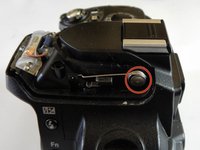
    • On the left of the camera you will see a metal spring.

    • Unscrew the Phillips #0 3.0 mm screw holding the spring in place, using the small Phillips Head screwdriver.

  6. Nikon D40 Flash Pin Replacement: 6 단계, 이미지 1개 중 1개
    • Remove metal spring and replace with new spring.

결론

To reassemble your device, follow these instructions in reverse order.

다른 4명이 해당 안내서를 완성하였습니다.

작성자

4다른 기여자 명과 함께

Lindsey Chase

회원 가입일: 01/21/14

227 평판

안내서 1개를 작성함

Cal Poly, Team 6-19, Maness Winter 2014 Cal Poly, Team 6-19, Maness Winter 2014 회원

CPSU-MANESS-W14S6G19

4 회원들

안내서 7개를 작성함

0가이드 댓글

댓글 쓰기

조회 통계:

지난 24시간: 0

지난 7일: 88

지난 30일: 156

전체 시간: 4,281