주요 콘텐츠로 건너뛰기
수리 커뮤니티 가입 - 계정 만들기

Nintendo Wii mini Motherboard Replacement

필요한 것

  1. Nintendo Wii mini Motherboard Replacement, Unscrew the Bottom: 1 단계, 이미지 2개 중 1개 Nintendo Wii mini Motherboard Replacement, Unscrew the Bottom: 1 단계, 이미지 2개 중 2개
    • Remove the two rubber feet at the back of the console to reveal the hidden screws.

    • Remove the four 6mm Phillips #0 screws.

  2. Nintendo Wii mini Motherboard Replacement, Remove the Cover: 2 단계, 이미지 3개 중 1개 Nintendo Wii mini Motherboard Replacement, Remove the Cover: 2 단계, 이미지 3개 중 2개 Nintendo Wii mini Motherboard Replacement, Remove the Cover: 2 단계, 이미지 3개 중 3개
    • Turn the Wii mini right-side up. Then run a plastic opening tool around the middle edge of the console to loosen the top piece.

    • Gently lift the top piece of the console and set it aside.

  3. Nintendo Wii mini Motherboard Replacement, Unscrew the Fan: 3 단계, 이미지 2개 중 1개 Nintendo Wii mini Motherboard Replacement, Unscrew the Fan: 3 단계, 이미지 2개 중 2개
    이 단계에 사용된 도구:
    Tweezers
    $4.99
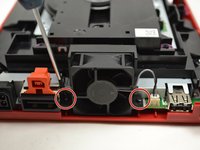
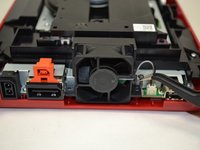
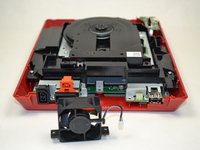
    • Turn the Wii mini around so that the back of the device is facing you.

    • Using a Phillips #0 Screwdriver, unscrew the two 6mm screws on either side of the fan piece.

    • You may need to use tweezers to pull out the screws once they are loosened.

  4. Nintendo Wii mini Motherboard Replacement, Detach the Fan Connector: 4 단계, 이미지 3개 중 1개 Nintendo Wii mini Motherboard Replacement, Detach the Fan Connector: 4 단계, 이미지 3개 중 2개 Nintendo Wii mini Motherboard Replacement, Detach the Fan Connector: 4 단계, 이미지 3개 중 3개
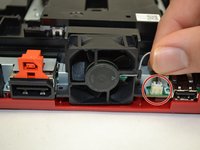
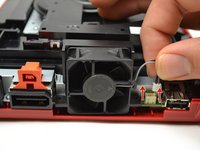
    • Using your fingers, gently pull the top of the pin connector straight up to detach the fan from the console.

    • Do not wiggle the connector or cable while removing. This may cause the connector to come loose

    • Remove the fan piece and set it aside.

  5. Nintendo Wii mini Motherboard Replacement, Power Board: 5 단계, 이미지 3개 중 1개 Nintendo Wii mini Motherboard Replacement, Power Board: 5 단계, 이미지 3개 중 2개 Nintendo Wii mini Motherboard Replacement, Power Board: 5 단계, 이미지 3개 중 3개
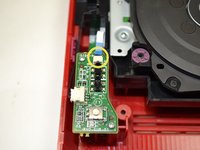
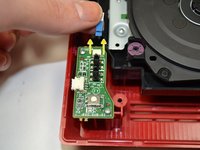
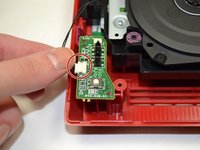
    • Using your fingers, slide out the blue ribbon cable from the the top of the power board.

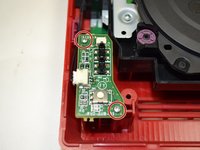
    • Using a Phillips #0 Screwdriver, unscrew the two 4mm screws at the top and bottom of the power board.

  6. Nintendo Wii mini Motherboard Replacement: 6 단계, 이미지 2개 중 1개 Nintendo Wii mini Motherboard Replacement: 6 단계, 이미지 2개 중 2개
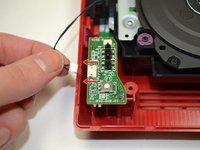
    • Using your fingers, gently pull the pin connector to disconnect the power board from the disc drive.

  7. Nintendo Wii mini Motherboard Replacement: 7 단계, 이미지 2개 중 1개 Nintendo Wii mini Motherboard Replacement: 7 단계, 이미지 2개 중 2개
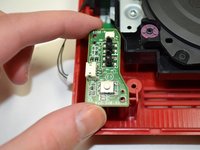
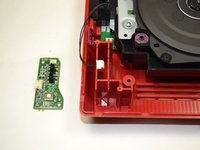
    • Lift the power board from the console and set it aside.

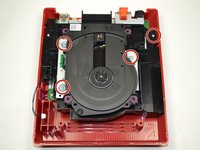
  8. Nintendo Wii mini Motherboard Replacement, Disc Drive: 8 단계, 이미지 2개 중 1개 Nintendo Wii mini Motherboard Replacement, Disc Drive: 8 단계, 이미지 2개 중 2개
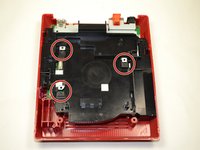
    • Using a Phillips #0 Screwdriver, unscrew the four 6mm screws.

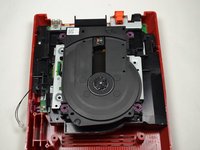
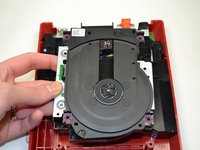
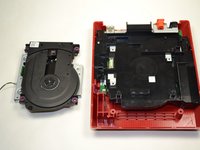
  9. Nintendo Wii mini Motherboard Replacement: 9 단계, 이미지 2개 중 1개 Nintendo Wii mini Motherboard Replacement: 9 단계, 이미지 2개 중 2개
    • Lift the disc drive out of the console and set it aside.

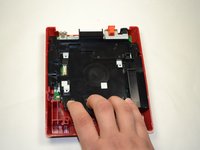
  10. Nintendo Wii mini Motherboard Replacement, Unscrew the Tray: 10 단계, 이미지 1개 중 1개
    • Using a Phillips #0 Screwdriver, unscrew the 6 mm screw at the top of the black tray.

  11. Nintendo Wii mini Motherboard Replacement, Remove the Tray: 11 단계, 이미지 3개 중 1개 Nintendo Wii mini Motherboard Replacement, Remove the Tray: 11 단계, 이미지 3개 중 2개 Nintendo Wii mini Motherboard Replacement, Remove the Tray: 11 단계, 이미지 3개 중 3개
    • Using your fingers, pull the black plastic tray toward you to loosen it from the console.

    • Make sure the black square pieces are separated from the metal square pieces before trying to lift out the tray.

    • Once separated, lift the plastic tray out of the console and set it aside.

    • Trying to remove the tray before it is completely loosened may result in damage to the metal square pieces.

  12. Nintendo Wii mini Motherboard Replacement, Unscrew the Metal Casing: 12 단계, 이미지 2개 중 1개 Nintendo Wii mini Motherboard Replacement, Unscrew the Metal Casing: 12 단계, 이미지 2개 중 2개
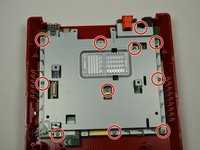
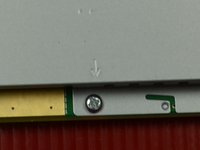
    • Using a Phillips #0 screwdriver, remove the eleven 5 mm screws holding the silver metal plate to the console.

    • These screws are indicated by small arrows on the metal plate. (See Photo #2)

  13. Nintendo Wii mini Motherboard Replacement, Remove Metal Casing: 13 단계, 이미지 2개 중 1개 Nintendo Wii mini Motherboard Replacement, Remove Metal Casing: 13 단계, 이미지 2개 중 2개
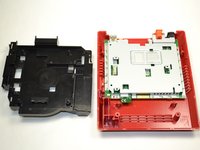
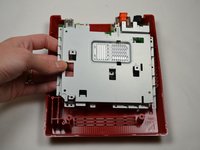
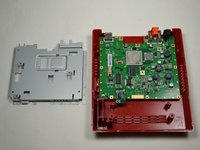
    • Lift out the metal plate and set it aside.

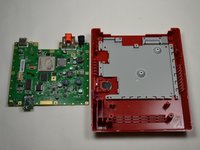
  14. Nintendo Wii mini Motherboard Replacement, Remove Motherboard: 14 단계, 이미지 2개 중 1개 Nintendo Wii mini Motherboard Replacement, Remove Motherboard: 14 단계, 이미지 2개 중 2개
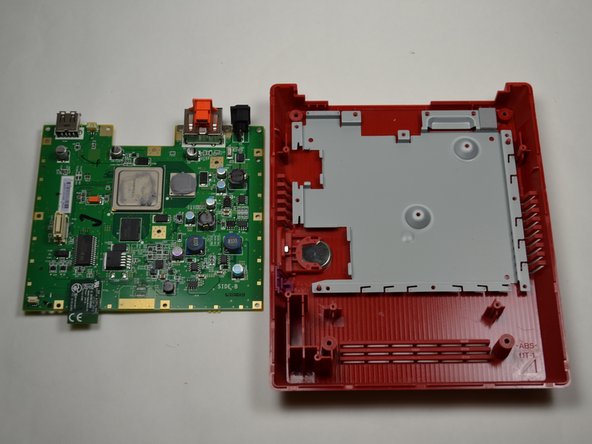
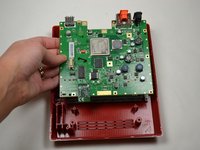
    • Lift out the motherboard and set it aside.

결론

To reassemble your device, follow these instructions in reverse order.

다른 10명이 해당 안내서를 완성하였습니다.

작성자

6다른 기여자 명과 함께

Kristin Anderson

회원 가입일: 01/23/15

1,011 평판

안내서 5개를 작성함

UWT Liner: Group 5 UWT Liner: Group 5 회원

Community

3 회원들

안내서 11개를 작성함

1가이드 댓글

Can you fit a Wii Motherboard inside this casing, and use the dvd drive, if so I have a few wiis with broken DVD drives I would like to repair and this would be a cheap solution.

Christopher Wortman - 답글 공유

댓글 쓰기

조회 통계:

지난 24시간: 7

지난 7일: 41

지난 30일: 145

전체 시간: 6,717