주요 콘텐츠로 건너뛰기

Nokero SunRay Pro Power Panel USB Assembly Replacement

필요한 것

  1. Nokero SunRay Pro Power Panel USB Assembly Replacement, Front and Back Case: 1 단계, 이미지 1개 중 1개
    • Turn over the device so that the back of the device is facing up.

  2. Nokero SunRay Pro Power Panel USB Assembly Replacement: 2 단계, 이미지 3개 중 1개 Nokero SunRay Pro Power Panel USB Assembly Replacement: 2 단계, 이미지 3개 중 2개 Nokero SunRay Pro Power Panel USB Assembly Replacement: 2 단계, 이미지 3개 중 3개
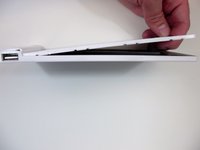
    • Insert the first plastic opening tool along the side to pry open the case.

    • Sliding the plastic opening tool, while inserted, along the seam may help the removal process.

    • Use a second plastic opening tool to help separate the remaining seams.

  3. Nokero SunRay Pro Power Panel USB Assembly Replacement: 3 단계, 이미지 2개 중 1개 Nokero SunRay Pro Power Panel USB Assembly Replacement: 3 단계, 이미지 2개 중 2개
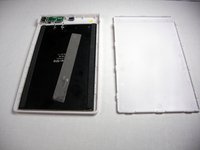
    • There is a long strip of double sided adhesive foam tape that prevents the back case from easily being removed.

    • Pull the back case off by applying steady pressure to remove it from the adhesive foam tape.

  4. Nokero SunRay Pro Power Panel USB Assembly Replacement: 4 단계, 이미지 2개 중 1개 Nokero SunRay Pro Power Panel USB Assembly Replacement: 4 단계, 이미지 2개 중 2개
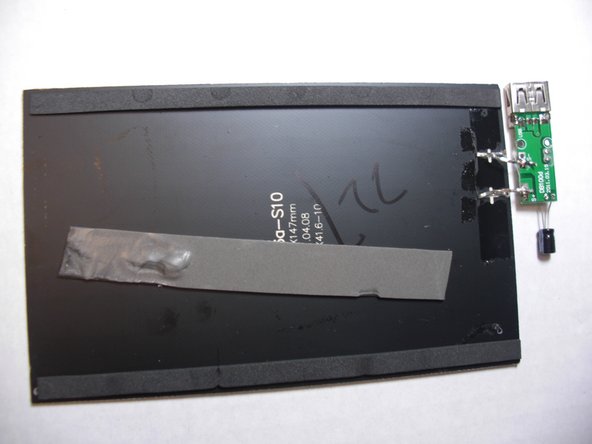
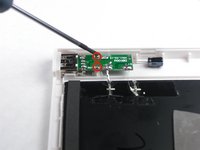
    • Use the Phillips precision screwdriver to unscrew the two 5.0 mm Phillips screws from the circuit board.

    • Remove the solar panel and circuit board from the front case.

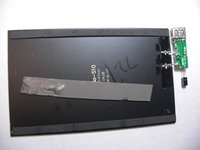
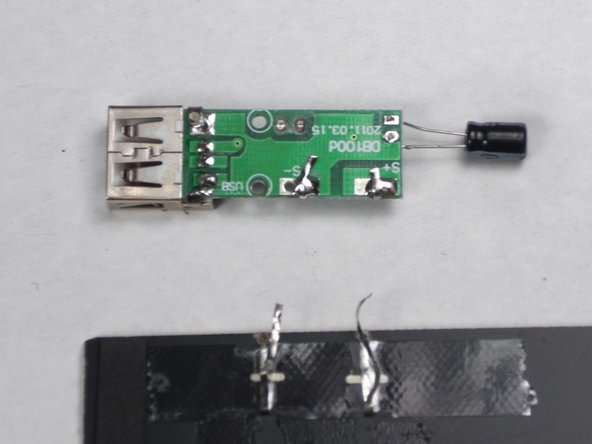
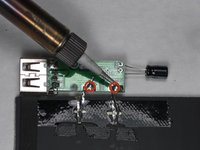
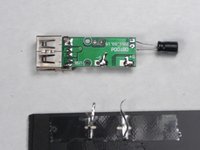
  5. Nokero SunRay Pro Power Panel USB Assembly Replacement, USB Assembly/ Solar Panel: 5 단계, 이미지 2개 중 1개 Nokero SunRay Pro Power Panel USB Assembly Replacement, USB Assembly/ Solar Panel: 5 단계, 이미지 2개 중 2개
    • Solder the two contact points identified by the "S+" and "S-" to disconnect the USB assembly.

결론

To reassemble your device, follow these instructions in reverse order.

다른 한 분이 해당 안내서를 완성하였습니다.

작성자

4다른 기여자 명과 함께

Nicholas Orr

회원 가입일: 01/20/15

229 평판

안내서 2개를 작성함

0가이드 댓글

댓글 쓰기

조회 통계:

지난 24시간: 1

지난 7일: 2

지난 30일: 14

전체 시간: 312