주요 콘텐츠로 건너뛰기
수리 커뮤니티 가입 - 계정 만들기

Nokia 3300B SD Card Replacement

  1. Nokia 3300B SD Card Replacement, Battery: 1 단계, 이미지 2개 중 1개 Nokia 3300B SD Card Replacement, Battery: 1 단계, 이미지 2개 중 2개
    • Flip the Nokia 3300B over with the back-side facing towards you.

    • Gently press the button on the back of the battery cover to release the cover and slide up.

    댓글 쓰기

  2. Nokia 3300B SD Card Replacement: 2 단계, 이미지 2개 중 1개 Nokia 3300B SD Card Replacement: 2 단계, 이미지 2개 중 2개
    • Lift the battery out of the back of the phone.

    • It is easiest to lift the battery out of the phone from the right-hand side, as seen in the picture.

    댓글 쓰기

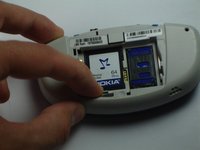
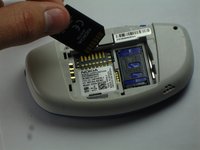
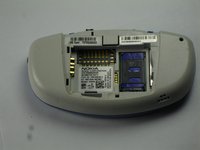
  3. Nokia 3300B SD Card Replacement, SD Card: 3 단계, 이미지 3개 중 1개 Nokia 3300B SD Card Replacement, SD Card: 3 단계, 이미지 3개 중 2개 Nokia 3300B SD Card Replacement, SD Card: 3 단계, 이미지 3개 중 3개
    이 단계에 사용된 도구:
    Tweezers
    $4.99
    • Using your finger, or a pair of tweezers, press down on the tab below the SD card.

    • The card will pop out of its case. Remove the card.

    • When placing the new SD card in the slot, it should "pop" in.

    댓글 쓰기

결론

To reassemble your device, follow these instructions in reverse order.

취소: 해당 안내서를 완성하지 않았습니다.

다른 3명이 해당 안내서를 완성하였습니다.

작성자

5다른 기여자 명과 함께

George

회원 가입일: 04/13/10

91 평판

안내서 2개를 작성함

Cal Poly, Team 18-65, Johann Spring 2010 Cal Poly, Team 18-65, Johann Spring 2010 회원

CPSU-JOHANN-S10S18G65

4 회원들

안내서 9개를 작성함

0가이드 댓글

댓글 쓰기

조회 통계:

지난 24시간: 1

지난 7일: 9

지난 30일: 43

전체 시간: 3,063