주요 콘텐츠로 건너뛰기
수리 커뮤니티 가입 - 계정 만들기

Nvidia Shield TV 1st Generation Controller Battery Replacement

필요한 것

  1. Nvidia Shield TV 1st Generation Controller Battery Replacement, Controller Battery: 1 단계, 이미지 2개 중 1개 Nvidia Shield TV 1st Generation Controller Battery Replacement, Controller Battery: 1 단계, 이미지 2개 중 2개
    • Remove the indicated six screws using the T6 Torx screwdriver.

    댓글 쓰기

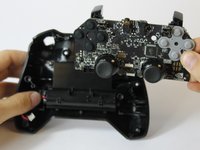
  2. Nvidia Shield TV 1st Generation Controller Battery Replacement: 2 단계, 이미지 2개 중 1개 Nvidia Shield TV 1st Generation Controller Battery Replacement: 2 단계, 이미지 2개 중 2개
    • Use the plastic opening tool to pry the face of the controller away from the body.

    • Make sure the controller is face down during this step as the buttons can easily fall out.

    댓글 쓰기

  3. Nvidia Shield TV 1st Generation Controller Battery Replacement: 3 단계, 이미지 1개 중 1개
    • Carefully remove the indicated ribbon wires from the face of the controller.

    댓글 쓰기

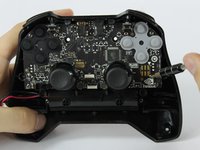
  4. Nvidia Shield TV 1st Generation Controller Battery Replacement: 4 단계, 이미지 2개 중 1개 Nvidia Shield TV 1st Generation Controller Battery Replacement: 4 단계, 이미지 2개 중 2개
    이 단계에 사용된 도구:
    Tweezers
    $3.99
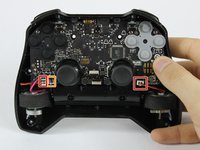
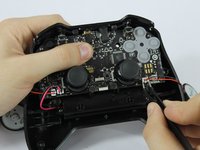
    • Use the angled tweezers to remove the vibration motor cable, moving it upward from its socket.

    • Lift the vibration motor out of the front case.

    • Repeat for the other side.

    • Use the angled tweezers to remove the battery cable, moving it upward from its socket.

    댓글 쓰기

  5. Nvidia Shield TV 1st Generation Controller Battery Replacement: 5 단계, 이미지 3개 중 1개 Nvidia Shield TV 1st Generation Controller Battery Replacement: 5 단계, 이미지 3개 중 2개 Nvidia Shield TV 1st Generation Controller Battery Replacement: 5 단계, 이미지 3개 중 3개
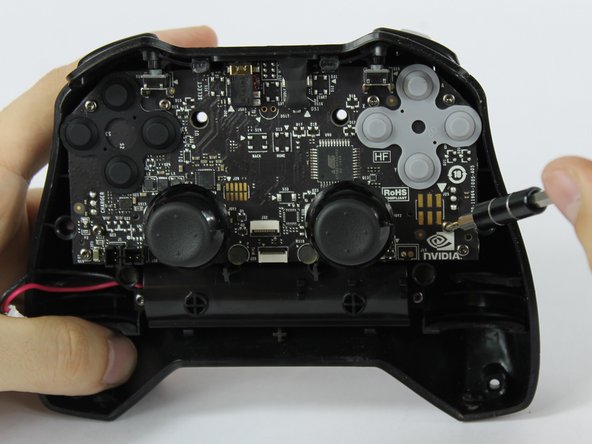
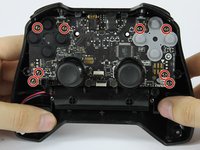
    • Using the T6 Torx screwdriver, remove the indicated eight screws from the logic board.

    • Lift the logic board away from the front case.

    댓글 쓰기

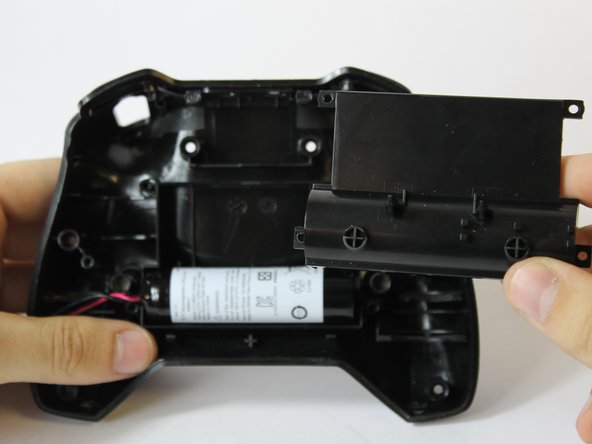
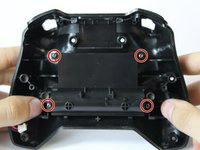
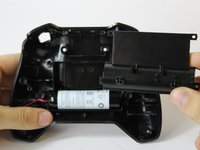
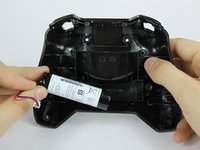
  6. Nvidia Shield TV 1st Generation Controller Battery Replacement: 6 단계, 이미지 3개 중 1개 Nvidia Shield TV 1st Generation Controller Battery Replacement: 6 단계, 이미지 3개 중 2개 Nvidia Shield TV 1st Generation Controller Battery Replacement: 6 단계, 이미지 3개 중 3개
    • Using the T6 Torx screwdriver, remove the indicated four screws from the panel.

    • Remove the panel from the front case.

    • Lift the battery from the front case to remove it.

    댓글 쓰기

결론

To reassemble your device, follow these instructions in reverse order.

취소: 해당 안내서를 완성하지 않았습니다.

다른 12명이 해당 안내서를 완성하였습니다.

작성자

3다른 기여자 명과 함께

Joshua Neally

회원 가입일: 09/25/17

581 평판

안내서 4개를 작성함

USF Tampa, Team S16-G6, Eyestone Fall 2017 USF Tampa, Team S16-G6, Eyestone Fall 2017 회원

USFT-EYESTONE-F17S16G6

3 회원들

안내서 8개를 작성함

8가이드 댓글

Where can i buy the replacement Battery? What tags should i use to find it?

Rancid 3000a - 답글 공유

LC18650 Remote Control accu

djcornelissen - 답글 공유

Are battery packs available for the 2017 controller?

Andrew - 답글 공유

Simply reconnecting the battery fixed my issues

Charles Keisler - 답글 공유

댓글 쓰기

조회 통계:

지난 24시간: 2

지난 7일: 12

지난 30일: 85

전체 시간: 21,582