주요 콘텐츠로 건너뛰기

Oculus Rift CV1 Remote Button Replacement

필요한 것

  1. Oculus Rift CV1 Remote Button Replacement, Battery: 1 단계, 이미지 3개 중 1개 Oculus Rift CV1 Remote Button Replacement, Battery: 1 단계, 이미지 3개 중 2개 Oculus Rift CV1 Remote Button Replacement, Battery: 1 단계, 이미지 3개 중 3개
    • Remove the back panel by firmly sliding it towards the strap.

  2. Oculus Rift CV1 Remote Button Replacement: 2 단계, 이미지 3개 중 1개 Oculus Rift CV1 Remote Button Replacement: 2 단계, 이미지 3개 중 2개 Oculus Rift CV1 Remote Button Replacement: 2 단계, 이미지 3개 중 3개
    • Push down on the tab under the battery.

    • Firmly slide the battery away from you. The battery should unlatch from its previous position.

    • Once the battery is removed, release the tab.

  3. Oculus Rift CV1 Remote Button Replacement, Remote Button: 3 단계, 이미지 1개 중 1개
    • Remove the four 4mm Phillips #000 screws from the back of the remote.

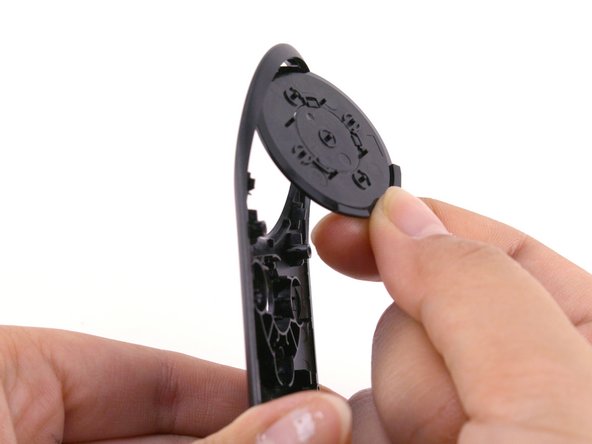
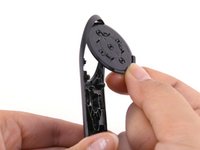
  4. Oculus Rift CV1 Remote Button Replacement: 4 단계, 이미지 1개 중 1개
    • Gently lift the wrist strap to split the back panel into two.

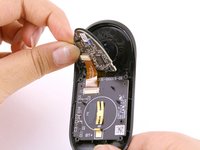
  5. Oculus Rift CV1 Remote Button Replacement: 5 단계, 이미지 2개 중 1개 Oculus Rift CV1 Remote Button Replacement: 5 단계, 이미지 2개 중 2개
    • Gently peel off the top of the control board.

    • Be gentle, if the buttons fall off, try to keep them in the orientation that they were in.

    • If the large black button falls off, place it back into the shell by orienting the tabs on the button to match the holes on the shell.

  6. Oculus Rift CV1 Remote Button Replacement: 6 단계, 이미지 1개 중 1개
    • Pull the old buttons off and replace them with the new ones.

결론

To reassemble your device, follow these instructions in reverse order.

작성자

4다른 기여자 명과 함께

Christian Perry

회원 가입일: 01/24/19

223 평판

안내서 2개를 작성함

Cal Poly, Team S18-G4, White Winter 2019 Cal Poly, Team S18-G4, White Winter 2019 회원

CPSU-WHITE-W19S18G4

3 회원들

안내서 10개를 작성함

0가이드 댓글

댓글 쓰기

조회 통계:

지난 24시간: 0

지난 7일: 2

지난 30일: 18

전체 시간: 1,051