주요 콘텐츠로 건너뛰기

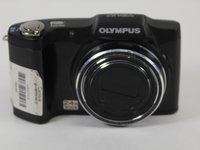
Olympus SZ-12 Lens Replacement

필요한 것

  1. Olympus SZ-12 Lens Replacement, Back Case: 1 단계, 이미지 2개 중 1개 Olympus SZ-12 Lens Replacement, Back Case: 1 단계, 이미지 2개 중 2개
    • Remove nine 4.45mm Phillips #000 screws from the outside of the case.

  2. Olympus SZ-12 Lens Replacement: 2 단계, 이미지 1개 중 1개
    • There are four screws to take out on the bottom of the camera.

  3. Olympus SZ-12 Lens Replacement: 3 단계, 이미지 1개 중 1개
    • There are three screws to take out on this side.

  4. Olympus SZ-12 Lens Replacement: 4 단계, 이미지 1개 중 1개
    • There is one screw to take out on this side.

  5. Olympus SZ-12 Lens Replacement: 5 단계, 이미지 1개 중 1개
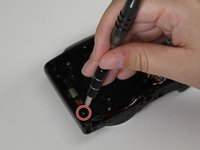
    • There is one hidden screw inside the HDMI port.

  6. Olympus SZ-12 Lens Replacement: 6 단계, 이미지 1개 중 1개
    • Using the blue plastic opening tool, wedge open and remove the case.

  7. Olympus SZ-12 Lens Replacement, LCD Screen: 7 단계, 이미지 1개 중 1개
    • Once you have the back case off, remove the LCD Screen.

  8. Olympus SZ-12 Lens Replacement: 8 단계, 이미지 1개 중 1개
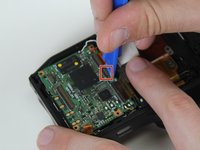
    • Using a plastic opening tool, gently lift the retaining flap on the display cable ZIF connector.

    • Pull the display cable from its socket on the motherboard.

  9. Olympus SZ-12 Lens Replacement: 9 단계, 이미지 1개 중 1개
    • Remove the LCD screen from the device.

    • Be careful not to rip the display's ribbon cable as you pull the screen away from the device.

  10. Olympus SZ-12 Lens Replacement, Lens: 10 단계, 이미지 2개 중 1개 Olympus SZ-12 Lens Replacement, Lens: 10 단계, 이미지 2개 중 2개
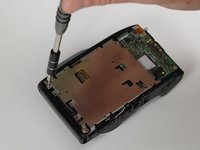
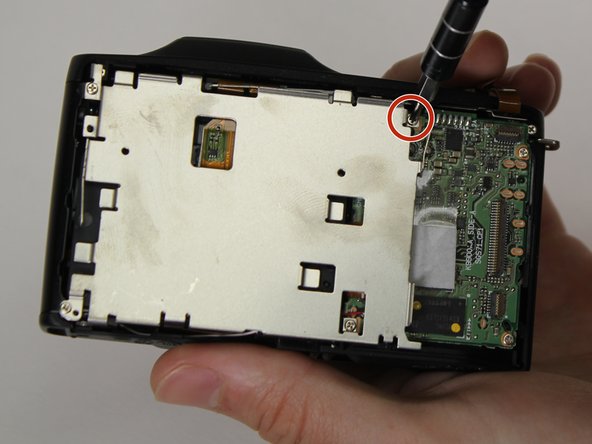
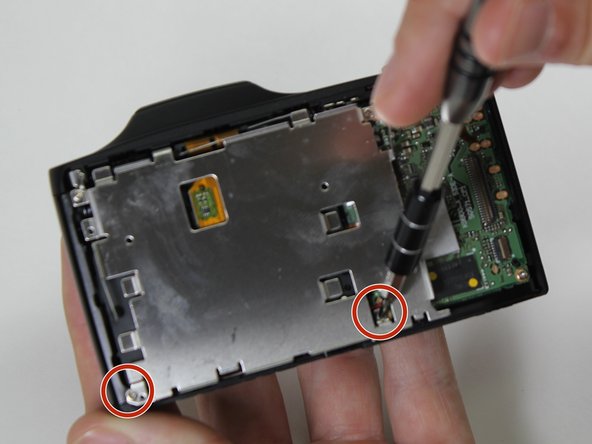
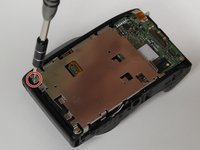
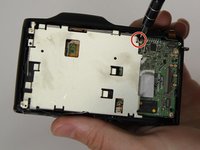
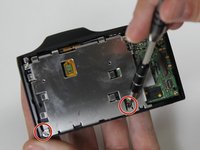
    • Remove the four 3.8mm Phillips #000 screws from the LCD frame.

  11. Olympus SZ-12 Lens Replacement: 11 단계, 이미지 3개 중 1개 Olympus SZ-12 Lens Replacement: 11 단계, 이미지 3개 중 2개 Olympus SZ-12 Lens Replacement: 11 단계, 이미지 3개 중 3개
    • Remove the top left screw, top right screw, bottom left screw, and bottom right screw from LCD frame.

  12. Olympus SZ-12 Lens Replacement: 12 단계, 이미지 3개 중 1개 Olympus SZ-12 Lens Replacement: 12 단계, 이미지 3개 중 2개 Olympus SZ-12 Lens Replacement: 12 단계, 이미지 3개 중 3개
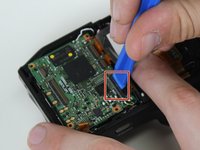
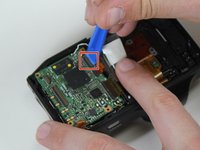
    • Lift the retaining flaps on the three remaining ZIF connectors connected to the motherboard.

  13. Olympus SZ-12 Lens Replacement: 13 단계, 이미지 1개 중 1개
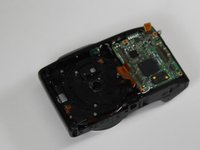
    • Remove the five 4.3mm Phillips #000 screws from the lens frame to access the lens.

    • Remove the lens frame.

  14. Olympus SZ-12 Lens Replacement: 14 단계, 이미지 3개 중 1개 Olympus SZ-12 Lens Replacement: 14 단계, 이미지 3개 중 2개 Olympus SZ-12 Lens Replacement: 14 단계, 이미지 3개 중 3개
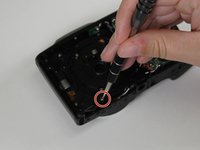
    • Remove two 4.3mm Phillips #000 screws from black plastic piece surrounding the lens.

    • Remove the lens.

결론

To reassemble your device, follow these instructions in reverse order.

다른 3명이 해당 안내서를 완성하였습니다.

작성자

1다른 기여자 명과 함께

Samuel Hays

회원 가입일: 03/13/17

563 평판

안내서 4개를 작성함

1가이드 댓글

Is her anything in the lens assembly that I could look for which may have dislodged showing up as a shadow on the bottom of the display screen

Deacon - 답글

댓글 쓰기

조회 통계:

지난 24시간: 0

지난 7일: 4

지난 30일: 19

전체 시간: 2,119