주요 콘텐츠로 건너뛰기
수리 커뮤니티 가입 - 계정 만들기

Olympus VR-350 Lens Box Unit Replacement

필요한 것

  1. Olympus VR-350 Lens Box Unit Replacement, Front Plate: 1 단계, 이미지 2개 중 1개 Olympus VR-350 Lens Box Unit Replacement, Front Plate: 1 단계, 이미지 2개 중 2개
    • Remove the two 4mm screws from each side of the camera with a Phillips PH000 screwdriver.

  2. Olympus VR-350 Lens Box Unit Replacement: 2 단계, 이미지 1개 중 1개
    • Remove the four 4mm screws from the bottom of the camera with a Phillips PH000 screwdriver.

  3. Olympus VR-350 Lens Box Unit Replacement: 3 단계, 이미지 3개 중 1개 Olympus VR-350 Lens Box Unit Replacement: 3 단계, 이미지 3개 중 2개 Olympus VR-350 Lens Box Unit Replacement: 3 단계, 이미지 3개 중 3개
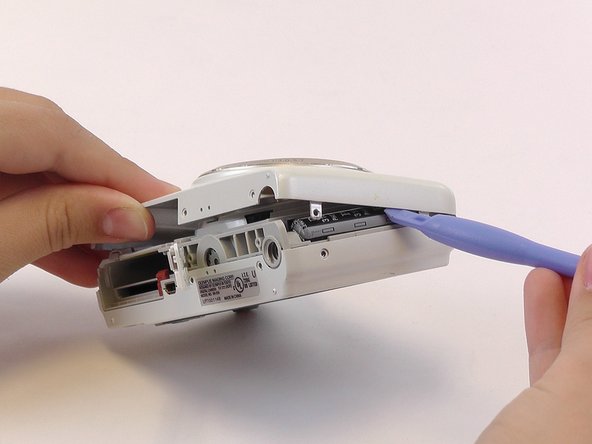
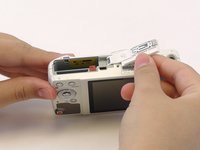
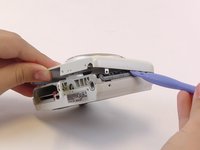
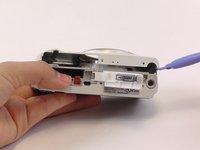
    • Use the plastic opening tools and your fingers to pry the front plate from the camera.

    • You might need to open the battery cover to remove the front plate.

  4. Olympus VR-350 Lens Box Unit Replacement, Back Plate: 4 단계, 이미지 2개 중 1개 Olympus VR-350 Lens Box Unit Replacement, Back Plate: 4 단계, 이미지 2개 중 2개
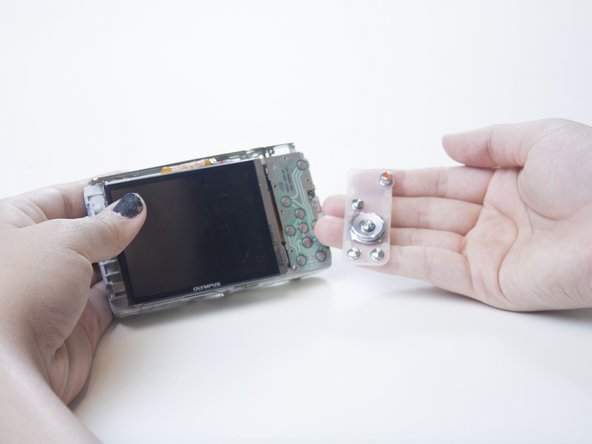
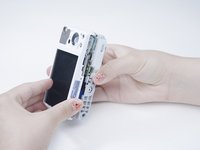
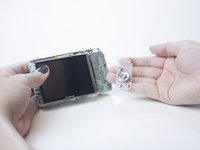
    • Use your fingers to pry open the back cover.

    • When you remove the back of the camera, the button membrane might fall out. Don’t lose this sheet.

    • The LCD screen is connected to the body of the camera by an orange ribbon cable. Don’t pull this ribbon cable out.

  5. Olympus VR-350 Lens Box Unit Replacement, LCD Screen: 5 단계, 이미지 2개 중 1개 Olympus VR-350 Lens Box Unit Replacement, LCD Screen: 5 단계, 이미지 2개 중 2개
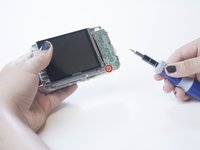
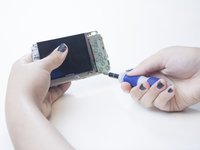
    • Using the Phillips PH000 screwdriver, remove the 4mm screw from the bottom left corner of the button plate located under the button membrane.

  6. Olympus VR-350 Lens Box Unit Replacement: 6 단계, 이미지 1개 중 1개
    • Pull the button pad up to fully reveal the visible ribbon cable.

    • You might need to bend the button pad out of the way.

  7. Olympus VR-350 Lens Box Unit Replacement: 7 단계, 이미지 1개 중 1개
    • Pull out the LCD screen and the ribbon cable.

    • The ribbon cable should be easy to pull out.

  8. Olympus VR-350 Lens Box Unit Replacement, Lens Box Unit: 8 단계, 이미지 1개 중 1개
    • Remove the metal plate that was underneath the LCD screen by removing the four 4 mm screws with the Phillips PH000 screwdriver.

  9. Olympus VR-350 Lens Box Unit Replacement: 9 단계, 이미지 2개 중 1개 Olympus VR-350 Lens Box Unit Replacement: 9 단계, 이미지 2개 중 2개
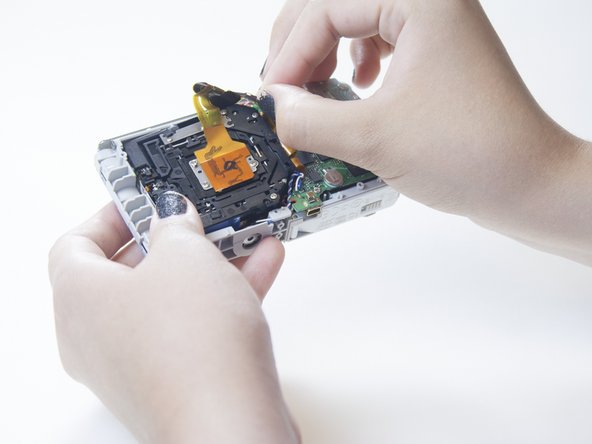
    • Remove the orange ribbon cable from the connector on the left side of the motherboard.

    • To do this, gently lift up the small grey clasp and pull the cable ribbon.

  10. Olympus VR-350 Lens Box Unit Replacement: 10 단계, 이미지 1개 중 1개
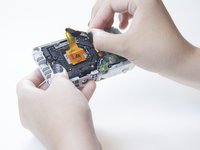
    • There are two other small ribbon cables under the motherboard connected to the lens box. Pull them out from the motherboard.

    • You may need to use force to pull out the ribbon cables.

  11. Olympus VR-350 Lens Box Unit Replacement: 11 단계, 이미지 1개 중 1개
    • Pull the lens box up and out to remove it.

결론

To reassemble your device, follow these instructions in reverse order.

다른 5명이 해당 안내서를 완성하였습니다.

작성자

2다른 기여자 명과 함께

Brooke

회원 가입일: 02/23/15

278 평판

안내서 1개를 작성함

USF Tampa, Team 1-3, Leahy Winter 2015 USF Tampa, Team 1-3, Leahy Winter 2015 회원

USFT-LEAHY-W15S1G3

3 회원들

안내서 10개를 작성함

1가이드 댓글

Worked for a SH-21, with a couple of extra screws to remove. Thank you!

Rick Allies - 답글

댓글 쓰기

조회 통계:

지난 24시간: 1

지난 7일: 6

지난 30일: 36

전체 시간: 2,006