주요 콘텐츠로 건너뛰기
수리 커뮤니티 가입 - 계정 만들기

Oregon Scientific Meep! X2 Battery Replacement

필요한 것

    1. Oregon Scientific Meep! X2 Battery Replacement, Rear Casing: 1 단계, 이미지 1개 중 1개
      • Remove the orange covers from the left and right sides of the device by sliding up against the tabs.

      댓글 쓰기

    2. Oregon Scientific Meep! X2 Battery Replacement: 2 단계, 이미지 3개 중 1개 Oregon Scientific Meep! X2 Battery Replacement: 2 단계, 이미지 3개 중 2개 Oregon Scientific Meep! X2 Battery Replacement: 2 단계, 이미지 3개 중 3개
      • You can remove the rear casing by unscrewing all six phillips #00(3.5mm x 4.5mm)screws from the left and right side of the device.

      댓글 쓰기

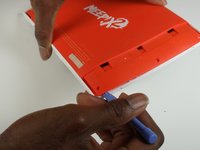
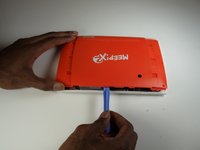
    3. Oregon Scientific Meep! X2 Battery Replacement: 3 단계, 이미지 3개 중 1개 Oregon Scientific Meep! X2 Battery Replacement: 3 단계, 이미지 3개 중 2개 Oregon Scientific Meep! X2 Battery Replacement: 3 단계, 이미지 3개 중 3개
      • Use the plastic opening tools to undo the clips around the edges of the device.

      댓글 쓰기

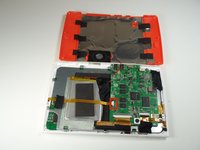
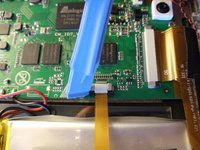
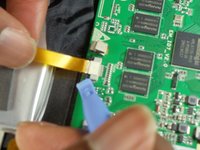
    1. Oregon Scientific Meep! X2 Battery Replacement, Remove the ribbon cable.: 4 단계, 이미지 3개 중 1개 Oregon Scientific Meep! X2 Battery Replacement, Remove the ribbon cable.: 4 단계, 이미지 3개 중 2개 Oregon Scientific Meep! X2 Battery Replacement, Remove the ribbon cable.: 4 단계, 이미지 3개 중 3개
      • Gently unhook the black security clips to loosen the ribbon cable. Use one of the plastic opening tools.

      • Pull lightly on the ribbon cable to remove it.

      댓글 쓰기

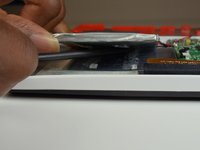
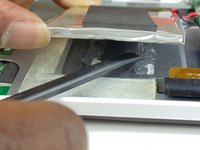
    2. Oregon Scientific Meep! X2 Battery Replacement, Sever the adhesive glue on the battery.: 5 단계, 이미지 2개 중 1개 Oregon Scientific Meep! X2 Battery Replacement, Sever the adhesive glue on the battery.: 5 단계, 이미지 2개 중 2개
      • Use your spudger to separate the battery from the adhesive glue strips and plastic film.

      댓글 쓰기

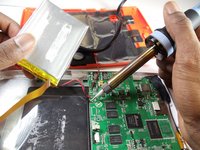
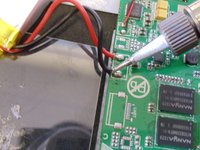
    3. Oregon Scientific Meep! X2 Battery Replacement: 6 단계, 이미지 2개 중 1개 Oregon Scientific Meep! X2 Battery Replacement: 6 단계, 이미지 2개 중 2개
      • Use a soldering station to unsolder the battery wires from the motherboard.

      • In the case of screen or screen sensor replacement, disregard desoldering steps.

      댓글 쓰기

결론

To reassemble your device, follow these instructions in reverse order.

취소: 해당 안내서를 완성하지 않았습니다.

작성자

3다른 기여자 명과 함께

J'mel Henneman

회원 가입일: 01/20/15

864 평판

안내서 8개를 작성함

USF Tampa, Team 9-1, Blackwell Winter 2015 USF Tampa, Team 9-1, Blackwell Winter 2015 회원

USFT-BLACKWELL-W15S9G1

3 회원들

안내서 16개를 작성함

0가이드 댓글

댓글 쓰기

조회 통계:

지난 24시간: 1

지난 7일: 3

지난 30일: 30

전체 시간: 1,859