주요 콘텐츠로 건너뛰기
수리 커뮤니티 가입 - 계정 만들기

Oregon Scientific RM318PA Lens Replacement

필요한 것

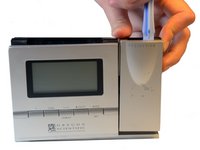
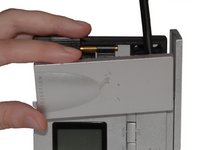
    1. Oregon Scientific RM318PA Lens Replacement, A/C Adapter: 1 단계, 이미지 3개 중 1개 Oregon Scientific RM318PA Lens Replacement, A/C Adapter: 1 단계, 이미지 3개 중 2개 Oregon Scientific RM318PA Lens Replacement, A/C Adapter: 1 단계, 이미지 3개 중 3개
      • Hold clock so the screen is facing away from you.

      • Using your thumbs, push up on battery cover to remove.

      • With your other hand, pull down on the A/C Adapter jack to remove.

      댓글 쓰기

    2. Oregon Scientific RM318PA Lens Replacement, Batteries: 2 단계, 이미지 1개 중 1개
      • Remove batteries by pushing a battery toward the spring.

      • Lift battery out at an angle. Repeat with second battery.

      댓글 쓰기

    3. Oregon Scientific RM318PA Lens Replacement, Projection Arm: 3 단계, 이미지 2개 중 1개 Oregon Scientific RM318PA Lens Replacement, Projection Arm: 3 단계, 이미지 2개 중 2개
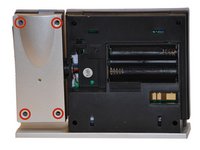
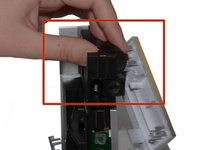
      • Use a Phillips #00 Screwdriver to remove the four (4) screws from the back of the projection arm.

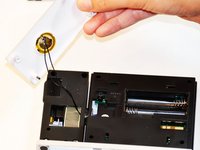
      • Once screws are removed, lift the back up and off of the projection arm.

      댓글 쓰기

    4. Oregon Scientific RM318PA Lens Replacement, Screws Projection Arm: 4 단계, 이미지 2개 중 1개 Oregon Scientific RM318PA Lens Replacement, Screws Projection Arm: 4 단계, 이미지 2개 중 2개
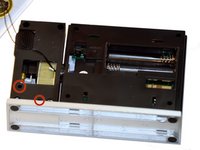
      • Use a Phillips #00 Screwdriver to remove two (2) screws from back of projection arm.

      댓글 쓰기

    5. Oregon Scientific RM318PA Lens Replacement, Front of the Projection Arm: 5 단계, 이미지 2개 중 1개 Oregon Scientific RM318PA Lens Replacement, Front of the Projection Arm: 5 단계, 이미지 2개 중 2개
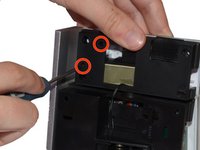
      • Use a Plastic Opening Tool to pry open the front of the projection arm casing. Start at the top of the projection arm.

      • Once top is partially open, use a Spudger to pry at the side of the projection arm.

      댓글 쓰기

    6. Oregon Scientific RM318PA Lens Replacement, Projection Beam: 6 단계, 이미지 3개 중 1개 Oregon Scientific RM318PA Lens Replacement, Projection Beam: 6 단계, 이미지 3개 중 2개 Oregon Scientific RM318PA Lens Replacement, Projection Beam: 6 단계, 이미지 3개 중 3개
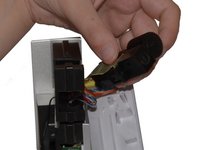
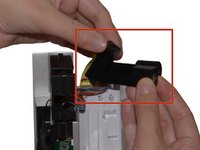
      • Turn the clock on its side. Slide the focus wheel forward with your thumb.

      • The Projection Beam and Focus Wheel Component should now be free of Projection Arm.

      • Hold the Component in one hand and lift the Projection Beam up and away from the Focus Wheel.

      댓글 쓰기

    7. Oregon Scientific RM318PA Lens Replacement, The Lens: 7 단계, 이미지 1개 중 1개
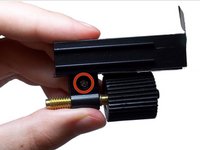
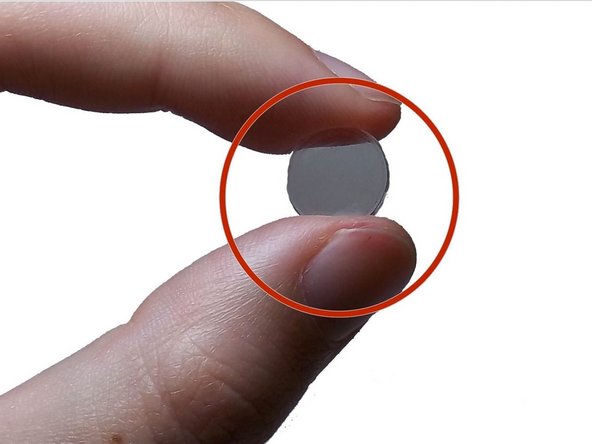
      • The Lens is attached to the Focus Knob and is now accessible for replacement purposes.

      댓글 쓰기

    8. Oregon Scientific RM318PA Lens Replacement, Tape: 8 단계, 이미지 1개 중 1개
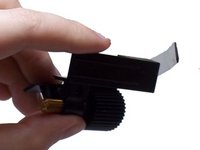
      • Apply tape to the lens for safe removal and prevention of injury.

      댓글 쓰기

    9. Oregon Scientific RM318PA Lens Replacement, Focus Knob: 9 단계, 이미지 2개 중 1개 Oregon Scientific RM318PA Lens Replacement, Focus Knob: 9 단계, 이미지 2개 중 2개
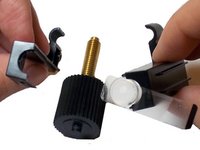
      • Detach the focus knob from the internal casing of the lens by removing the screw from the base of the focus knob grip.

      • Pry apart the pieces of casing holding the focus knob in place and remove the knob.

      댓글 쓰기

    10. Oregon Scientific RM318PA Lens Replacement, Internal Casing: 10 단계, 이미지 3개 중 1개 Oregon Scientific RM318PA Lens Replacement, Internal Casing: 10 단계, 이미지 3개 중 2개 Oregon Scientific RM318PA Lens Replacement, Internal Casing: 10 단계, 이미지 3개 중 3개
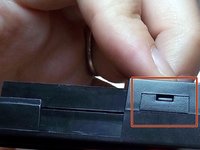
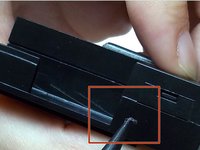
      • Insert the spudger into the opening above the hinge on the side of the casing.

      • Press down firmly until the case opens.

      댓글 쓰기

    11. Oregon Scientific RM318PA Lens Replacement, Lens Removal: 11 단계, 이미지 2개 중 1개 Oregon Scientific RM318PA Lens Replacement, Lens Removal: 11 단계, 이미지 2개 중 2개
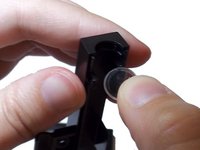
      • Pull apart the casing and gently slide lens from pocket.

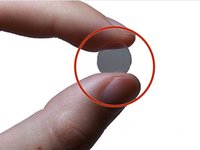
      • Be sure to replace with a concave lens.

      댓글 쓰기

결론

To reassemble your device, follow these instructions in reverse order.

취소: 해당 안내서를 완성하지 않았습니다.

다른 한 분이 해당 안내서를 완성하였습니다.

작성자

3다른 기여자 명과 함께

Maxine Holden

회원 가입일: 10/27/14

500 평판

안내서 4개를 작성함

1가이드 댓글

Hi, I’ve this alarm clock with missing piezo/speaker, can anyone take a picture of the main board showing the pads for it?

Mastto geppetto - 답글 공유

댓글 쓰기

조회 통계:

지난 24시간: 0

지난 7일: 5

지난 30일: 26

전체 시간: 3,166