주요 콘텐츠로 건너뛰기
수리 커뮤니티 가입 - 계정 만들기

PSP 2000 Logic Board Replacement

필요한 것

  1. PSP 2000 Logic Board Replacement, Battery: 1 단계, 이미지 3개 중 1개 PSP 2000 Logic Board Replacement, Battery: 1 단계, 이미지 3개 중 2개 PSP 2000 Logic Board Replacement, Battery: 1 단계, 이미지 3개 중 3개
    • Place PSP face down, so that the UMD Drive is facing upwards.

    • Locate the battery door and open.

    • Remove the battery from inside.

    댓글 쓰기

  2. PSP 2000 Logic Board Replacement, Front Casing: 2 단계, 이미지 1개 중 1개
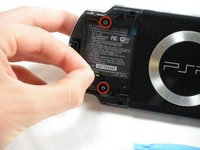
    • This step requires the removal of the warranty sticker. Removing the sticker will void the warranty. According to the FTC removing this will not void your warranty.

    • Locate the sticker in the battery compartment labeled: "En: Warranty Void if Seal Damaged."

    • Remove the sticker using the PSP Opening Tools.

    • Under the sticker is a 5mm Phillips screw needed in the next step.

    댓글 쓰기

  3. PSP 2000 Logic Board Replacement: 3 단계, 이미지 2개 중 1개 PSP 2000 Logic Board Replacement: 3 단계, 이미지 2개 중 2개
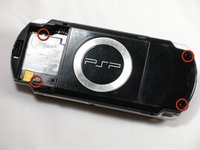
    • Remove four 5 mm Phillips from the case.

    • If the screws stick in the case, you can use a magnetized screwdriver to draw them out.

    댓글 쓰기

  4. PSP 2000 Logic Board Replacement: 4 단계, 이미지 2개 중 1개 PSP 2000 Logic Board Replacement: 4 단계, 이미지 2개 중 2개
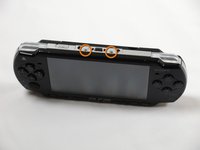
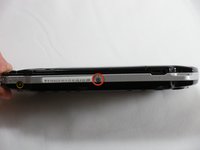
    • Remove the following screws from around the bezel:

    • Two 4 mm Phillips

    • One 5 mm Phillips

    • The two shorter 4 mm screws are on the top of the PSP; the longer 5 mm screw is on the bottom.

    댓글 쓰기

  5. PSP 2000 Logic Board Replacement: 5 단계, 이미지 2개 중 1개 PSP 2000 Logic Board Replacement: 5 단계, 이미지 2개 중 2개
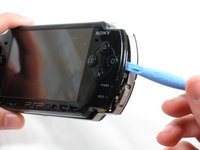
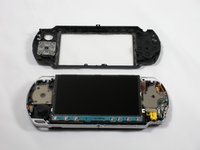
    • Gently pry the front bezel away from the casing using a PSP opening tool.

    • Start on the right hand side of the PSP bezel, and carefully work the tool around the side.

    • If you want to clean the control buttons or D-pad, you can easily pop them out once the faceplate is off and wipe them clean.

    댓글 쓰기

  6. PSP 2000 Logic Board Replacement, Display: 6 단계, 이미지 3개 중 1개 PSP 2000 Logic Board Replacement, Display: 6 단계, 이미지 3개 중 2개 PSP 2000 Logic Board Replacement, Display: 6 단계, 이미지 3개 중 3개
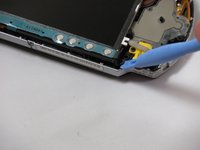
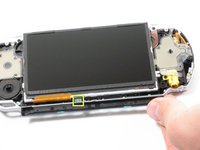
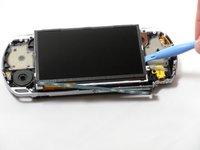
    • Remove the home bar by gently prying on the left and right sides of it with the opening tools. Lift the bar out of the device.

    • A ribbon cable connects the home bar to the logic board. Be careful not to damage the cable when removing the bar.

    댓글 쓰기

  7. PSP 2000 Logic Board Replacement: 7 단계, 이미지 3개 중 1개 PSP 2000 Logic Board Replacement: 7 단계, 이미지 3개 중 2개 PSP 2000 Logic Board Replacement: 7 단계, 이미지 3개 중 3개
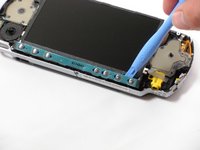
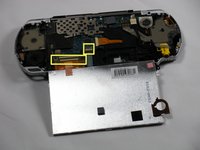
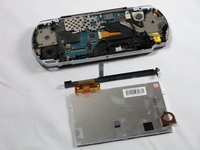
    • With the home bar out of the way, gently pry up the display using the opening tools.

    • There is another ribbon cable attached to the bottom of the LCD. Be careful not to damage either of the connectors when removing.

    • Lift the black tabs of the ribbon cable connectors using a opening tool. Pull the ribbons out towards the bottom of the PSP to disconnect.

    • Gently lift out the display.

    댓글 쓰기

  8. PSP 2000 Logic Board Replacement,  Memory Stick Slot: 8 단계, 이미지 3개 중 1개 PSP 2000 Logic Board Replacement,  Memory Stick Slot: 8 단계, 이미지 3개 중 2개 PSP 2000 Logic Board Replacement,  Memory Stick Slot: 8 단계, 이미지 3개 중 3개
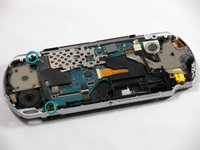
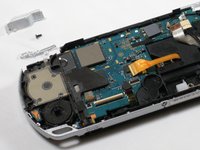
    • Remove two 4.5 mm Phillips screws from the left-hand side of the PSP.

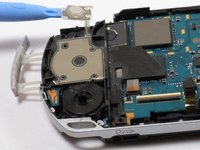
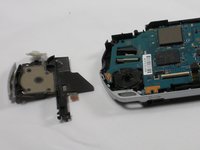
    • Slide off the left trigger along with the plastic bracket underneath.

    • Carefully pry off left trigger button using opening tools.

    • The button is adhered to the body. It can be re-adhered with hot glue after being pried-up, if necessary.

    댓글 쓰기

  9. PSP 2000 Logic Board Replacement: 9 단계, 이미지 2개 중 1개 PSP 2000 Logic Board Replacement: 9 단계, 이미지 2개 중 2개
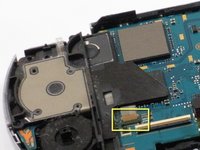
    • Use an opening tool to lift up the brown tab on the connector and remove the cable horizontally.

    • Gently remove the memory card slot by pulling it straight out.

    댓글 쓰기

  10. PSP 2000 Logic Board Replacement, Speaker: 10 단계, 이미지 2개 중 1개 PSP 2000 Logic Board Replacement, Speaker: 10 단계, 이미지 2개 중 2개
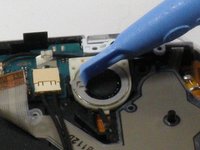
    • Use the opening tools to press the tab on the left-hand side of the speaker to release it.

    • Be careful not to puncture the speaker in the process.

    • Remove the speaker by twisting it counter-clockwise (to the left, like a screw).

    댓글 쓰기

  11. PSP 2000 Logic Board Replacement, Logic Board: 11 단계, 이미지 1개 중 1개
    이 단계에 사용된 도구:
    Tweezers
    $4.99
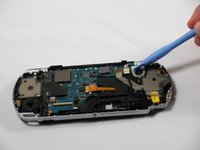
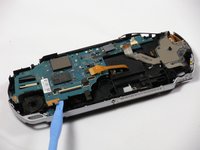
    • Remove the following four connections:

    • Two ribbon cables -- flip up latch and remove horizontally.

    • One wire clamp -- use an opening tool to pry it up vertically.

    • One wiring harness -- use your fingers, a PSP opening tool, or tweezers to disconnect the connector horizontally.

    • The ribbon cable near the wire clamp has a brown tab that should be lifted using an opening tool prior to removal. Be careful to not damage the ribbon or connector.

    댓글 쓰기

  12. PSP 2000 Logic Board Replacement: 12 단계, 이미지 2개 중 1개 PSP 2000 Logic Board Replacement: 12 단계, 이미지 2개 중 2개
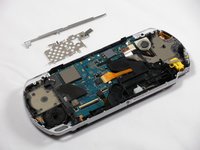
    • Remove metal shields by gently lifting them with an opening tool.

    댓글 쓰기

  13. PSP 2000 Logic Board Replacement: 13 단계, 이미지 3개 중 1개 PSP 2000 Logic Board Replacement: 13 단계, 이미지 3개 중 2개 PSP 2000 Logic Board Replacement: 13 단계, 이미지 3개 중 3개
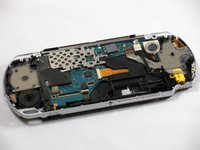
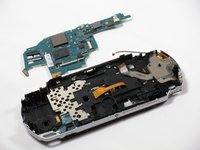
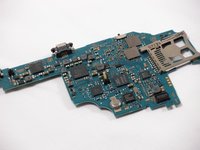
    • Double-check to make sure that all connections to the board are unplugged in order to avoid damage to your PSP.

    • Using an opening tool, delicately raise the logic board from its base.

    댓글 쓰기

결론

To reassemble your device, follow these instructions in reverse order.

취소: 해당 안내서를 완성하지 않았습니다.

다른 33명이 해당 안내서를 완성하였습니다.

작성자

9다른 기여자 명과 함께

espinks

회원 가입일: 10/18/09

3,869 평판

안내서 5개를 작성함

Cal Poly, Team 6-3, Maness Fall 2009 Cal Poly, Team 6-3, Maness Fall 2009 회원

CPSU-MANESS-F09S6G3

5 회원들

안내서 48개를 작성함

5가이드 댓글

How do I know whether my Logic Board is functioning properly or not?

Alvin Wijaya - 답글 공유

how can I change that little refill on the motherboard

Dmytro Yantsur - 답글 공유

how-do-i-repair-the-screen-conntors

james - 답글 공유

My psp is not turning on when battery is inserted even when plugged to electricity...and again if the battery is inserted to it the charging light turns on..Pls help m

Farotide David - 답글 공유

What do you call the connector that joins lcd to the board small one 4pin?

Shi Ace - 답글 공유

댓글 쓰기

조회 통계:

지난 24시간: 36

지난 7일: 134

지난 30일: 494

전체 시간: 60,564