주요 콘텐츠로 건너뛰기
수리 커뮤니티 가입 - 계정 만들기

Palm Pre Speaker Replacement

필요한 것

  1. Palm Pre Speaker Replacement, Battery: 1 단계, 이미지 1개 중 1개
    • Make sure your Palm Pre is turned off before disassembling the phone.

    • Snap off the back panel to reveal the battery.

  2. Palm Pre Speaker Replacement: 2 단계, 이미지 1개 중 1개
    • Carefully pull up on the tab to remove the current battery.

  3. Palm Pre Speaker Replacement, Speaker: 3 단계, 이미지 2개 중 1개 Palm Pre Speaker Replacement, Speaker: 3 단계, 이미지 2개 중 2개
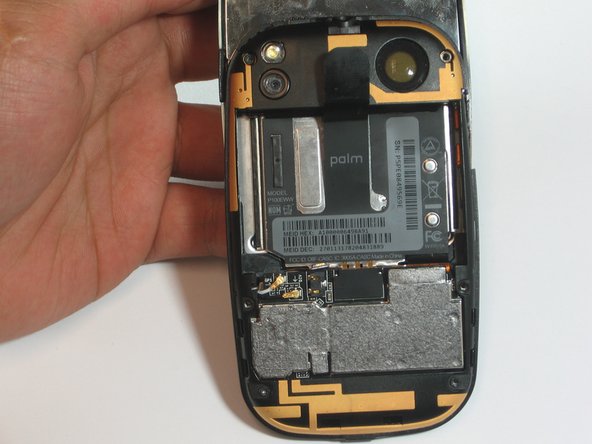
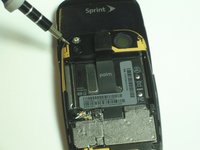
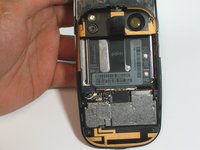
    • Use the t4 screwdriver to remove all 6 of the 3.6mm long screws.

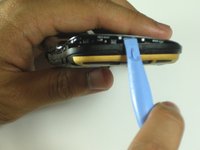
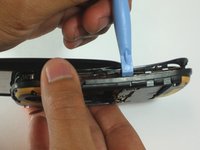
  4. Palm Pre Speaker Replacement: 4 단계, 이미지 2개 중 1개 Palm Pre Speaker Replacement: 4 단계, 이미지 2개 중 2개
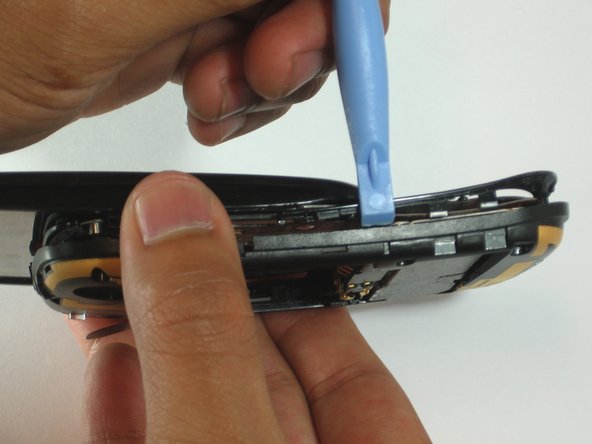
    • Use the spudger to locate the crease at the bottom of the keyboard.

    • Carefully work your way around the phone separating the back frame from the keyboard.

  5. Palm Pre Speaker Replacement: 5 단계, 이미지 1개 중 1개
    이 단계에 사용된 도구:
    Tweezers
    $4.99
    • Use tweezers to remove the DIV and GPS antennas from the back of the keyboard.

  6. Palm Pre Speaker Replacement: 6 단계, 이미지 1개 중 1개
    • Use the spuger to pry out the speaker. It is magnetically connected so do not be afraid to use the necessary force.

    • Make sure to take note of the orientation of the speaker for re-installation.

    • Make sure not the puncture the screen on the outside of the back frame.

결론

To reassemble your device, follow these instructions in reverse order.

작성자

3다른 기여자 명과 함께

noha

회원 가입일: 04/12/12

139 평판

안내서 6개를 작성함

Cal Poly, Team 7-31, Maness Spring 2012 Cal Poly, Team 7-31, Maness Spring 2012 회원

CPSU-MANESS-S12S7G31

3 회원들

안내서 28개를 작성함

0가이드 댓글

댓글 쓰기

조회 통계:

지난 24시간: 2

지난 7일: 9

지난 30일: 68

전체 시간: 1,453