주요 콘텐츠로 건너뛰기
수리 커뮤니티 가입 - 계정 만들기

Palm Treo 600 Battery Replacement

필요한 것

  1. Palm Treo 600 Battery Replacement, Back Case: 1 단계, 이미지 1개 중 1개
    • On the back of the device, locate the 3 rubber plugs, and use a plastic spudger to remove them.

  2. Palm Treo 600 Battery Replacement: 2 단계, 이미지 2개 중 1개 Palm Treo 600 Battery Replacement: 2 단계, 이미지 2개 중 2개
    • Use the T6 Torx Screwdriver to remove all 4 screws.

    • You have to first remove the Stylus to access the 4th screw.

  3. Palm Treo 600 Battery Replacement: 3 단계, 이미지 2개 중 1개 Palm Treo 600 Battery Replacement: 3 단계, 이미지 2개 중 2개
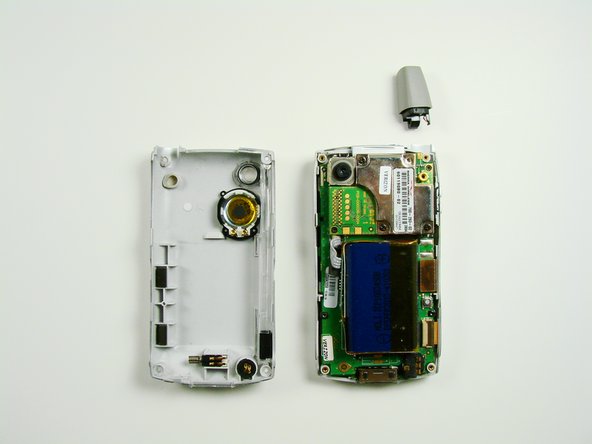
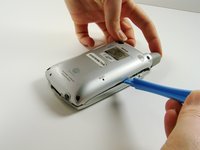
    • Using a plastic opening tool, carefully separate the front and back cases.

    • Note: The antenna will detach from the phone.

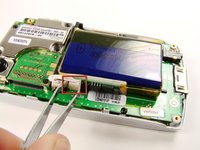
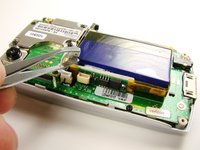
  4. Palm Treo 600 Battery Replacement, Battery: 4 단계, 이미지 2개 중 1개 Palm Treo 600 Battery Replacement, Battery: 4 단계, 이미지 2개 중 2개
    이 단계에 사용된 도구:
    Tweezers
    $4.99
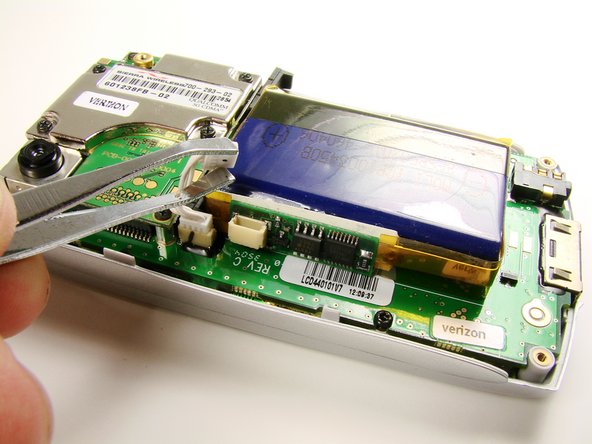
    • Using metal tweezers, unplug small white plug.

    • Pulling the white plug will disconnect the battery. Make sure the phone is off before you do this step.

  5. Palm Treo 600 Battery Replacement: 5 단계, 이미지 1개 중 1개
    • Slide the flat side of the spudger under the battery and gently dislodge the battery by lifting the spudger up.

    • The battery may be glued to the phone.

결론

To reassemble your device, follow these instructions in reverse order.

다른 2명이 해당 안내서를 완성하였습니다.

작성자

7다른 기여자 명과 함께

Clement Poisson

회원 가입일: 01/26/10

24 평판

안내서 7개를 작성함

Cal Poly, Team 13-23, Maness Winter 2010 Cal Poly, Team 13-23, Maness Winter 2010 회원

CPSU-MANESS-W10S13G23

4 회원들

안내서 16개를 작성함

0가이드 댓글

댓글 쓰기

조회 통계:

지난 24시간: 0

지난 7일: 3

지난 30일: 24

전체 시간: 5,943