주요 콘텐츠로 건너뛰기
수리 커뮤니티 가입 - 계정 만들기

Pantech Matrix Volume Button Replacement

필요한 것

  1. Pantech Matrix Volume Button Replacement, Phone Orientation: 1 단계, 이미지 1개 중 1개
    • Place phone with screen side facing toward you.

    댓글 쓰기

  2. Pantech Matrix Volume Button Replacement, Phone Orientation: 2 단계, 이미지 1개 중 1개
    • Flip phone over so screen side is now facing down.

    댓글 쓰기

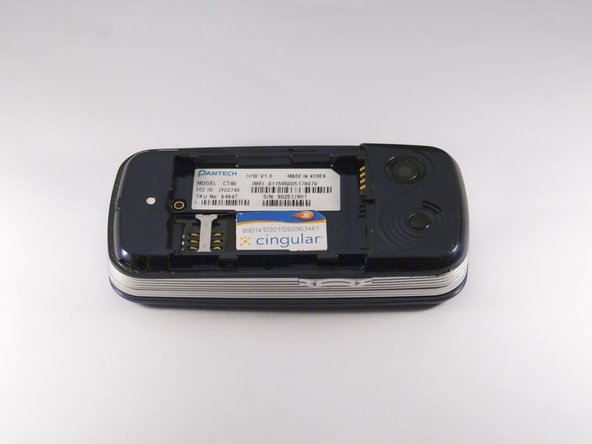
  3. Pantech Matrix Volume Button Replacement, Remove Back Cover: 3 단계, 이미지 2개 중 1개 Pantech Matrix Volume Button Replacement, Remove Back Cover: 3 단계, 이미지 2개 중 2개
    • Gently slide the backside phone cover off exposing the battery underneath.

    댓글 쓰기

  4. Pantech Matrix Volume Button Replacement, Lift Battery: 4 단계, 이미지 1개 중 1개
    • Carefully lift the battery up from where the spudger is pointed.

    댓글 쓰기

  5. Pantech Matrix Volume Button Replacement, Remove Battery: 5 단계, 이미지 1개 중 1개
    • Remove the battery from its dock.

    댓글 쓰기

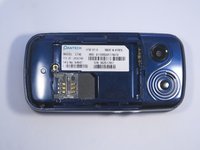
  6. Pantech Matrix Volume Button Replacement, Slide SIM Card Out: 6 단계, 이미지 3개 중 1개 Pantech Matrix Volume Button Replacement, Slide SIM Card Out: 6 단계, 이미지 3개 중 2개 Pantech Matrix Volume Button Replacement, Slide SIM Card Out: 6 단계, 이미지 3개 중 3개
    • Slide the SIM Card out of its dock.

    댓글 쓰기

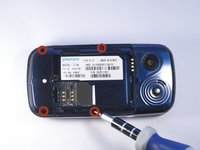
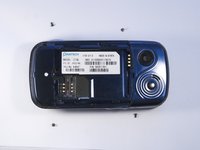
  7. Pantech Matrix Volume Button Replacement, Remove Phone Screws: 7 단계, 이미지 2개 중 1개 Pantech Matrix Volume Button Replacement, Remove Phone Screws: 7 단계, 이미지 2개 중 2개
    • Use a PH000 screwdriver to remove the four 2 mm screws from each corner of the device.

    댓글 쓰기

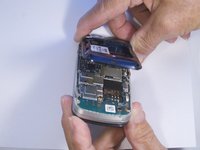
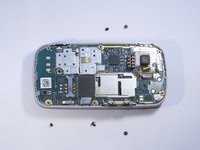
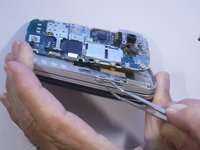
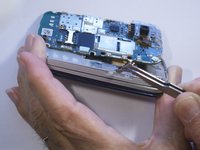
  8. Pantech Matrix Volume Button Replacement, Remove Phone Casing: 8 단계, 이미지 2개 중 1개 Pantech Matrix Volume Button Replacement, Remove Phone Casing: 8 단계, 이미지 2개 중 2개
    • Rotate the phone so the base is facing you.

    • Use spudger to separate phone casing and inside as shown.

    • Remove the casing carefully and set aside.

    댓글 쓰기

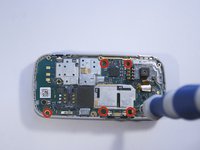
  9. Pantech Matrix Volume Button Replacement, Remove Camera Screws: 9 단계, 이미지 2개 중 1개 Pantech Matrix Volume Button Replacement, Remove Camera Screws: 9 단계, 이미지 2개 중 2개
    • Place phone with exposed motherboard facing you.

    • Use a PH000 screwdriver to remove the five 2 mm screws holding the camera in place.

    댓글 쓰기

  10. Pantech Matrix Volume Button Replacement, Remove Motherboard: 10 단계, 이미지 1개 중 1개
    • Carefully lift up the motherboard to expose the volume button.

    댓글 쓰기

  11. Pantech Matrix Volume Button Replacement, Remove Volume Button: 11 단계, 이미지 2개 중 1개 Pantech Matrix Volume Button Replacement, Remove Volume Button: 11 단계, 이미지 2개 중 2개
    이 단계에 사용된 도구:
    Tweezers
    $4.99
    • After moving the motherboard out of the way, locate the volume button.

    • Grasp the volume button with tweezers and pull gently to remove.

    댓글 쓰기

결론

To reassemble your device, follow these instructions in reverse order.

취소: 해당 안내서를 완성하지 않았습니다.

작성자

4다른 기여자 명과 함께

Zeel Patel

회원 가입일: 10/13/14

1,096 평판

안내서 9개를 작성함

0가이드 댓글

댓글 쓰기

조회 통계:

지난 24시간: 1

지난 7일: 6

지난 30일: 23

전체 시간: 316