소개
The capacitor is the cylindrical shaped protruding object located on the circuit board. This guide will detail the instructions on how to replace the capacitor.
필요한 것
-
-
-
Remove the back cover by sliding it off.
-
Remove the 3 AAA batteries.
 FixBot에 문의하기
-
-
-
Unscrew the nine exterior screws on the back panel using a PH0-size Philips-head screwdriver.
-
Remove the triangular end piece by pulling it straight off.
-
-
-
-
Remove the colored grill by sliding it off in the direction of the removed end piece.
-
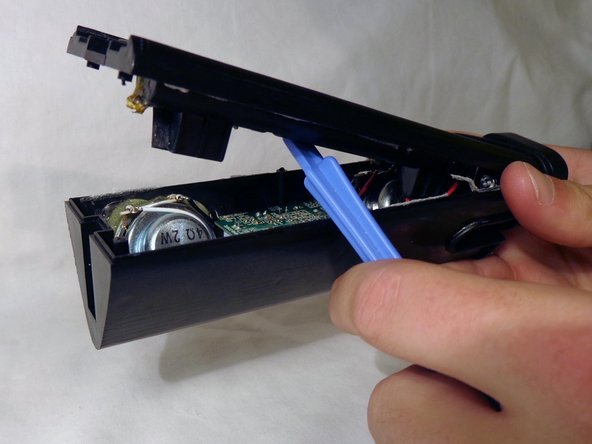
Pry off the back battery panel with the plastic opening tool.
-
-
-
-
-
Remove the two screws on opposite ends of the circuit board with the PH0 size philips head screw driver.
-
Slowly pull the circuit board out of the device
-
NOTE: Be careful not to damage any of the wires protruding from the back of the circuit board.
-
-
-
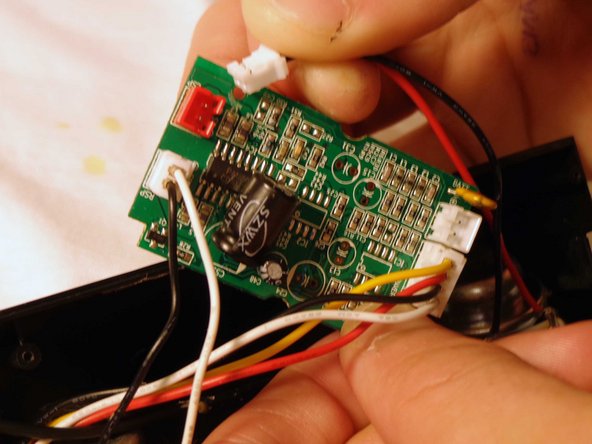
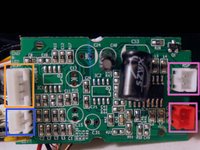
Flip the device and remove the battery plug from the circuit board by pulling out the plugs to fully remove back panel.
-
Remove the speaker plugs from the circuit board by pulling out the plugs. They are located on opposite sides of the circuit board.
-
Remove the light plug from the circuit board.
-
-
-
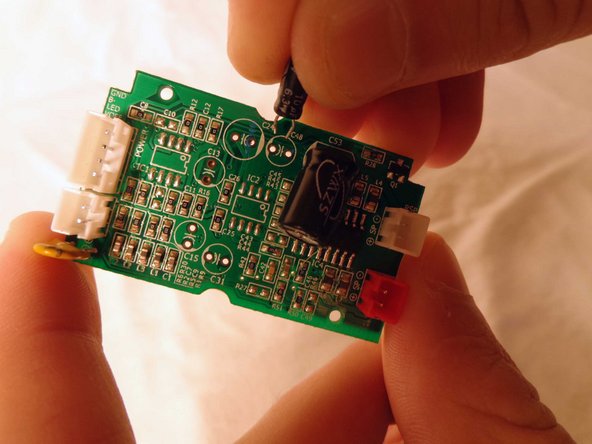
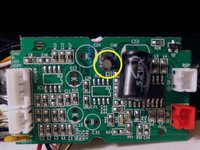
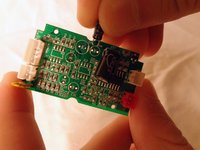
Locate the capacitor and carefully slide it out of the circuit board.
-
NOTE: The capacitor will be a cylindrical object protruding vertically near the center of the circuit board.
-
Slide the prongs of the replacement capacitor into the two holes of the circuit board where the original capacitor was removed from.
-
Reassemble the speaker.
-
-





To reassemble your device, follow these instructions in reverse order.

팀

Clemson, Team 14-4, Benson Fall 2013 Clemson, Team 14-4, Benson Fall 2013 회원
CLEM-BENSON-F13S14G4
3 회원들
안내서 12개를 작성함
