주요 콘텐츠로 건너뛰기
수리 커뮤니티 가입 - 계정 만들기

PlayStation 2 Slimline Optical Drive Replacement

필요한 것

  1. PlayStation 2 Slimline Optical Drive Replacement, Optical Drive: 1 단계, 이미지 3개 중 1개 PlayStation 2 Slimline Optical Drive Replacement, Optical Drive: 1 단계, 이미지 3개 중 2개 PlayStation 2 Slimline Optical Drive Replacement, Optical Drive: 1 단계, 이미지 3개 중 3개
    • Remove the rubber feet on two of the screw covers on the bottom of the console.

    • Remove the screw covers and the screws themselves.

    • Caution: One of the screws is underneath the "Do not void" seal

  2. PlayStation 2 Slimline Optical Drive Replacement: 2 단계, 이미지 2개 중 1개 PlayStation 2 Slimline Optical Drive Replacement: 2 단계, 이미지 2개 중 2개
    • If all screws are removed.

    • Use a metal spunger to open the chassis

  3. PlayStation 2 Slimline Optical Drive Replacement: 3 단계, 이미지 3개 중 1개 PlayStation 2 Slimline Optical Drive Replacement: 3 단계, 이미지 3개 중 2개 PlayStation 2 Slimline Optical Drive Replacement: 3 단계, 이미지 3개 중 3개
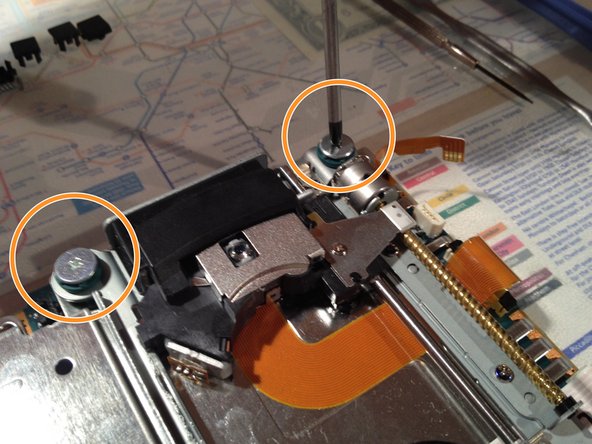
    • Slip the three cables out of the sockets.

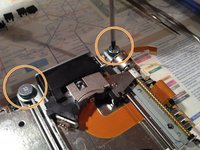
    • Use a PH01 screwdriver to remove the four screws securing the optical drive

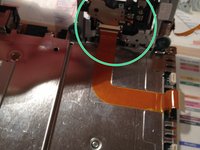
    • Lift up the optical drive and remove the duct tape under the flex cable.

    • Now the optical drive is free and ready for replacement

결론

To reassemble your device, follow these instructions in reverse order.

다른 17명이 해당 안내서를 완성하였습니다.

작성자

7다른 기여자 명과 함께

tlroesner

회원 가입일: 05/13/12

1,891 평판

안내서 4개를 작성함

3가이드 댓글

How is it that this guide says difficult and the other PS2 drive replacement on here says easy?

Mark - 답글 공유

it really depends on your level of skill/experience.

Damien Simons - 답글 공유

How many different versions of drive is there for the slim model? When you go to replace it, do you just compare the model number on the laser?

Trevor V - 답글 공유

댓글 쓰기

조회 통계:

지난 24시간: 4

지난 7일: 23

지난 30일: 154

전체 시간: 25,030