이 번역은 기계에 의해 생성된 것이며, 아직 사람이 검토하지 않았습니다. 이 언어를 아세요? 리뷰 보기.

PlayStation 4 하드 드라이브 교체

최종 수정일 2026년 7월 29일
조회수: 21만
통계 보기:
- 지난 24시간
- 48
- 지난 7일:
- 270
- 지난 30일:
- 1,215
- 전체 시간:
- 211,734
댓글: 23
7 comments on steps, 16 guide comments.
Go to guide comments완료함: 253 254
253명이 이 안내서를 "완료"로 표시했습니다. 다음은 귀하의 차례입니까?
254명이 이 안내서를 "완료"로 표시했습니다. 귀하를 포함해서요 — 수고하셨어요!
즐겨찾기: 97 98
97명이 이 가이드를 즐겨찾기 (및 구독) 했습니다. 다음은 귀하의 차례입니까?
98명이 이 가이드를 즐겨찾기 (및 구독) 했습니다 — 귀하를 포함해서요!
추천 가이드
해당 안내서는 iFixit 직원들이 뛰어난 안내서로 판명하였습니다.
소개
1단계로 이동하기 ↓이 안내서를 따라 Sony PlayStation 4의 하드 드라이브를 교체하세요. 하드 드라이브를 업그레이드하면서 게임 저장 데이터와 설정을 유지하고 싶다면, 이 절차를 시작하기 전에 데이터를 별도의 외부 저장 장치에 반드시 백업하세요.
수리를 시작하기 전에 PS4 전원 플러그를 뽑으세요.


-
-
-
상단 커버의 틈을 따라 양손으로 PS4를 잡으세요.
-
엄지 손가락으로 광택이 있는 상단 커버가 옆으로 튀어나올 때까지 밀어주세요.
-
광택이 있는 상단 커버를 위아래로 들어 올려서 PS4에서 분리하세요.
 FixBot에 문의하기
-
-
-
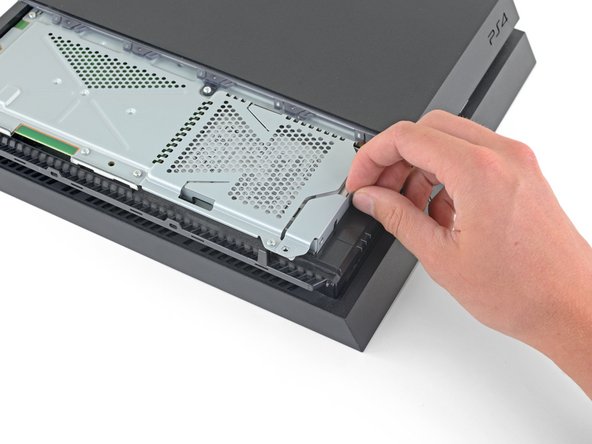
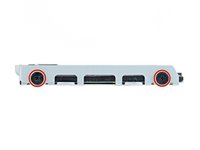
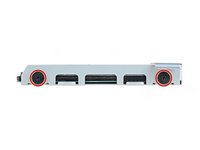
Phillips 스크루드라이버를 사용하여 하드 드라이브 브래킷을 인클로저에 고정하는 6.5mm 나사 한 개를 풀어주세요.
-
-
-






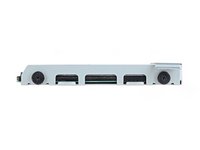


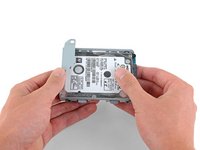
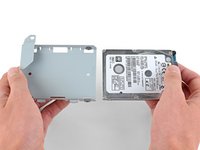
기기를 다시 조립하려면 위 단계를 역순으로 진행하세요.
하드 드라이브를 교체한 후에는 PS4 운영 체제를 다시 설치해야 합니다. Sony의 지침에 따라 PS4를 초기화하고 시스템 소프트웨어를 재설치하세요.
전자 폐기물은 R2 또는 e-Stewards 인증 재활용 업체로 가져가세요.
수리가 계획대로 진행되지 않았나요? 답변 커뮤니티에서 문제해결 도움을 받아보세요.
다른 253명이 해당 안내서를 완성하였습니다.

16가이드 댓글
This article needs to be vetted. There is a very specific type of hard drive needed for this machine. Also, the machine will need to be backed up to either the PS Network(for PS Plus members) or a removable storage device. Additionally, the latest system update must be available after the new hard drive is installed. Below is an excellent article for this procedure.
can I take out my 500 gig and put in a 1 tb or no ?
Hey Phil,
Yes, you can. I have successfully replaced the original hard drive with a 2TB hard drive I purchased. Just make sure you buy the correct type of hard drive. I recommend using the article Kenneth has linked above in the comment section: http://www.ign.com/wikis/playstation-4/H...
I backed up my saved data on the PS network instead of using an external hard drive and that worked great.
Enjoy the extra storage!
Joel Praino - 답글 공유
Yes you can upgrade to 1TB or even bigger. Last PS4 firmware update was in august, and it supports storage up to 4TB. You can also use bigger storage but it may result in error.
You can update 2.4-internal HDD or use something like Nyko data bank to use 3.5 inch drives. Also external hard drives is an option, but in order to use them you will need to install the software and games on it.
ps4 hard drives:
Yes you can upgrade to 1TB or even bigger. Last PS4 firmware update was in august, and it supports storage up to 4TB. You can also use bigger storage but it may result in error.
You can update 2.4-internal HDD or use something like Nyko data bank to use 3.5 inch drives. Also external hard drives is an option, but in order to use them you will need to install the software and games on it.
