주요 콘텐츠로 건너뛰기
수리 커뮤니티 가입 - 계정 만들기

PlayStation Move Battery Replacement

필요한 것

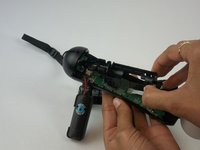
  1. PlayStation Move  Battery Replacement, Battery: 1 단계, 이미지 3개 중 1개 PlayStation Move  Battery Replacement, Battery: 1 단계, 이미지 3개 중 2개 PlayStation Move  Battery Replacement, Battery: 1 단계, 이미지 3개 중 3개
    • Using a Phillips #0 screwdriver, remove the four 10mm screws located on the back of the device.

    댓글 쓰기

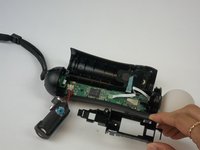
  2. PlayStation Move  Battery Replacement: 2 단계, 이미지 2개 중 1개 PlayStation Move  Battery Replacement: 2 단계, 이미지 2개 중 2개
    • Insert the plastic opening tool at the indent.

    • Gently use a forward and backward motion to safely pop open the cover.

    • Using your hands to further pull it apart.

    댓글 쓰기

  3. PlayStation Move  Battery Replacement: 3 단계, 이미지 2개 중 1개 PlayStation Move  Battery Replacement: 3 단계, 이미지 2개 중 2개
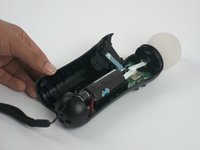
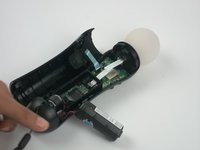
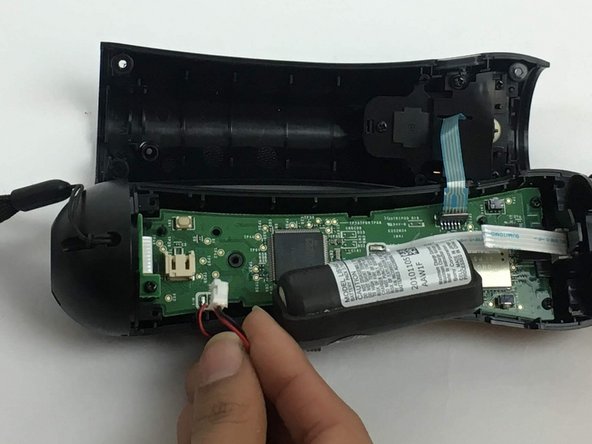
    • Once the device is opened, lift the battery out of the black plastic holder.

    • Carefully pull the battery out and ensure that it's wires are still connected to the inside.

    댓글 쓰기

  4. PlayStation Move  Battery Replacement: 4 단계, 이미지 3개 중 1개 PlayStation Move  Battery Replacement: 4 단계, 이미지 3개 중 2개 PlayStation Move  Battery Replacement: 4 단계, 이미지 3개 중 3개
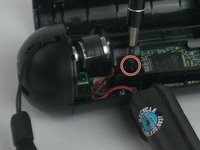
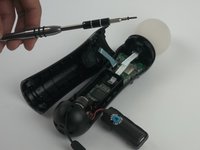
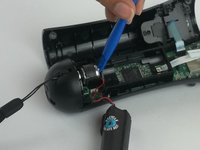
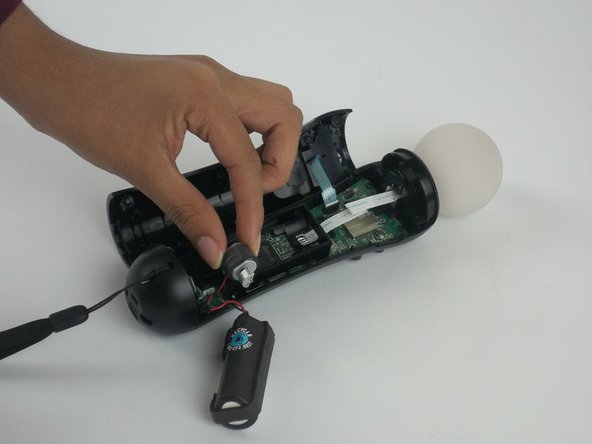
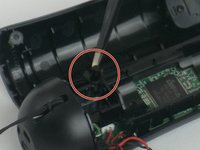
    • Using a Phillips head screwdriver, remove the 9mm screw located to the right of the battery, which is connected to the inner plastic frame.

    • Using the plastic opening tool carefully take out the grey cylindrical piece (vibrator) that is also attached to a wire.

    댓글 쓰기

  5. PlayStation Move  Battery Replacement: 5 단계, 이미지 2개 중 1개 PlayStation Move  Battery Replacement: 5 단계, 이미지 2개 중 2개
    • Gently pull out the small grey cylindrical piece (vibrator).

    • Removing this piece makes it easier to access the wire connection of the battery and remove it.

    댓글 쓰기

  6. PlayStation Move  Battery Replacement: 6 단계, 이미지 2개 중 1개 PlayStation Move  Battery Replacement: 6 단계, 이미지 2개 중 2개
    이 단계에 사용된 도구:
    Tweezers
    $4.99
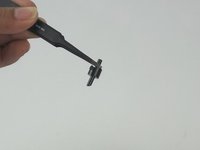
    • Using tweezers, remove the small piece with a cylindrical top that is located to the left of the inner plastic frame.

    댓글 쓰기

  7. PlayStation Move  Battery Replacement: 7 단계, 이미지 3개 중 1개 PlayStation Move  Battery Replacement: 7 단계, 이미지 3개 중 2개 PlayStation Move  Battery Replacement: 7 단계, 이미지 3개 중 3개
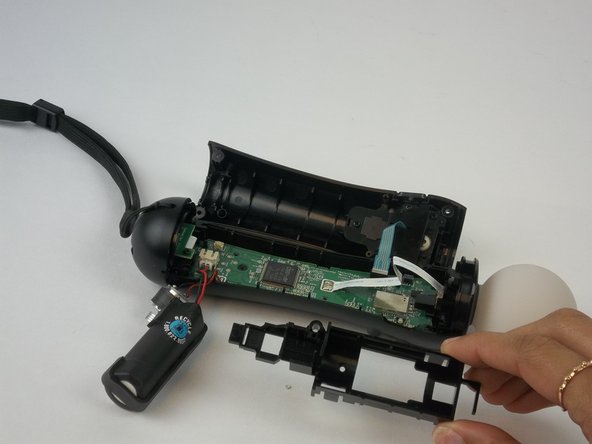
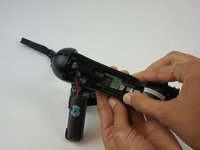
    • Using one hand to hold the device, and the other hand to squeeze the inner plastic frame.

    • Remove by squeezing the inner plastic frame, lift and pull it towards you.

    • While removing the frame, be extremely careful because it could damage the frame or the motherboard.

    댓글 쓰기

  8. PlayStation Move  Battery Replacement: 8 단계, 이미지 2개 중 1개 PlayStation Move  Battery Replacement: 8 단계, 이미지 2개 중 2개
    • Gently pull on the white piece connecting the battery and the connector.

    댓글 쓰기

결론

To reassemble your device, follow these instructions in reverse order.

취소: 해당 안내서를 완성하지 않았습니다.

다른 11명이 해당 안내서를 완성하였습니다.

작성자

13다른 기여자 명과 함께

Jenelle Mohammed

회원 가입일: 09/28/16

253 평판

안내서 1개를 작성함

USF Tampa, Team 3-3, Passmore Fall 2016 USF Tampa, Team 3-3, Passmore Fall 2016 회원

USFT-PASSMORE-F16S3G3

4 회원들

안내서 10개를 작성함

5가이드 댓글

When putting the plastic battery rig back in on my second time doing this, I bent one of the little plastic pins that fits into a hole in the PCB. Definitely want to be careful with that. To make it a bit easier, I unscrewed the bottom port PCB part of the way so I could take the bottom plastic housing and put the plastic battery rig in straight. It made it a lot easier.

Burke Cates - 답글 공유
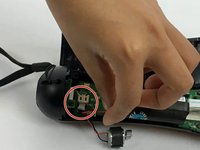
No need to take out the motor, just use sharp tweezers and grab the connector (NOT the wires) and with small wiggling pull it out. Worked for mine.

crus - 답글 공유
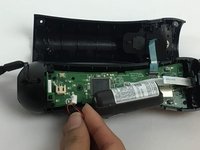
Worked great! Thanks for this. I did not need to take out the black battery / motor piece. Tweezers worked great to remove and install the battery cable

Harry Skigis - 답글 공유

Any recommended online / physical store to buy new batteries for this because ifixit doesn’t have them?

[deleted] - 답글 공유

Je suis pas capable de coupler les manettes et quand j essaie de l ouvrir la lumière ne reste pas allumée. Sa se peut tu que les batteries sont finis. Je viens de l acheter usager

Rachelle Tremblay - 답글 공유

댓글 쓰기

조회 통계:

지난 24시간: 2

지난 7일: 36

지난 30일: 127

전체 시간: 17,516