소개
Replacing the internal battery which regulates several functions in the computer, including the calendar.
-
-
-
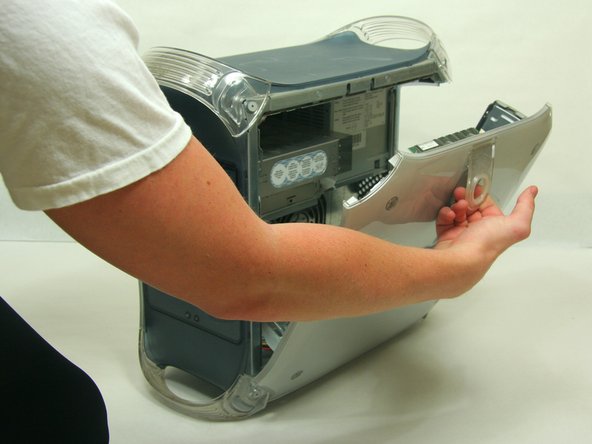
Pull on outer latch.
-
Lower door until it is level with your work surface.
 FixBot에 문의하기
-
-
-
-
-
-
Locate the battery.
-
Remove and replace battery.
-
Push the PMU button once, and only once, to reset the power supply.
-
-



다른 21명이 해당 안내서를 완성하였습니다.

팀

Cal Poly, Team 13-24, Maness Winter 2010 Cal Poly, Team 13-24, Maness Winter 2010 회원
CPSU-MANESS-W10S13G24
4 회원들
안내서 55개를 작성함
4가이드 댓글
Nice simple post. You might make the battery number / size more obvious, for anxious nerds like me…
Thank you!
Not bad, but PMU button location is not explained… the button on the front to start it?
rwwseditor - 답글 공유
Hi
Will a 3V Lithium battery work or must it be 3.6V?
Please advise.
Rgds
Duard
Duard Kleyn - 답글 공유
The PMU reset button is inside the casing, on the same circuit board as the backup battery holder. See the second photo, it's a small silver square with a circular black button inset into its top and PMU Reset in tiny white lettering beside it. The photo shows it near to the battery holder but on my model the button is further away on the far corner of the circuit board. Look around for it. Insert the new battery then press the reset ONE time only.
