소개
This guide is for replacing the rechargeable battery in the Protocol Dronium Two. This repair doesn't require tools. A spare battery is not included in the packaging but can be bought from the Protocol store.
필요한 것
-
-
-
Turn the drone off by moving the selector switch to the left.
 FixBot에 문의하기
-
-
-
On the underside of the drone, gently pull the battery compartment away from the drone.
-
-
-
-
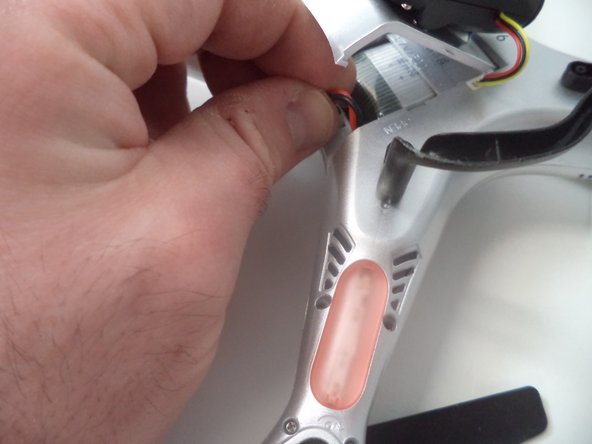
If the power cable of the battery is connected to the drone, remove it by gently pulling it out.
-
-
-
Remove the battery from its compartment by sliding it out away from the drone.
-
-



To reassemble your device, follow these instructions in reverse order.
다른 2명이 해당 안내서를 완성하였습니다.

팀

Arkansas State University, Team 1-2, Chamberlain Spring 2017 Arkansas State University, Team 1-2, Chamberlain Spring 2017 회원
ARSU-CHAMBERLAIN-S17S1G2
4 회원들
안내서 10개를 작성함
