주요 콘텐츠로 건너뛰기
수리 커뮤니티 가입 - 계정 만들기

Punkt MP02 Casing Replacement

필요한 것

    1. Punkt MP02 Casing Replacement, Battery: 1 단계, 이미지 2개 중 1개 Punkt MP02 Casing Replacement, Battery: 1 단계, 이미지 2개 중 2개
      • Use a SIM card eject tool to to eject and remove the SIM card tray on the side of the phone.

      댓글 쓰기

    2. Punkt MP02 Casing Replacement: 2 단계, 이미지 2개 중 1개 Punkt MP02 Casing Replacement: 2 단계, 이미지 2개 중 2개
      • The back panel is held on by glue and multiple tabs.

      • Slide a Jimmy into the seam between the back panel and the chassis.

      • Slide the Jimmy around the perimeter to release the back panel, with care not to damage the retaining clips.

      • Clean any old adhesive with a spudger and isopropyl alcohol, then apply new adhesive to the back panel before reinstalling it.

      댓글 쓰기

    3. Punkt MP02 Casing Replacement: 3 단계, 이미지 3개 중 1개 Punkt MP02 Casing Replacement: 3 단계, 이미지 3개 중 2개 Punkt MP02 Casing Replacement: 3 단계, 이미지 3개 중 3개
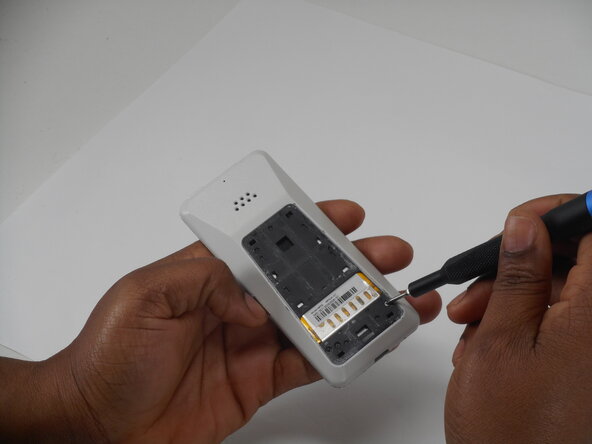
      • Use a Phillips screwdriver to remove the two adjacent 3 mm Phillips screws.

      댓글 쓰기

    4. Punkt MP02 Casing Replacement: 4 단계, 이미지 3개 중 1개 Punkt MP02 Casing Replacement: 4 단계, 이미지 3개 중 2개 Punkt MP02 Casing Replacement: 4 단계, 이미지 3개 중 3개
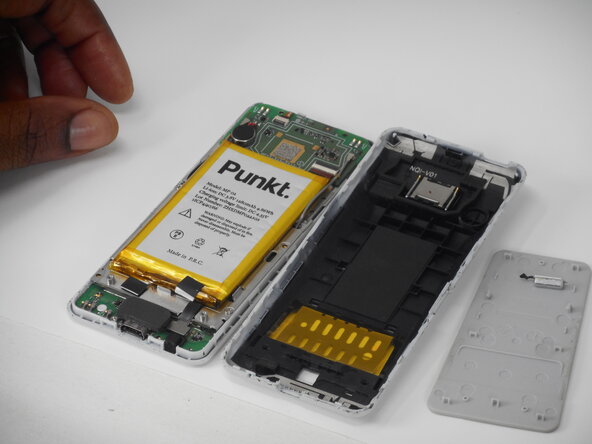
      • Insert a Jimmy into the seam between the front and back case.

      • Slide the Jimmy around the perimeter while prying to separate the front and back case.

      댓글 쓰기

    5. Punkt MP02 Casing Replacement: 5 단계, 이미지 2개 중 1개 Punkt MP02 Casing Replacement: 5 단계, 이미지 2개 중 2개
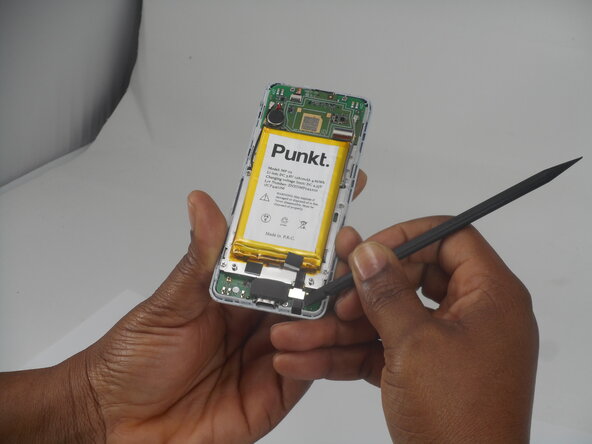
      • Use a spudger to pry up and disconnect the battery press connector.

      • Make sure to pry under the connector itself and not on the board.

      댓글 쓰기

    6. Punkt MP02 Casing Replacement: 6 단계, 이미지 2개 중 1개 Punkt MP02 Casing Replacement: 6 단계, 이미지 2개 중 2개
      • Gently pry the battery off with the spudger tool.

      • Take care not to bend, warp, or puncture the battery during removal.

      댓글 쓰기

    1. Punkt MP02 Casing Replacement, Screen: 7 단계, 이미지 3개 중 1개 Punkt MP02 Casing Replacement, Screen: 7 단계, 이미지 3개 중 2개 Punkt MP02 Casing Replacement, Screen: 7 단계, 이미지 3개 중 3개
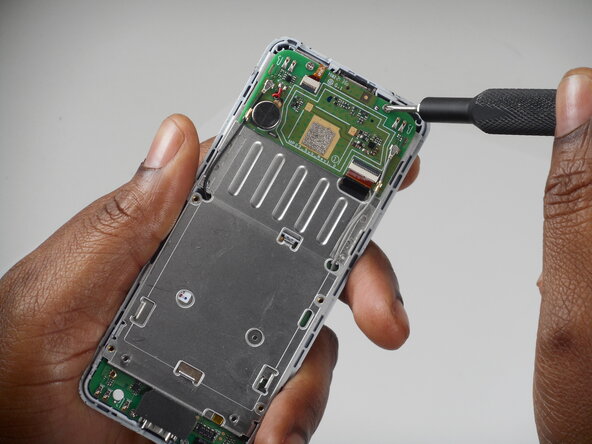
      • Remove the six 3 mm-long Phillips screws located on the board beneath the battery.

      댓글 쓰기

    2. Punkt MP02 Casing Replacement: 8 단계, 이미지 3개 중 1개 Punkt MP02 Casing Replacement: 8 단계, 이미지 3개 중 2개 Punkt MP02 Casing Replacement: 8 단계, 이미지 3개 중 3개
      • Remove the antenna coaxial connectors on the board with a spudger by gently prying straight up where they are connected on the board.

      댓글 쓰기

    3. Punkt MP02 Casing Replacement: 9 단계, 이미지 3개 중 1개 Punkt MP02 Casing Replacement: 9 단계, 이미지 3개 중 2개 Punkt MP02 Casing Replacement: 9 단계, 이미지 3개 중 3개
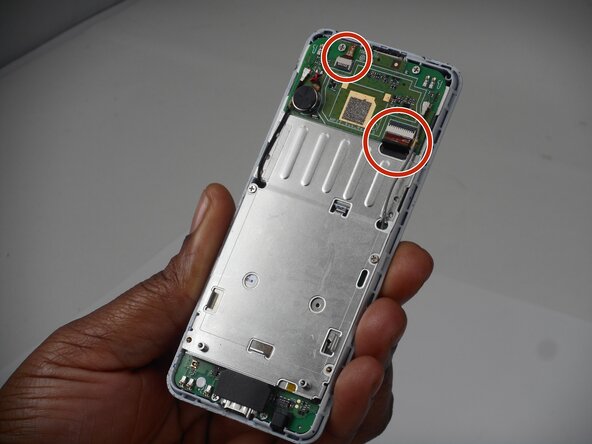
      • Flip up the two black locking flaps securing each of the two ribbon cables.

      • Disconnect the two ribbon cables.

      댓글 쓰기

    4. Punkt MP02 Casing Replacement: 10 단계, 이미지 2개 중 1개 Punkt MP02 Casing Replacement: 10 단계, 이미지 2개 중 2개
      • Using your thumbs, push the board up so that the clip can slide out of the indent.

      • Use a spudger to gently separate the boards.

      • Ensure that the antennae slide through the holes—do not accidentally pull these off.

      댓글 쓰기

    5. Punkt MP02 Casing Replacement: 11 단계, 이미지 3개 중 1개 Punkt MP02 Casing Replacement: 11 단계, 이미지 3개 중 2개 Punkt MP02 Casing Replacement: 11 단계, 이미지 3개 중 3개
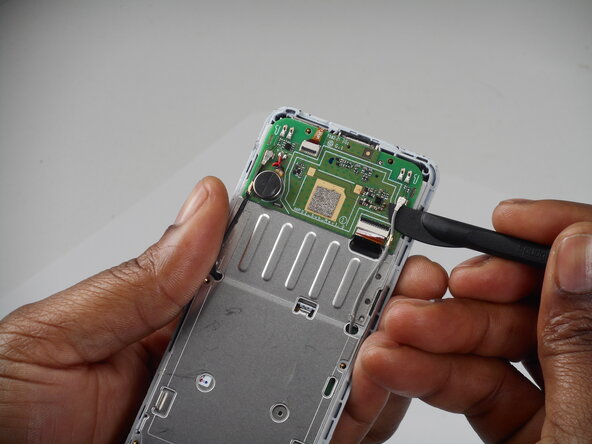
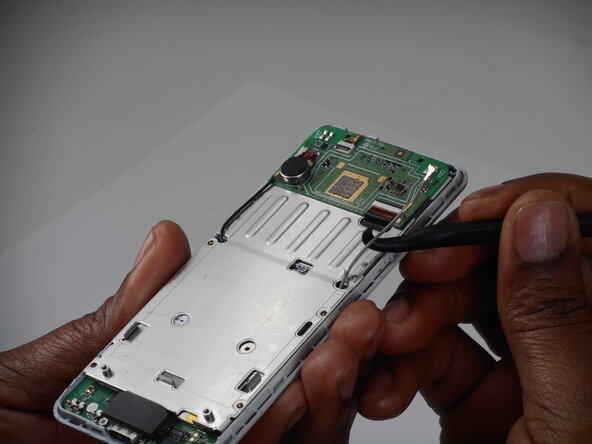
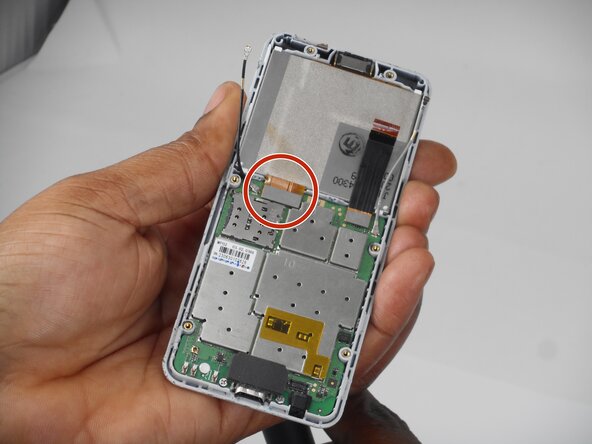
      • Use a spudger to lift and disconnect the screen press connector.

      • Make sure to pry up on the edge of the connector, not the board itself.

      • Remove the screen.

      댓글 쓰기

    1. Punkt MP02 Casing Replacement, Keyboard Membrane: 12 단계, 이미지 3개 중 1개 Punkt MP02 Casing Replacement, Keyboard Membrane: 12 단계, 이미지 3개 중 2개 Punkt MP02 Casing Replacement, Keyboard Membrane: 12 단계, 이미지 3개 중 3개
      • Remove the 3 (3mm) Phillips head screws from the board.

      댓글 쓰기

    2. Punkt MP02 Casing Replacement: 13 단계, 이미지 2개 중 1개 Punkt MP02 Casing Replacement: 13 단계, 이미지 2개 중 2개
      • Use a spudger to gently pry the board up and remove it.

      댓글 쓰기

    3. Punkt MP02 Casing Replacement: 14 단계, 이미지 3개 중 1개 Punkt MP02 Casing Replacement: 14 단계, 이미지 3개 중 2개 Punkt MP02 Casing Replacement: 14 단계, 이미지 3개 중 3개
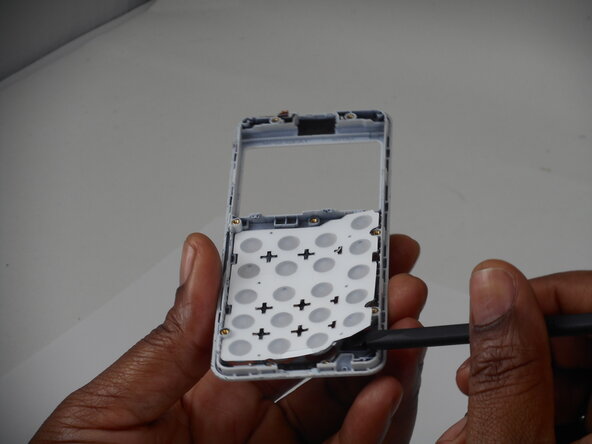
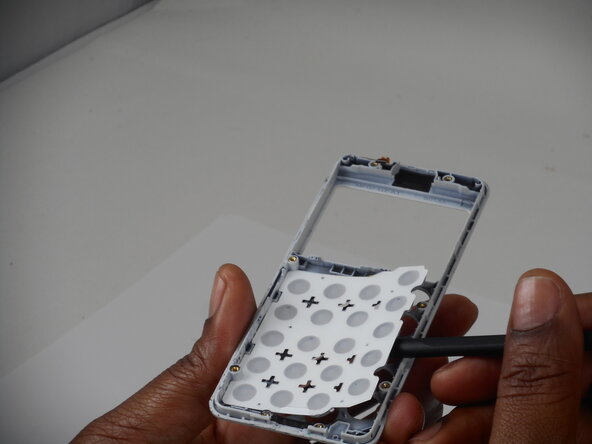
      • Peel the keyboard membrane off the phone casing.

      댓글 쓰기

    1. Punkt MP02 Casing Replacement, Casing: 15 단계, 이미지 3개 중 1개 Punkt MP02 Casing Replacement, Casing: 15 단계, 이미지 3개 중 2개 Punkt MP02 Casing Replacement, Casing: 15 단계, 이미지 3개 중 3개
      • Remove the speaker from the top of the back phone casing using the spudger tool.

      • You are now be left with both empty casing pieces.

      댓글 쓰기

결론

To reassemble your device, follow the above steps in reverse order.
Take your e-waste to an R2 or e-Stewards certified recycler.
Repair didn’t go as planned? Try some basic troubleshooting or ask our Answers community for help.

취소: 해당 안내서를 완성하지 않았습니다.

작성자

2다른 기여자 명과 함께

Elias Fischer

회원 가입일: 02/18/26

425 평판

안내서 3개를 작성함

0가이드 댓글

댓글 쓰기

조회 통계:

지난 24시간: 0

지난 7일: 6

지난 30일: 26

전체 시간: 98