주요 콘텐츠로 건너뛰기
수리 커뮤니티 가입 - 계정 만들기

Punkt MP02 Keyboard Membrane Replacement

필요한 것

  1. Punkt MP02 Keyboard Membrane Replacement, Battery: 1 단계, 이미지 2개 중 1개 Punkt MP02 Keyboard Membrane Replacement, Battery: 1 단계, 이미지 2개 중 2개
    • Use a SIM card eject tool to to eject and remove the SIM card tray on the side of the phone.

  2. Punkt MP02 Keyboard Membrane Replacement: 2 단계, 이미지 2개 중 1개 Punkt MP02 Keyboard Membrane Replacement: 2 단계, 이미지 2개 중 2개
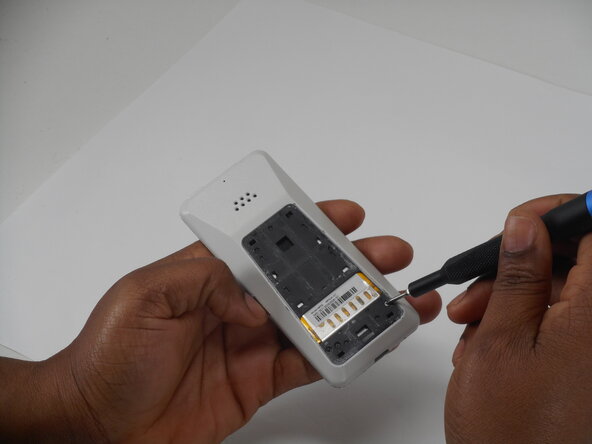
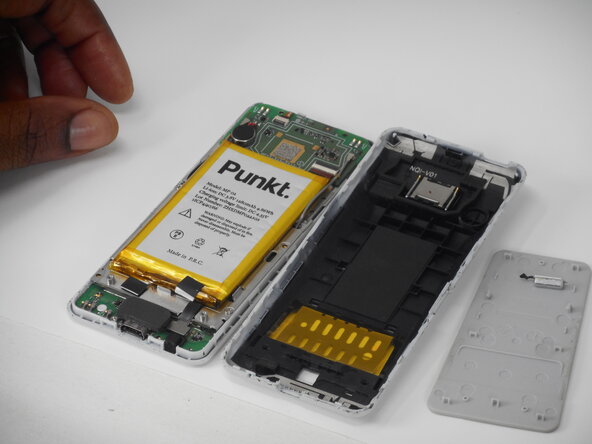
    • The back panel is held on by glue and multiple tabs.

    • Slide a Jimmy into the seam between the back panel and the chassis.

    • Slide the Jimmy around the perimeter to release the back panel, with care not to damage the retaining clips.

    • Clean any old adhesive with a spudger and isopropyl alcohol, then apply new adhesive to the back panel before reinstalling it.

  3. Punkt MP02 Keyboard Membrane Replacement: 3 단계, 이미지 3개 중 1개 Punkt MP02 Keyboard Membrane Replacement: 3 단계, 이미지 3개 중 2개 Punkt MP02 Keyboard Membrane Replacement: 3 단계, 이미지 3개 중 3개
    • Use a Phillips screwdriver to remove the two adjacent 3 mm Phillips screws.

  4. Punkt MP02 Keyboard Membrane Replacement: 4 단계, 이미지 3개 중 1개 Punkt MP02 Keyboard Membrane Replacement: 4 단계, 이미지 3개 중 2개 Punkt MP02 Keyboard Membrane Replacement: 4 단계, 이미지 3개 중 3개
    • Insert a Jimmy into the seam between the front and back case.

    • Slide the Jimmy around the perimeter while prying to separate the front and back case.

  5. Punkt MP02 Keyboard Membrane Replacement: 5 단계, 이미지 2개 중 1개 Punkt MP02 Keyboard Membrane Replacement: 5 단계, 이미지 2개 중 2개
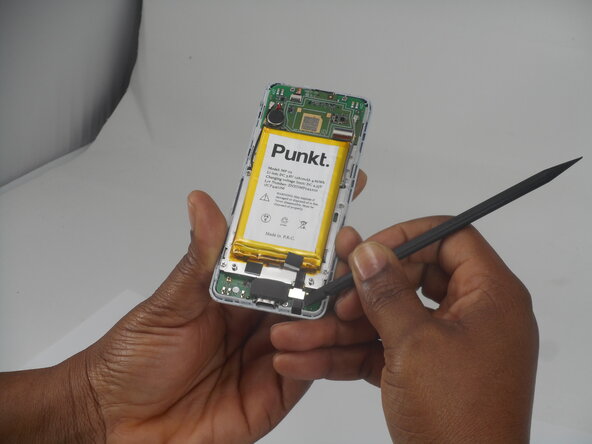
    • Use a spudger to pry up and disconnect the battery press connector.

    • Make sure to pry under the connector itself and not on the board.

  6. Punkt MP02 Keyboard Membrane Replacement: 6 단계, 이미지 2개 중 1개 Punkt MP02 Keyboard Membrane Replacement: 6 단계, 이미지 2개 중 2개
    • Gently pry the battery off with the spudger tool.

    • Take care not to bend, warp, or puncture the battery during removal.

  7. Punkt MP02 Keyboard Membrane Replacement, Screen: 7 단계, 이미지 3개 중 1개 Punkt MP02 Keyboard Membrane Replacement, Screen: 7 단계, 이미지 3개 중 2개 Punkt MP02 Keyboard Membrane Replacement, Screen: 7 단계, 이미지 3개 중 3개
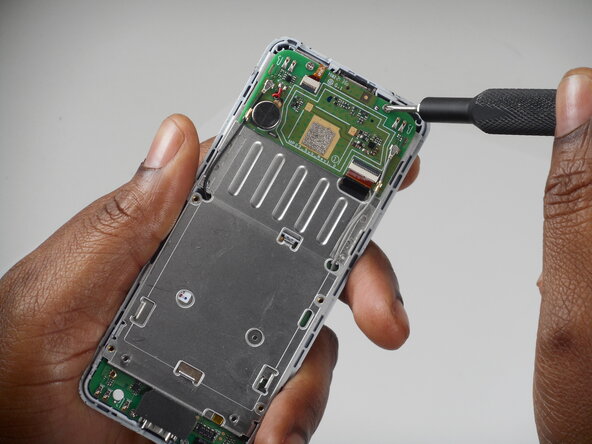
    • Remove the six 3 mm-long Phillips screws located on the board beneath the battery.

  8. Punkt MP02 Keyboard Membrane Replacement: 8 단계, 이미지 3개 중 1개 Punkt MP02 Keyboard Membrane Replacement: 8 단계, 이미지 3개 중 2개 Punkt MP02 Keyboard Membrane Replacement: 8 단계, 이미지 3개 중 3개
    • Remove the antenna coaxial connectors on the board with a spudger by gently prying straight up where they are connected on the board.

  9. Punkt MP02 Keyboard Membrane Replacement: 9 단계, 이미지 3개 중 1개 Punkt MP02 Keyboard Membrane Replacement: 9 단계, 이미지 3개 중 2개 Punkt MP02 Keyboard Membrane Replacement: 9 단계, 이미지 3개 중 3개
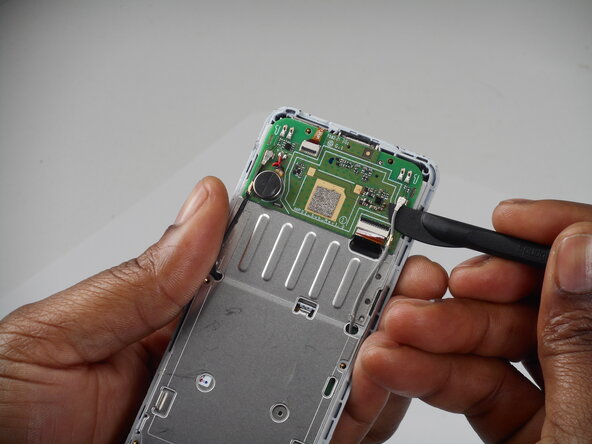
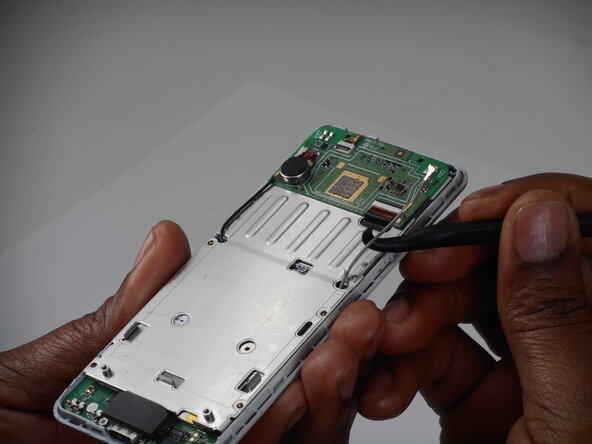
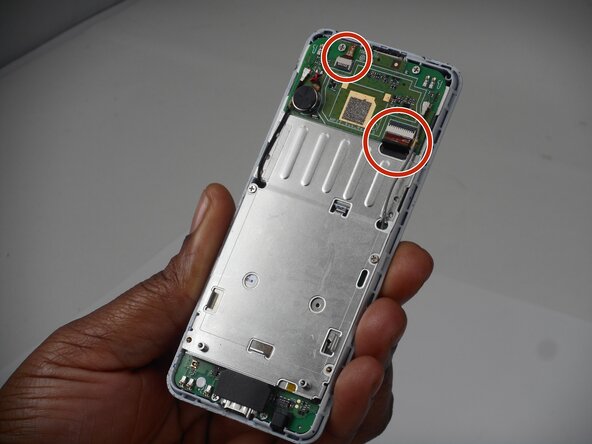
    • Flip up the two black locking flaps securing each of the two ribbon cables.

    • Disconnect the two ribbon cables.

  10. Punkt MP02 Keyboard Membrane Replacement: 10 단계, 이미지 2개 중 1개 Punkt MP02 Keyboard Membrane Replacement: 10 단계, 이미지 2개 중 2개
    • Using your thumbs, push the board up so that the clip can slide out of the indent.

    • Use a spudger to gently separate the boards.

    • Ensure that the antennae slide through the holes—do not accidentally pull these off.

  11. Punkt MP02 Keyboard Membrane Replacement: 11 단계, 이미지 3개 중 1개 Punkt MP02 Keyboard Membrane Replacement: 11 단계, 이미지 3개 중 2개 Punkt MP02 Keyboard Membrane Replacement: 11 단계, 이미지 3개 중 3개
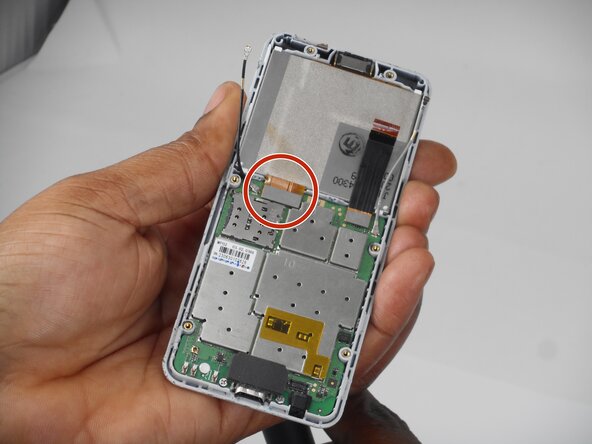
    • Use a spudger to lift and disconnect the screen press connector.

    • Make sure to pry up on the edge of the connector, not the board itself.

    • Remove the screen.

  12. Punkt MP02 Keyboard Membrane Replacement, Keyboard Membrane: 12 단계, 이미지 3개 중 1개 Punkt MP02 Keyboard Membrane Replacement, Keyboard Membrane: 12 단계, 이미지 3개 중 2개 Punkt MP02 Keyboard Membrane Replacement, Keyboard Membrane: 12 단계, 이미지 3개 중 3개
    • Remove the 3 (3mm) Phillips head screws from the board.

  13. Punkt MP02 Keyboard Membrane Replacement: 13 단계, 이미지 2개 중 1개 Punkt MP02 Keyboard Membrane Replacement: 13 단계, 이미지 2개 중 2개
    • Use a spudger to gently pry the board up and remove it.

  14. Punkt MP02 Keyboard Membrane Replacement: 14 단계, 이미지 3개 중 1개 Punkt MP02 Keyboard Membrane Replacement: 14 단계, 이미지 3개 중 2개 Punkt MP02 Keyboard Membrane Replacement: 14 단계, 이미지 3개 중 3개
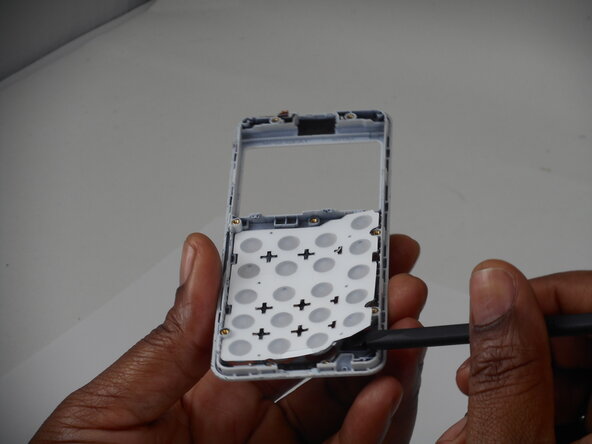
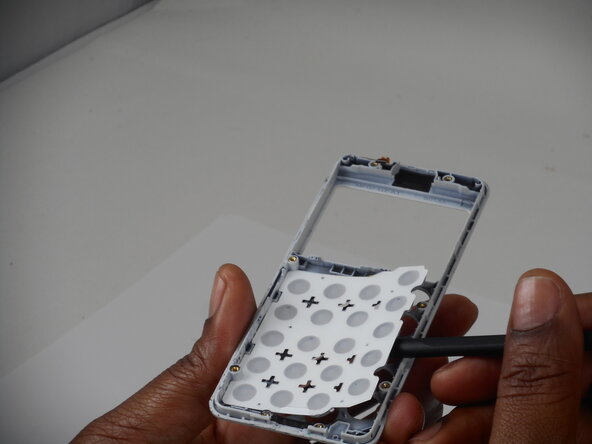
    • Peel the keyboard membrane off the phone casing.

결론

To reassemble your device, follow the above steps in reverse order.
Take your e-waste to an R2 or e-Stewards certified recycler.
Repair didn’t go as planned? Try some basic troubleshooting or ask our Answers community for help.

작성자

3다른 기여자 명과 함께

Gloria Enchill

회원 가입일: 02/19/26

97 평판

안내서 1개를 작성함

0가이드 댓글

댓글 쓰기

조회 통계:

지난 24시간: 0

지난 7일: 8

지난 30일: 8

전체 시간: 45