주요 콘텐츠로 건너뛰기
수리 커뮤니티 가입 - 계정 만들기

Razer DeathAdder Chroma Scroll Wheel Replacement

필요한 것

    1. Razer DeathAdder Chroma Scroll Wheel Replacement, Outer Casing: 1 단계, 이미지 1개 중 1개
      • Opening the mouse casing will void any warranty that exists for the mouse.

      • Turn the mouse over so the bottom is facing up.

      댓글 쓰기

    2. Razer DeathAdder Chroma Scroll Wheel Replacement: 2 단계, 이미지 2개 중 1개 Razer DeathAdder Chroma Scroll Wheel Replacement: 2 단계, 이미지 2개 중 2개
      • Use the blunt end of the spudger to pry the adhesive rubber pads from the top left and right edges.

      댓글 쓰기

    3. Razer DeathAdder Chroma Scroll Wheel Replacement: 3 단계, 이미지 2개 중 1개 Razer DeathAdder Chroma Scroll Wheel Replacement: 3 단계, 이미지 2개 중 2개
      • Use a Phillips #0 screwdriver to remove two 6.7 mm screws.

      댓글 쓰기

    4. Razer DeathAdder Chroma Scroll Wheel Replacement: 4 단계, 이미지 1개 중 1개
      • Use your fingers to identify the location of the screw under the bottom label.

      댓글 쓰기

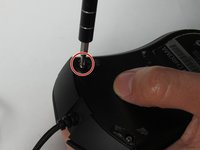
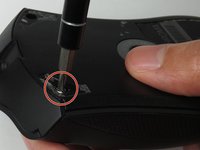
    5. Razer DeathAdder Chroma Scroll Wheel Replacement: 5 단계, 이미지 1개 중 1개
      • Use a Phillips #0 screwdriver to remove one 6.7 mm screw.

      • Clear the label away from around the screw for easier removal.

      댓글 쓰기

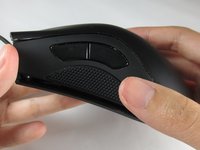
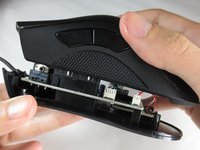
    6. Razer DeathAdder Chroma Scroll Wheel Replacement: 6 단계, 이미지 3개 중 1개 Razer DeathAdder Chroma Scroll Wheel Replacement: 6 단계, 이미지 3개 중 2개 Razer DeathAdder Chroma Scroll Wheel Replacement: 6 단계, 이미지 3개 중 3개
      • Turn the mouse over so the bottom is facing down.

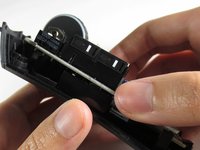
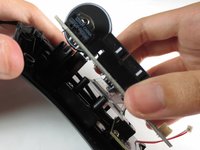
      • Separate the top casing from the bottom base by pulling the top casing upwards.

      • Separating the casing too quickly could damage the ribbon connector between the motherboard and the LED lights.

      댓글 쓰기

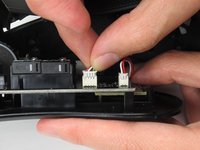
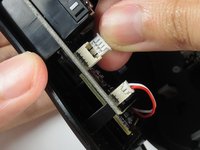
    7. Razer DeathAdder Chroma Scroll Wheel Replacement: 7 단계, 이미지 2개 중 1개 Razer DeathAdder Chroma Scroll Wheel Replacement: 7 단계, 이미지 2개 중 2개
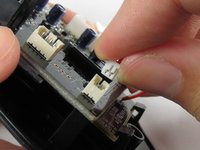
      • Disconnect the ribbon connector between the motherboard and the LED lights by pulling upward.

      • Pulling too hard could damage the wire connections.

      댓글 쓰기

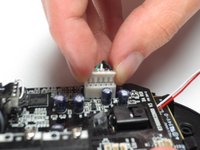
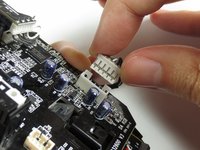
    1. Razer DeathAdder Chroma Scroll Wheel Replacement, Motherboard: 8 단계, 이미지 2개 중 1개 Razer DeathAdder Chroma Scroll Wheel Replacement, Motherboard: 8 단계, 이미지 2개 중 2개
      • Disconnect the ribbon connector between the motherboard and the USB cable by pulling upward.

      댓글 쓰기

    2. Razer DeathAdder Chroma Scroll Wheel Replacement: 9 단계, 이미지 1개 중 1개
      • Use a Phillips #0 screwdriver to remove three 5.5 mm screws.

      댓글 쓰기

    3. Razer DeathAdder Chroma Scroll Wheel Replacement: 10 단계, 이미지 2개 중 1개 Razer DeathAdder Chroma Scroll Wheel Replacement: 10 단계, 이미지 2개 중 2개
      • Use a Phillips #0 screwdriver to remove two 11.5 mm screws on the side buttons.

      댓글 쓰기

    4. Razer DeathAdder Chroma Scroll Wheel Replacement: 11 단계, 이미지 1개 중 1개
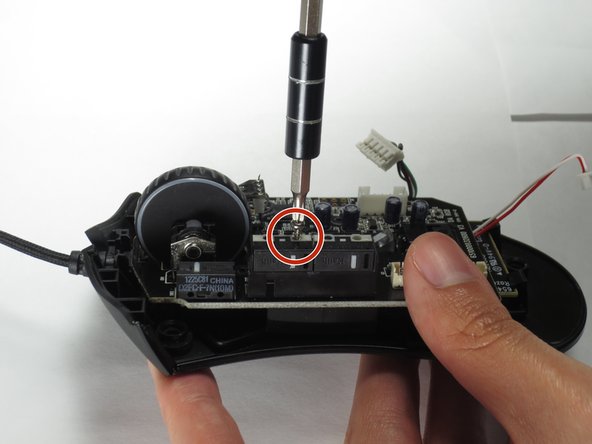
      • Use a Phillips #000 screwdriver to remove one 5.0 mm screw.

      댓글 쓰기

    5. Razer DeathAdder Chroma Scroll Wheel Replacement: 12 단계, 이미지 2개 중 1개 Razer DeathAdder Chroma Scroll Wheel Replacement: 12 단계, 이미지 2개 중 2개
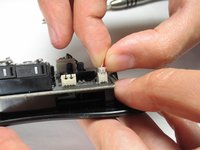
      • Disconnect the ribbon connector between the motherboard and the optical sensor.

      댓글 쓰기

    6. Razer DeathAdder Chroma Scroll Wheel Replacement: 13 단계, 이미지 2개 중 1개 Razer DeathAdder Chroma Scroll Wheel Replacement: 13 단계, 이미지 2개 중 2개
      • Remove the motherboard by grasping the sides and gently pulling upward.

      댓글 쓰기

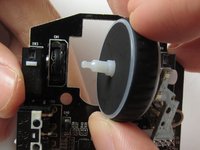
    1. Razer DeathAdder Chroma Scroll Wheel Replacement, Scroll Wheel: 14 단계, 이미지 2개 중 1개 Razer DeathAdder Chroma Scroll Wheel Replacement, Scroll Wheel: 14 단계, 이미지 2개 중 2개
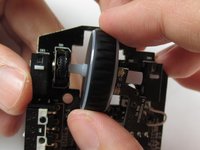
      • Remove the scroll wheel from the socket by pulling to the right.

      • Pulling too hard could damage the scroll wheel connector.

      댓글 쓰기

결론

To reassemble your device, follow these instructions in reverse order.

취소: 해당 안내서를 완성하지 않았습니다.

다른 11명이 해당 안내서를 완성하였습니다.

작성자

1다른 기여자 명과 함께

Corrie Tung

회원 가입일: 03/24/17

711 평판

안내서 2개를 작성함

Baylor, Team S5-G2, Williams Spring 2017 Baylor, Team S5-G2, Williams Spring 2017 회원

BU-WILLIAMS-S17S5G2

3 회원들

안내서 6개를 작성함

0가이드 댓글

댓글 쓰기

조회 통계:

지난 24시간: 1

지난 7일: 17

지난 30일: 89

전체 시간: 21,255