주요 콘텐츠로 건너뛰기
수리 커뮤니티 가입 - 계정 만들기

Razer DeathAdder Chroma USB Cable Replacement

필요한 것

  1. Razer DeathAdder Chroma USB Cable Replacement, Outer Casing: 1 단계, 이미지 1개 중 1개
    • Opening the mouse casing will void any warranty that exists for the mouse.

    • Turn the mouse over so the bottom is facing up.

  2. Razer DeathAdder Chroma USB Cable Replacement: 2 단계, 이미지 2개 중 1개 Razer DeathAdder Chroma USB Cable Replacement: 2 단계, 이미지 2개 중 2개
    • Use the blunt end of the spudger to pry the adhesive rubber pads from the top left and right edges.

  3. Razer DeathAdder Chroma USB Cable Replacement: 3 단계, 이미지 2개 중 1개 Razer DeathAdder Chroma USB Cable Replacement: 3 단계, 이미지 2개 중 2개
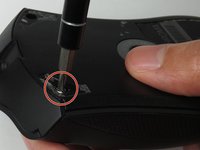
    • Use a Phillips #0 screwdriver to remove two 6.7 mm screws.

  4. Razer DeathAdder Chroma USB Cable Replacement: 4 단계, 이미지 1개 중 1개
    • Use your fingers to identify the location of the screw under the bottom label.

  5. Razer DeathAdder Chroma USB Cable Replacement: 5 단계, 이미지 1개 중 1개
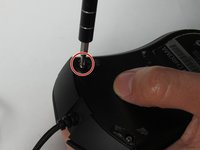
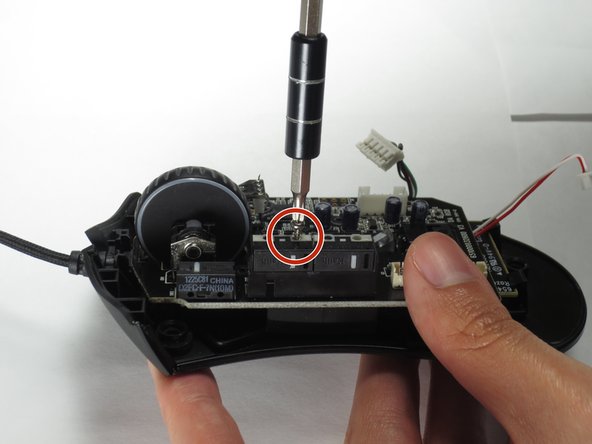
    • Use a Phillips #0 screwdriver to remove one 6.7 mm screw.

    • Clear the label away from around the screw for easier removal.

  6. Razer DeathAdder Chroma USB Cable Replacement: 6 단계, 이미지 3개 중 1개 Razer DeathAdder Chroma USB Cable Replacement: 6 단계, 이미지 3개 중 2개 Razer DeathAdder Chroma USB Cable Replacement: 6 단계, 이미지 3개 중 3개
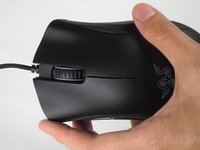
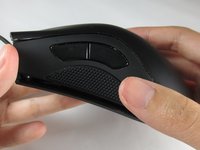
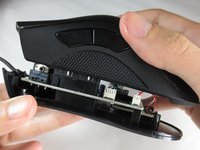
    • Turn the mouse over so the bottom is facing down.

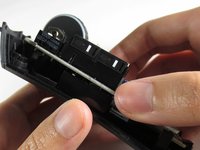
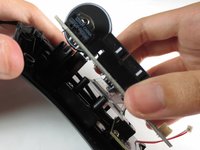
    • Separate the top casing from the bottom base by pulling the top casing upwards.

    • Separating the casing too quickly could damage the ribbon connector between the motherboard and the LED lights.

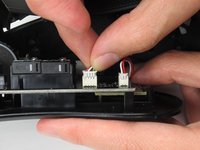
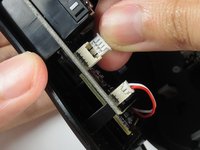
  7. Razer DeathAdder Chroma USB Cable Replacement: 7 단계, 이미지 2개 중 1개 Razer DeathAdder Chroma USB Cable Replacement: 7 단계, 이미지 2개 중 2개
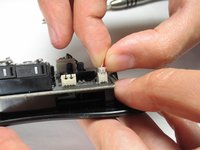
    • Disconnect the ribbon connector between the motherboard and the LED lights by pulling upward.

    • Pulling too hard could damage the wire connections.

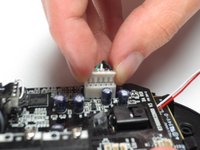
  8. Razer DeathAdder Chroma USB Cable Replacement, Motherboard: 8 단계, 이미지 2개 중 1개 Razer DeathAdder Chroma USB Cable Replacement, Motherboard: 8 단계, 이미지 2개 중 2개
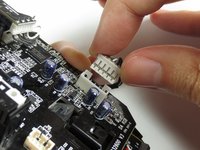
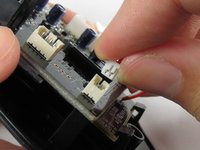
    • Disconnect the ribbon connector between the motherboard and the USB cable by pulling upward.

  9. Razer DeathAdder Chroma USB Cable Replacement: 9 단계, 이미지 1개 중 1개
    • Use a Phillips #0 screwdriver to remove three 5.5 mm screws.

  10. Razer DeathAdder Chroma USB Cable Replacement: 10 단계, 이미지 2개 중 1개 Razer DeathAdder Chroma USB Cable Replacement: 10 단계, 이미지 2개 중 2개
    • Use a Phillips #0 screwdriver to remove two 11.5 mm screws on the side buttons.

  11. Razer DeathAdder Chroma USB Cable Replacement: 11 단계, 이미지 1개 중 1개
    • Use a Phillips #000 screwdriver to remove one 5.0 mm screw.

  12. Razer DeathAdder Chroma USB Cable Replacement: 12 단계, 이미지 2개 중 1개 Razer DeathAdder Chroma USB Cable Replacement: 12 단계, 이미지 2개 중 2개
    • Disconnect the ribbon connector between the motherboard and the optical sensor.

  13. Razer DeathAdder Chroma USB Cable Replacement: 13 단계, 이미지 2개 중 1개 Razer DeathAdder Chroma USB Cable Replacement: 13 단계, 이미지 2개 중 2개
    • Remove the motherboard by grasping the sides and gently pulling upward.

  14. Razer DeathAdder Chroma USB Cable Replacement, USB Cable: 14 단계, 이미지 1개 중 1개
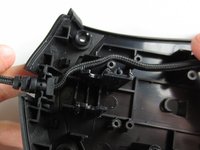
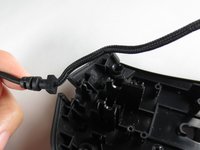
    • Locate the USB cable.

  15. Razer DeathAdder Chroma USB Cable Replacement: 15 단계, 이미지 2개 중 1개 Razer DeathAdder Chroma USB Cable Replacement: 15 단계, 이미지 2개 중 2개
    • Remove the USB cable by pulling it up and out.

결론

To reassemble your device, follow these instructions in reverse order.

다른 8명이 해당 안내서를 완성하였습니다.

작성자

2다른 기여자 명과 함께

Henry Shi

회원 가입일: 03/26/17

236 평판

안내서 1개를 작성함

Baylor, Team S5-G2, Williams Spring 2017 Baylor, Team S5-G2, Williams Spring 2017 회원

BU-WILLIAMS-S17S5G2

3 회원들

안내서 6개를 작성함

5가이드 댓글

Thank you! It realy worked. Btw: The cable for the Deathadder 2013 is working for the Chroma and Elite as well. I Just tried it :)

Pokefreeks - 답글

Thanks for the advice

João Costa Santos -

Great and easy guide thanx alot, saved me a new mouse :)

jesperkb - 답글

Is there a reliable website where I can get a replacement cable with low delivery time?

Bubbles EXE - 답글

where can i get the cable from?

Mourya Singham - 답글

댓글 쓰기

조회 통계:

지난 24시간: 4

지난 7일: 18

지난 30일: 62

전체 시간: 15,160