주요 콘텐츠로 건너뛰기
수리 커뮤니티 가입 - 계정 만들기

Razer Phone Motherboard Replacement

필요한 것

  1. Razer Phone Motherboard Replacement, Display Assembly: 1 단계, 이미지 3개 중 1개 Razer Phone Motherboard Replacement, Display Assembly: 1 단계, 이미지 3개 중 2개 Razer Phone Motherboard Replacement, Display Assembly: 1 단계, 이미지 3개 중 3개
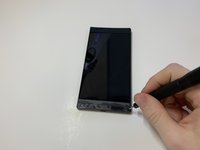
    • Remove the plastic speaker grills by using the metal spudger to pry underneath the strips.

    • Peel off the plastic speaker grill to reveal the screws.

    • Heating up the plastic grills make them easier to remove.

    • Peeling off the plastic speaker grill will ruin the adhesive used to keep it in place. A new adhesive must be used to put the grill back on the device.

  2. Razer Phone Motherboard Replacement: 2 단계, 이미지 2개 중 1개 Razer Phone Motherboard Replacement: 2 단계, 이미지 2개 중 2개
    • Pry the top plastic grill off with the metal spudger and reveal the screws.

  3. Razer Phone Motherboard Replacement: 3 단계, 이미지 3개 중 1개 Razer Phone Motherboard Replacement: 3 단계, 이미지 3개 중 2개 Razer Phone Motherboard Replacement: 3 단계, 이미지 3개 중 3개
    • Remove five (two bottom, three top) 2.5 mm screws with the Phillips #000 screwdriver.

    • Remove five (four bottom, one top) 5.5 mm screws with the Torx Head T5 screwdriver.

  4. Razer Phone Motherboard Replacement: 4 단계, 이미지 2개 중 1개 Razer Phone Motherboard Replacement: 4 단계, 이미지 2개 중 2개
    • Remove the display assembly by using the Jimmy to separate the assembly from the phone's frame.

    • Lift the display assembly away from the other half of the phone.

  5. Razer Phone Motherboard Replacement: 5 단계, 이미지 3개 중 1개 Razer Phone Motherboard Replacement: 5 단계, 이미지 3개 중 2개 Razer Phone Motherboard Replacement: 5 단계, 이미지 3개 중 3개
    이 단계에 사용된 도구:
    Tweezers
    $4.99
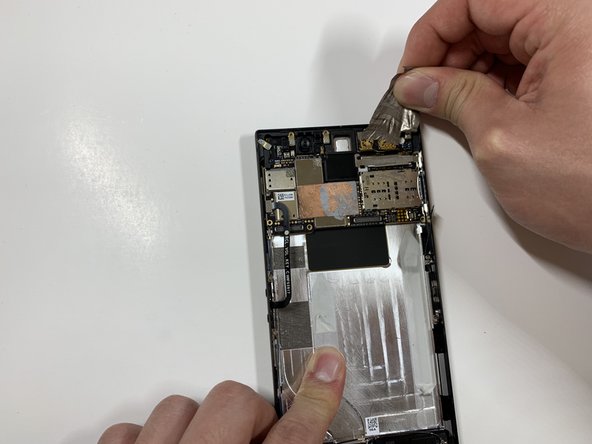
    • Remove one 2.5 mm screw holding down the metal bracket connector using the Phillips #000 screwdriver.

    • Peel back the metallic shielding over the connector using tweezers.

    • Remove the metal bracket connector.

  6. Razer Phone Motherboard Replacement: 6 단계, 이미지 2개 중 1개 Razer Phone Motherboard Replacement: 6 단계, 이미지 2개 중 2개
    • Grab hold of the the screen ribbon with the tweezers and remove it from the rest of the phone to free the assembly display.

  7. Razer Phone Motherboard Replacement, Battery: 7 단계, 이미지 3개 중 1개 Razer Phone Motherboard Replacement, Battery: 7 단계, 이미지 3개 중 2개 Razer Phone Motherboard Replacement, Battery: 7 단계, 이미지 3개 중 3개
    이 단계에 사용된 도구:
    Tweezers
    $4.99
    • Grab hold of the connector on the right side of the phone (just above the battery) using the tweezers.

    • Remove the connector.

  8. Razer Phone Motherboard Replacement: 8 단계, 이미지 2개 중 1개 Razer Phone Motherboard Replacement: 8 단계, 이미지 2개 중 2개
    • Remove the 2.5 mm screw holding down the bracket with a Phillips #000 screwdriver.

    • Grab the bracket with the tweezers and remove it.

  9. Razer Phone Motherboard Replacement: 9 단계, 이미지 3개 중 1개 Razer Phone Motherboard Replacement: 9 단계, 이미지 3개 중 2개 Razer Phone Motherboard Replacement: 9 단계, 이미지 3개 중 3개
    • Peel off and pull out the elastic tabs at the bottom of the battery.

  10. Razer Phone Motherboard Replacement: 10 단계, 이미지 2개 중 1개 Razer Phone Motherboard Replacement: 10 단계, 이미지 2개 중 2개
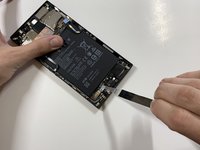
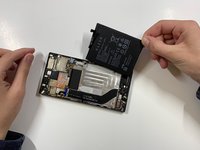
    • Carefully use the Jimmy to wedge the battery out of the phone.

  11. Razer Phone Motherboard Replacement, Rear Camera: 11 단계, 이미지 2개 중 1개 Razer Phone Motherboard Replacement, Rear Camera: 11 단계, 이미지 2개 중 2개
    • Remove the one 2.5 mm screw with the Phillips #000 screwdriver.

  12. Razer Phone Motherboard Replacement: 12 단계, 이미지 3개 중 1개 Razer Phone Motherboard Replacement: 12 단계, 이미지 3개 중 2개 Razer Phone Motherboard Replacement: 12 단계, 이미지 3개 중 3개
    • Remove the protective peel covering the rear cameras using your hands.

  13. Razer Phone Motherboard Replacement: 13 단계, 이미지 1개 중 1개
    이 단계에 사용된 도구:
    Tweezers
    $4.99
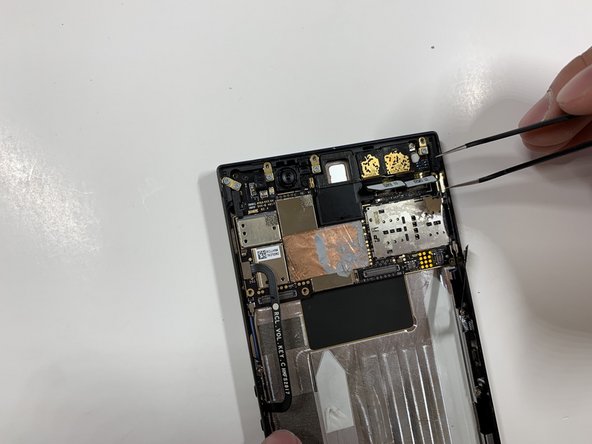
    • Use the tweezers to remove the white tab connector.

  14. Razer Phone Motherboard Replacement: 14 단계, 이미지 1개 중 1개
    • Grab and remove the metal tab with the tweezers.

  15. Razer Phone Motherboard Replacement: 15 단계, 이미지 3개 중 1개 Razer Phone Motherboard Replacement: 15 단계, 이미지 3개 중 2개 Razer Phone Motherboard Replacement: 15 단계, 이미지 3개 중 3개
    • Grab the connectors with the tweezers and gently lift the connectors loose.

  16. Razer Phone Motherboard Replacement: 16 단계, 이미지 2개 중 1개 Razer Phone Motherboard Replacement: 16 단계, 이미지 2개 중 2개
    • Remove the one 2.5 mm screw with the Phillips #000 screwdriver.

  17. Razer Phone Motherboard Replacement: 17 단계, 이미지 1개 중 1개
    • Remove the one 2.5 mm screw underneath the connectors with the Phillips #000 screwdriver.

  18. Razer Phone Motherboard Replacement: 18 단계, 이미지 3개 중 1개 Razer Phone Motherboard Replacement: 18 단계, 이미지 3개 중 2개 Razer Phone Motherboard Replacement: 18 단계, 이미지 3개 중 3개
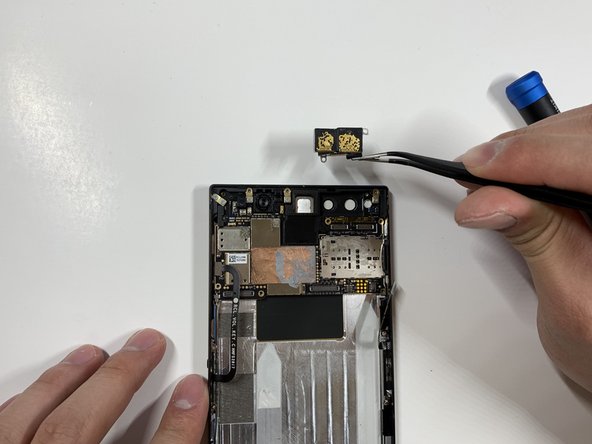
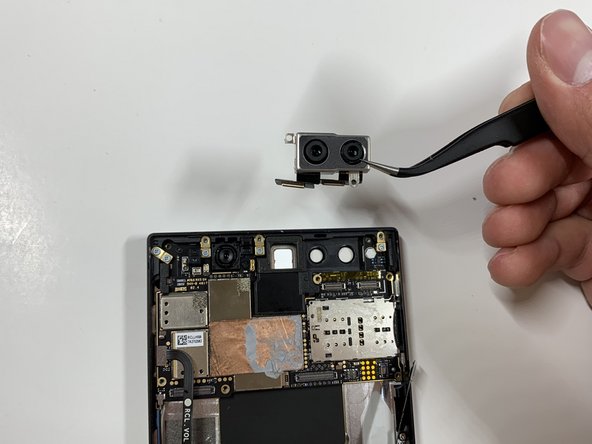
    • Grab the loose connectors with a tweezer and gently remove the rear camera unit from the phone.

  19. Razer Phone Motherboard Replacement, Motherboard: 19 단계, 이미지 1개 중 1개
    이 단계에 사용된 도구:
    Tweezers
    $4.99
    • Grab and remove the blue connector with the tweezers.

  20. Razer Phone Motherboard Replacement: 20 단계, 이미지 2개 중 1개 Razer Phone Motherboard Replacement: 20 단계, 이미지 2개 중 2개
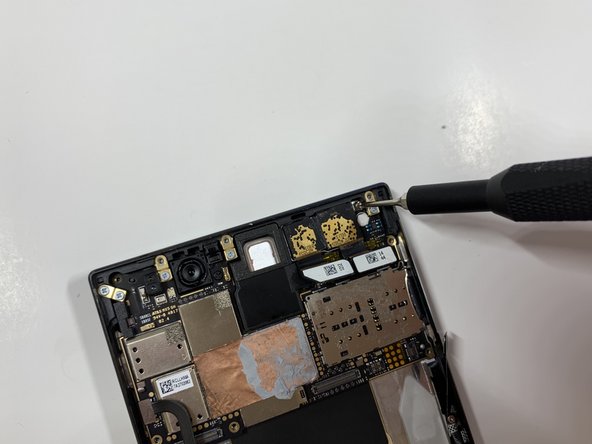
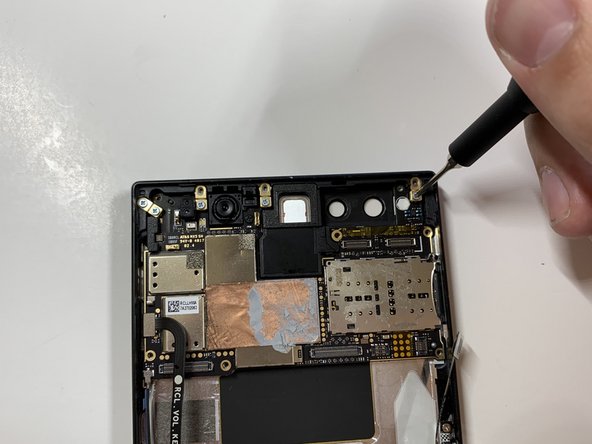
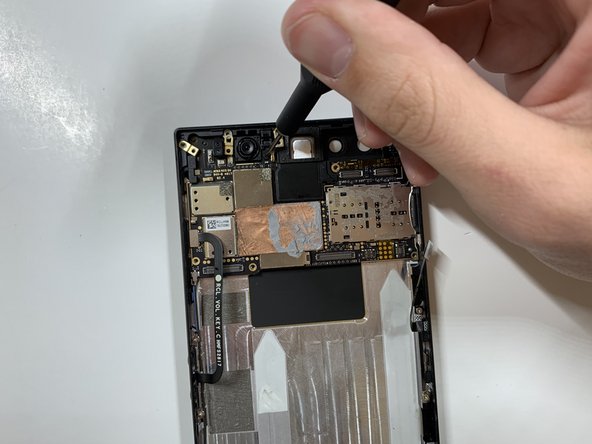
    • Remove the five 1 mm screws holding down the gold antenna line brackets to the motherboard using the Phillips #000 screwdriver.

  21. Razer Phone Motherboard Replacement: 21 단계, 이미지 2개 중 1개 Razer Phone Motherboard Replacement: 21 단계, 이미지 2개 중 2개
    • Remove the 2.5 mm screw next to the front-facing camera with the Phillips #000 screwdriver.

  22. Razer Phone Motherboard Replacement: 22 단계, 이미지 2개 중 1개 Razer Phone Motherboard Replacement: 22 단계, 이미지 2개 중 2개
    • Remove the four gold antenna line brackets with the tweezers.

  23. Razer Phone Motherboard Replacement: 23 단계, 이미지 1개 중 1개
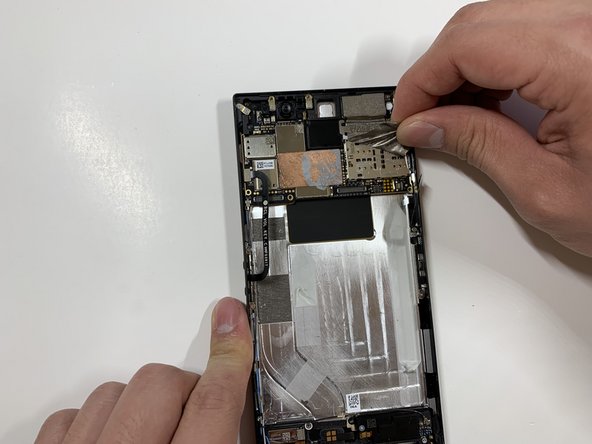
    • Using the tweezers remove the SIM card tray from the body of the phone.

  24. Razer Phone Motherboard Replacement: 24 단계, 이미지 1개 중 1개
    • Carefully lift up the motherboard away from the device.

결론

To reassemble your device, follow these instructions in reverse order.

다른 한 분이 해당 안내서를 완성하였습니다.

작성자

3다른 기여자 명과 함께

David Todd

회원 가입일: 01/25/19

188 평판

안내서 1개를 작성함

Cal Poly, Team S19-G6, White Winter 2019 Cal Poly, Team S19-G6, White Winter 2019 회원

CPSU-WHITE-W19S19G6

4 회원들

안내서 10개를 작성함

0가이드 댓글

댓글 쓰기

조회 통계:

지난 24시간: 1

지난 7일: 17

지난 30일: 30

전체 시간: 1,778