소개
If there continues to be a problem after restarting and repairing the remote, you may need to replace or fix your remote's motherboard.
필요한 것
-
-
-
Place the remote control facing down on the table, so that the buttons are facing downwards.
 FixBot에 문의하기
-
-
-
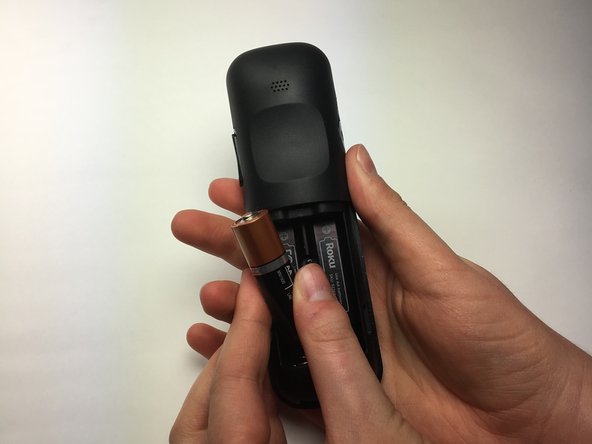
Remove the battery compartment cover from the back of the remote by sliding it outwards. This should reveal the batteries.
-
-
-
-
Turn the Phillips PH0 screwdriver counterclockwise to carefully remove the 6.9 mm screw located between both battery compartments .
-
-
-
Wedge a plastic opening tool into the seam between the top cover and bottom casing of the device to create a gap.
-
Once you have created a gap large enough for your fingers to fit between, separate the top cover from the bottom plastic casing by pulling them apart gently.
-
-
-
Using your right thumb, lift up on the left side of the motherboard to remove it from the bottom plastic casing.
-
-




To reassemble your device, follow these instructions in reverse order.
다른 2명이 해당 안내서를 완성하였습니다.

팀

Baylor, Team S5-G4, Williams Spring 2017 Baylor, Team S5-G4, Williams Spring 2017 회원
BU-WILLIAMS-S17S5G4
3 회원들
안내서 19개를 작성함
