소개
If your computer is experiencing memory issues and/or is running slowly, replacing or upgrading the RAM may solve these issues.
필요한 것
-
-
-
Remove the panel by sliding down and lifting it away from the computer, exposing the RAM and hard drive.
-
-
-
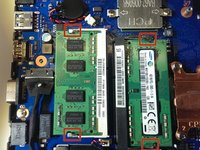
Pull the 4 tabs away from the RAM with your finger.
-
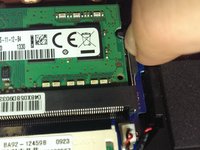
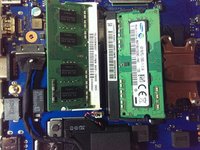
Lift away to remove the RAM and replace.
-

 FixBot에 문의하기


To reassemble your device, follow these instructions in reverse order.
다른 한 분이 해당 안내서를 완성하였습니다.

팀

Michigan Tech, Team 1-7, Lauer Spring 2015 Michigan Tech, Team 1-7, Lauer Spring 2015 회원
MTU-LAUER-S15S1G7
2 회원들
안내서 6개를 작성함
