주요 콘텐츠로 건너뛰기
수리 커뮤니티 가입 - 계정 만들기

Samsung Chromebook 3 Battery Replacement

필요한 것

  1. Samsung Chromebook 3 Battery Replacement, Bottom Case: 1 단계, 이미지 2개 중 1개 Samsung Chromebook 3 Battery Replacement, Bottom Case: 1 단계, 이미지 2개 중 2개
    • Place the Chromebook face down so that the bottom case is exposed.

    • Using a Phillips #00 screwdriver, remove nine 4.6mm screws from the back casing.

  2. Samsung Chromebook 3 Battery Replacement: 2 단계, 이미지 3개 중 1개 Samsung Chromebook 3 Battery Replacement: 2 단계, 이미지 3개 중 2개 Samsung Chromebook 3 Battery Replacement: 2 단계, 이미지 3개 중 3개
    • Use a iFixit opening tool to gently pry the case up from the vent on the hinge side of the Chromebook.

    • You should hear a popping sound as the connectors disengage inside the case.

  3. Samsung Chromebook 3 Battery Replacement: 3 단계, 이미지 1개 중 1개
    • Lift the case up and off the device

  4. Samsung Chromebook 3 Battery Replacement, Battery: 4 단계, 이미지 2개 중 1개 Samsung Chromebook 3 Battery Replacement, Battery: 4 단계, 이미지 2개 중 2개
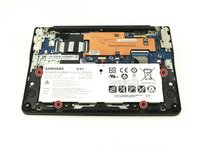
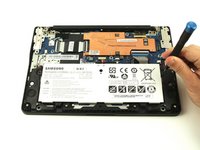
    • Locate the battery and remove the four 4.6mm screws at the corners which attach it to case using a Phillips #00 screwdriver.

  5. Samsung Chromebook 3 Battery Replacement: 5 단계, 이미지 2개 중 1개 Samsung Chromebook 3 Battery Replacement: 5 단계, 이미지 2개 중 2개
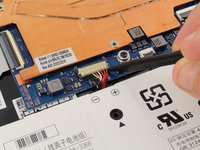
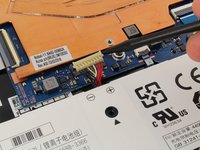
    • Use a spudger to gently pry the power cable cord upwards from the motherboard.

  6. Samsung Chromebook 3 Battery Replacement: 6 단계, 이미지 1개 중 1개
    • Lift the battery up and out from the case.

결론

To reassemble your device, follow these instructions in reverse order.

다른 5명이 해당 안내서를 완성하였습니다.

작성자

1다른 기여자 명과 함께

Austin Blakely

회원 가입일: 03/11/19

22,889 평판

안내서 53개를 작성함

1가이드 댓글

Can you fix my chromebook

Peter Hancocks - 답글 공유

댓글 쓰기

조회 통계:

지난 24시간: 0

지난 7일: 7

지난 30일: 48

전체 시간: 2,243