주요 콘텐츠로 건너뛰기
수리 커뮤니티 가입 - 계정 만들기

Samsung Galaxy Gear Display Assembly Replacement

필요한 것

    1. Samsung Galaxy Gear Display Assembly Replacement, Display Housing: 1 단계, 이미지 1개 중 1개
      • Use a T5 Torx screwdriver to remove the four 4.0 mm screws on the back of the device.

      • Be sure your device is turned off.

      댓글 쓰기

    2. Samsung Galaxy Gear Display Assembly Replacement: 2 단계, 이미지 1개 중 1개
      • Use a plastic opening tool to separate the display housing from from the device.

      • To ensure you don't damage your device, insert the opening tool and slide it the entire length of the gap on both sides of the device.

      댓글 쓰기

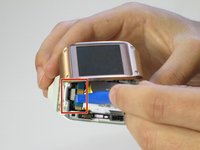
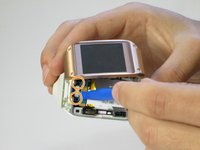
    3. Samsung Galaxy Gear Display Assembly Replacement: 3 단계, 이미지 2개 중 1개 Samsung Galaxy Gear Display Assembly Replacement: 3 단계, 이미지 2개 중 2개
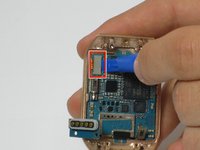
      • Gently pry back the metal flap on top of the connector.

      • Locate the two 2.0 mm black screws and unscrew using a Phillips PH00 bit. The connector will detach from the device.

      댓글 쓰기

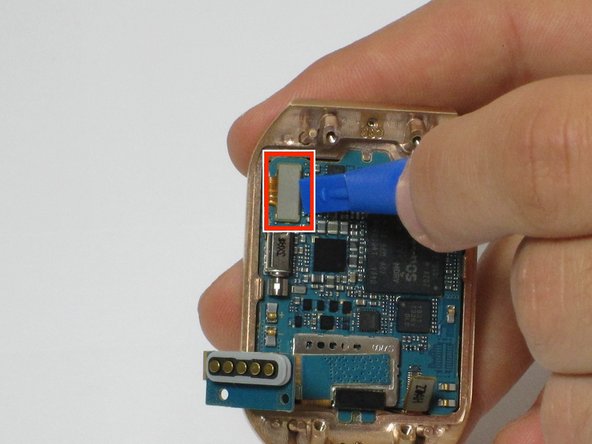
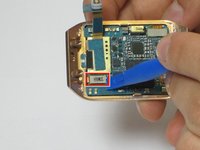
    1. Samsung Galaxy Gear Display Assembly Replacement, Motherboard: 4 단계, 이미지 2개 중 1개 Samsung Galaxy Gear Display Assembly Replacement, Motherboard: 4 단계, 이미지 2개 중 2개
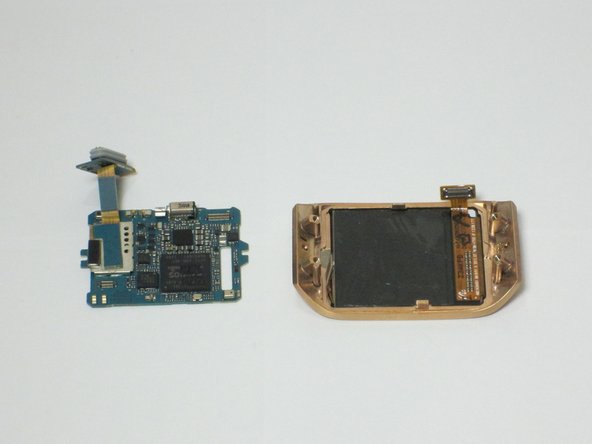
      • On the display, use a plastic opening tool to lift up the two ribbon cables the motherboard.

      댓글 쓰기

    2. Samsung Galaxy Gear Display Assembly Replacement: 5 단계, 이미지 1개 중 1개
      • The motherboard is attached to the display using an adhesive

      • Using a heat gun, heat up the display for 4 to 5 minutes, making sure the move the heat gun around to distribute the heat around the display. This heats up the adhesive making the motherboard easier to remove

      댓글 쓰기

    3. Samsung Galaxy Gear Display Assembly Replacement: 6 단계, 이미지 2개 중 1개 Samsung Galaxy Gear Display Assembly Replacement: 6 단계, 이미지 2개 중 2개
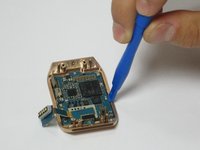
      • Using a plastic opening tool, carefully insert the opening tool in between the bezel and the motherboard and slide it the entire length of the logic board.

      • Slowly pry up the motherboard from the display.

      댓글 쓰기

    1. Samsung Galaxy Gear Display Assembly Replacement, Display Assembly: 7 단계, 이미지 1개 중 1개
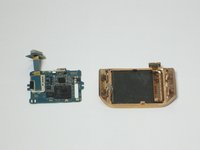
      • The display assembly is now separated and can be replaced

      댓글 쓰기

결론

To reassemble your device, follow these instructions in reverse order.

취소: 해당 안내서를 완성하지 않았습니다.

다른 2명이 해당 안내서를 완성하였습니다.

작성자

4다른 기여자 명과 함께

Joe

회원 가입일: 04/11/16

279 평판

안내서 2개를 작성함

Cal Poly, Team 1-9, Maness Spring 2016 Cal Poly, Team 1-9, Maness Spring 2016 회원

CPSU-MANESS-S16S1G9

4 회원들

안내서 42개를 작성함

0가이드 댓글

댓글 쓰기

조회 통계:

지난 24시간: 0

지난 7일: 5

지난 30일: 27

전체 시간: 1,992