주요 콘텐츠로 건너뛰기
수리 커뮤니티 가입 - 계정 만들기

Samsung Gravity TXT microSD Card Replacement

필요한 것

  1. Samsung Gravity TXT microSD Card  Replacement, Battery: 1 단계, 이미지 2개 중 1개 Samsung Gravity TXT microSD Card  Replacement, Battery: 1 단계, 이미지 2개 중 2개
    • Pry the back cover off with a plastic opening tool, or your fingernail, in the indentation on the bottom of the device.

  2. Samsung Gravity TXT microSD Card  Replacement: 2 단계, 이미지 1개 중 1개
    • Lift the back cover away from the main body of the phone.

  3. Samsung Gravity TXT microSD Card  Replacement: 3 단계, 이미지 1개 중 1개
    • Insert your finger in the groove below the battery.

    • Press the battery toward the audio jack while lifting upward and away from the phone.

    • Remember to place the battery back with the copper contacts on the battery lined up with those on the phone.

  4. Samsung Gravity TXT microSD Card  Replacement, microSD Card: 4 단계, 이미지 3개 중 1개 Samsung Gravity TXT microSD Card  Replacement, microSD Card: 4 단계, 이미지 3개 중 2개 Samsung Gravity TXT microSD Card  Replacement, microSD Card: 4 단계, 이미지 3개 중 3개
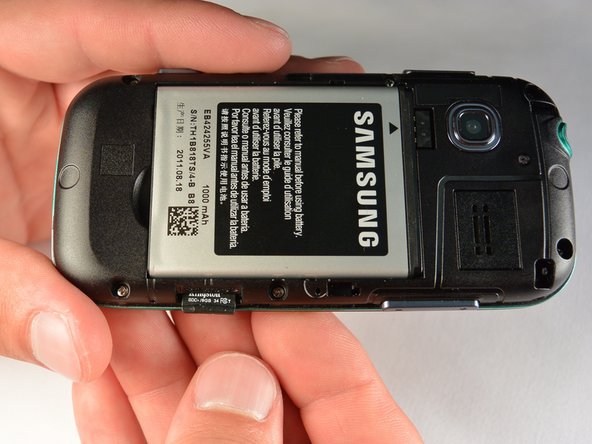
    • Using your fingernail, push the microSD card slightly deeper into the slot, until you hear a click.

    • The removal of the battery is not required for this operation; therefore, step 3 can be skipped if just replacing the microSD card.

    • After the click, release the microSD card to allow it to pop out.

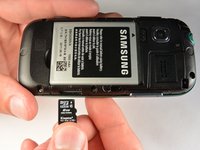
    • Remove the microSD card from its slot

    • When placing the microSD card back in the phone, make sure the card clicks in place.

결론

To reassemble your device, follow these instructions in reverse order.

작성자

2다른 기여자 명과 함께

Mounir Karmada

회원 가입일: 07/07/15

465 평판

안내서 4개를 작성함

IUPUI, Team 1-1, Renguette SU 2015 IUPUI, Team 1-1, Renguette SU 2015 회원

IUPUI-RENGUETTE-SU15S1G1

5 회원들

안내서 16개를 작성함

0가이드 댓글

댓글 쓰기

조회 통계:

지난 24시간: 2

지난 7일: 5

지난 30일: 11

전체 시간: 340