주요 콘텐츠로 건너뛰기
수리 커뮤니티 가입 - 계정 만들기

Samsung Impression Digitizer or Front Buttons Replacement

필요한 것

  1. Samsung Impression Digitizer or Front Buttons Replacement, Battery: 1 단계, 이미지 1개 중 1개
    • Orient the phone with the screen facing downward.

    • Slide the panel away from the camera using your thumb. This will expose the battery.

  2. Samsung Impression Digitizer or Front Buttons Replacement: 2 단계, 이미지 2개 중 1개 Samsung Impression Digitizer or Front Buttons Replacement: 2 단계, 이미지 2개 중 2개
    • Insert the tip of the spudger on the left side of the battery.

    • Pry the battery out. It will pivot in the direction of the white arrow.

  3. Samsung Impression Digitizer or Front Buttons Replacement, Back Cover: 3 단계, 이미지 1개 중 1개
    • Remove the six 3.5 mm screws using a Phillips #000 screwdriver. Unscrew in a counterclockwise direction.

  4. Samsung Impression Digitizer or Front Buttons Replacement: 4 단계, 이미지 1개 중 1개
    • Gently pry around the edges with the spudger to remove back panel.

    • It may help to slide the touchscreen upwards when removing the back panel.

    • The side buttons will become loose and will fall out, so put these in a safe place.

  5. Samsung Impression Digitizer or Front Buttons Replacement, Circuit Board: 5 단계, 이미지 1개 중 1개
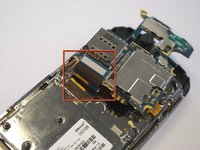
    • Gently remove the black wire to free the circuit board.

    • Remove the wire by gently prying up the gold terminator attached to the green circuit board.

  6. Samsung Impression Digitizer or Front Buttons Replacement: 6 단계, 이미지 2개 중 1개 Samsung Impression Digitizer or Front Buttons Replacement: 6 단계, 이미지 2개 중 2개
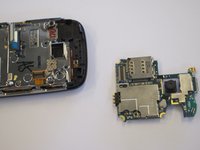
    • Gently tug the black and blue ribbon upwards to release the circuit board.

  7. Samsung Impression Digitizer or Front Buttons Replacement, Keyboard: 7 단계, 이미지 1개 중 1개
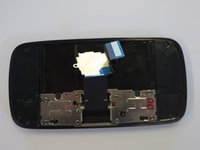
    • Remove the two base screws along the edge of the silver piece, where you just removed the black end piece.

    • The screws are 2.7mm in length.

    • The bottom black end cap will snap out.

  8. Samsung Impression Digitizer or Front Buttons Replacement: 8 단계, 이미지 2개 중 1개 Samsung Impression Digitizer or Front Buttons Replacement: 8 단계, 이미지 2개 중 2개
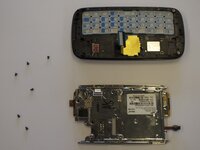
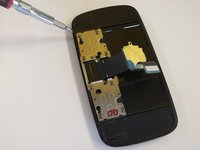
    • Remove the six 2.7 mm screws holding the silver plate on and set aside (fig. 1).

    • Separate the silver plate and phone frame (fig. 2).

  9. Samsung Impression Digitizer or Front Buttons Replacement: 9 단계, 이미지 1개 중 1개
    • The silver piece you are left with is the physical keyboard assembly.

  10. Samsung Impression Digitizer or Front Buttons Replacement, LCD Flex Cable: 10 단계, 이미지 2개 중 1개 Samsung Impression Digitizer or Front Buttons Replacement, LCD Flex Cable: 10 단계, 이미지 2개 중 2개
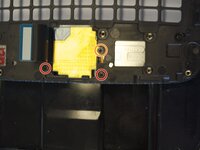
    • Remove the 3 screws holding down the flex cable.

    • The two screws on the black frame are 2.0 mm in length.

    • The top right screw that goes through the circle port on the flex cable is 2.3 mm.

    • Remove the keyboard slider frame. The flex cable should be exposed, but not free.

  11. Samsung Impression Digitizer or Front Buttons Replacement: 11 단계, 이미지 1개 중 1개
    • Remove the four 3.5 mm outer screws.

  12. Samsung Impression Digitizer or Front Buttons Replacement: 12 단계, 이미지 3개 중 1개 Samsung Impression Digitizer or Front Buttons Replacement: 12 단계, 이미지 3개 중 2개 Samsung Impression Digitizer or Front Buttons Replacement: 12 단계, 이미지 3개 중 3개
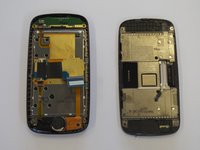
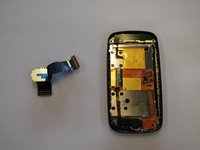
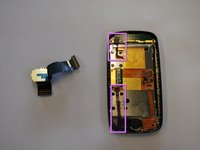
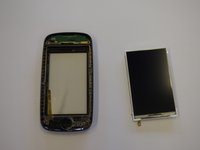
    • Slide the phone apart and remove the 3.5 mm screw on the top middle (fig. 1).

    • Remove the outer shell by prying the edges off with your fingers or a small screwdriver (fig. 2).

    • The device will now be in two pieces (fig. 3).

  13. Samsung Impression Digitizer or Front Buttons Replacement: 13 단계, 이미지 2개 중 1개 Samsung Impression Digitizer or Front Buttons Replacement: 13 단계, 이미지 2개 중 2개
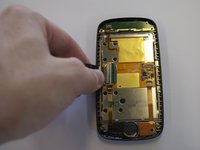
    • Lift the tab underneath the blue tape and gently pull the flex cable (fig. 1).

    • The flex cable will now be completely free (fig. 2).

  14. Samsung Impression Digitizer or Front Buttons Replacement, Ear Speaker: 14 단계, 이미지 1개 중 1개
    • Remove the 2.3 mm screw.

    • Lift the black tab at the end of the ribbon.

    • Gently pull the speaker and ribbon free.

  15. Samsung Impression Digitizer or Front Buttons Replacement, LCD: 15 단계, 이미지 2개 중 1개 Samsung Impression Digitizer or Front Buttons Replacement, LCD: 15 단계, 이미지 2개 중 2개
    • Lift the remaining two tabs and free their respective ribbon cables.

    • Gently pry the screen away from the housing.

    • Be careful with this step as you are in direct contact with the LCD screen.

  16. Samsung Impression Digitizer or Front Buttons Replacement, Digitizer or Front Buttons: 16 단계, 이미지 1개 중 1개
    • If replacing the front buttons, remove the assembly at the bottom of the front panel

    • The digitizer is now free to be pulled out from the front housing.

결론

To reassemble your device, follow these instructions in reverse order.

다른 3명이 해당 안내서를 완성하였습니다.

작성자

6다른 기여자 명과 함께

Saul Villatoro

회원 가입일: 04/25/11

260 평판

안내서 7개를 작성함

Cal Poly, Team 8-10, Regan Spring 2011 Cal Poly, Team 8-10, Regan Spring 2011 회원

CPSU-REGAN-S11S8G10

4 회원들

안내서 23개를 작성함

0가이드 댓글

댓글 쓰기

조회 통계:

지난 24시간: 3

지난 7일: 17

지난 30일: 43

전체 시간: 7,020