주요 콘텐츠로 건너뛰기
수리 커뮤니티 가입 - 계정 만들기

Samsung NP N310 HAA2US RAM Replacement

필요한 것

  1. Samsung NP N310 HAA2US RAM Replacement, Battery: 1 단계, 이미지 3개 중 1개 Samsung NP N310 HAA2US RAM Replacement, Battery: 1 단계, 이미지 3개 중 2개 Samsung NP N310 HAA2US RAM Replacement, Battery: 1 단계, 이미지 3개 중 3개
    • Make sure the laptop is powered off, and unplugged before removing the battery.

    • Slide the battery switch to the unlock symbol, and the battery will pop up.

    • Remove the battery.

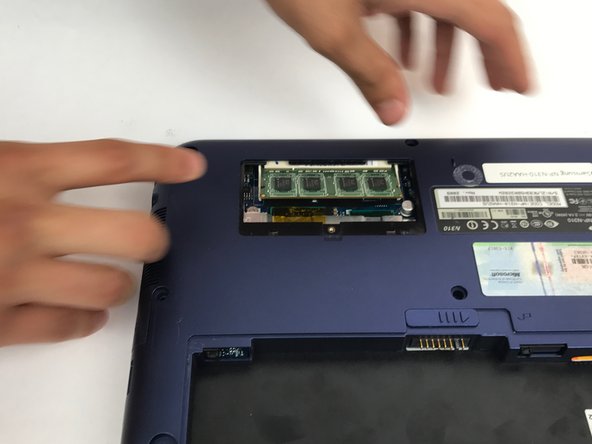
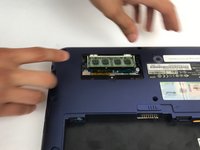
  2. Samsung NP N310 HAA2US RAM Replacement, RAM: 2 단계, 이미지 3개 중 1개 Samsung NP N310 HAA2US RAM Replacement, RAM: 2 단계, 이미지 3개 중 2개 Samsung NP N310 HAA2US RAM Replacement, RAM: 2 단계, 이미지 3개 중 3개
    • Locate and unscrew the 5mm screw on the small panel on the back that has 'memory' written on it.

    • Pull off the memory panel.

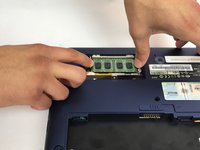
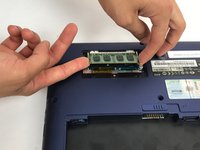
  3. Samsung NP N310 HAA2US RAM Replacement: 3 단계, 이미지 3개 중 1개 Samsung NP N310 HAA2US RAM Replacement: 3 단계, 이미지 3개 중 2개 Samsung NP N310 HAA2US RAM Replacement: 3 단계, 이미지 3개 중 3개
    • Pull the 2 latches holding the RAM in, away from the RAM stick, and the RAM will pop up.

    • Pull the RAM out of the slot, only touching the edges of the RAM stick

결론

To reassemble your device, follow these instructions in reverse order.

다른 한 분이 해당 안내서를 완성하였습니다.

작성자

2다른 기여자 명과 함께

Amir Afridi

회원 가입일: 09/29/16

626 평판

안내서 6개를 작성함

USF Tampa, Team 4-1, Passmore Fall 2016 USF Tampa, Team 4-1, Passmore Fall 2016 회원

USFT-PASSMORE-F16S4G1

4 회원들

안내서 6개를 작성함

1가이드 댓글

I checked out this guide today (11.2022) to upgrade the RAM in my N310 Windows XP laptop that I bought in the summer of 2009 : ) a whooping 2 GB of DDR2 RAM installed to play old games on original hardware... yee haw!

Mick Germ - 답글 공유

댓글 쓰기

조회 통계:

지난 24시간: 3

지난 7일: 12

지난 30일: 41

전체 시간: 559