주요 콘텐츠로 건너뛰기
수리 커뮤니티 가입 - 계정 만들기

Samsung NP-130-JA01US RAM Replacement

필요한 것

  1. Samsung NP-130-JA01US RAM Replacement, Battery: 1 단계, 이미지 1개 중 1개
    • Turn off the computer.

    • Disconnect the charger cable from the computer.

    • Failure to disconnect the charger cable from the computer could result in an electric shock.

    • Flip the computer over so the underside is facing up.

  2. Samsung NP-130-JA01US RAM Replacement: 2 단계, 이미지 2개 중 1개 Samsung NP-130-JA01US RAM Replacement: 2 단계, 이미지 2개 중 2개
    • Slide the left and right slider buttons fully away from each other.

  3. Samsung NP-130-JA01US RAM Replacement: 3 단계, 이미지 1개 중 1개
    • Pull the battery out of the computer.

  4. Samsung NP-130-JA01US RAM Replacement, RAM: 4 단계, 이미지 2개 중 1개 Samsung NP-130-JA01US RAM Replacement, RAM: 4 단계, 이미지 2개 중 2개
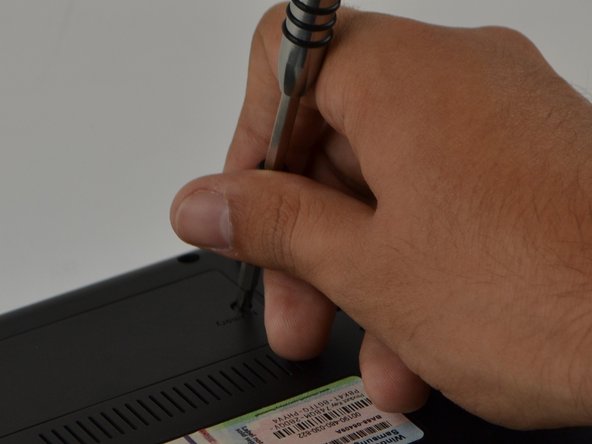
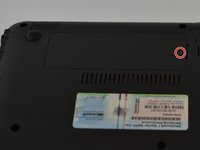
    • Locate the "Memory" panel on the bottom right corner.

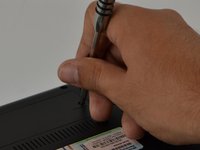
    • Use the Phillips 01 screwdriver to remove the screw.

    • The screw is a Phillips 1 (PH 1) with a length of 60 millimeters (mm)

  5. Samsung NP-130-JA01US RAM Replacement: 5 단계, 이미지 1개 중 1개
    • With your hand, lift panel and remove it.

  6. Samsung NP-130-JA01US RAM Replacement: 6 단계, 이미지 2개 중 1개 Samsung NP-130-JA01US RAM Replacement: 6 단계, 이미지 2개 중 2개
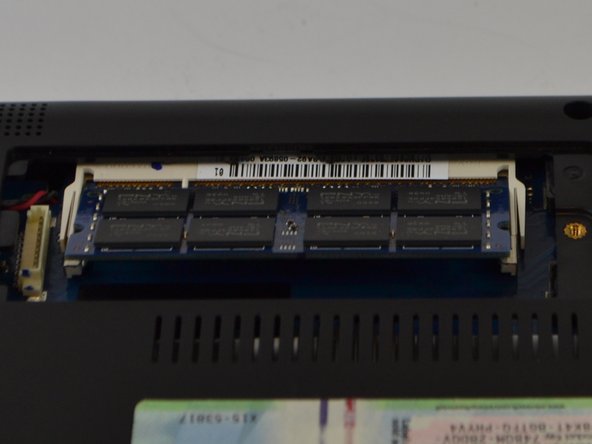
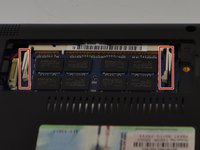
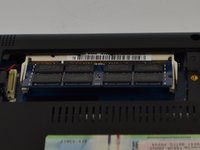
    • Slide metal prongs (marked in red squares) away from each other with your fingers.

    • The RAM chip will automatically lift up at an angle for easy ejection.

  7. Samsung NP-130-JA01US RAM Replacement: 7 단계, 이미지 1개 중 1개
    • With your hands, carefully slide the RAM chip out to remove.

    • The RAM chip is delicate, do not force it when removing it.

결론

To reassemble your device, follow these instructions in reverse order.

다른 한 분이 해당 안내서를 완성하였습니다.

작성자

2다른 기여자 명과 함께

Jason Schnebelen

회원 가입일: 09/18/16

267 평판

안내서 2개를 작성함

USF Tampa, Team 9-6, Lacy Fall 2016 USF Tampa, Team 9-6, Lacy Fall 2016 회원

USFT-LACY-F16S9G6

3 회원들

안내서 5개를 작성함

0가이드 댓글

댓글 쓰기

조회 통계:

지난 24시간: 1

지난 7일: 3

지난 30일: 16

전체 시간: 388