주요 콘텐츠로 건너뛰기
수리 커뮤니티 가입 - 계정 만들기

Samsung NP700Z5AH Battery Replacement

필요한 것

  1. Samsung NP700Z5AH Battery Replacement, Battery: 1 단계, 이미지 1개 중 1개
    • Remove the ten 6.6mm Philips#00 screws securing the lower case to the upper case.

  2. Samsung NP700Z5AH Battery Replacement: 2 단계, 이미지 3개 중 1개 Samsung NP700Z5AH Battery Replacement: 2 단계, 이미지 3개 중 2개 Samsung NP700Z5AH Battery Replacement: 2 단계, 이미지 3개 중 3개
    • Using your fingers, pinch the edge of the SD card and pull to remove it.

  3. Samsung NP700Z5AH Battery Replacement: 3 단계, 이미지 2개 중 1개 Samsung NP700Z5AH Battery Replacement: 3 단계, 이미지 2개 중 2개
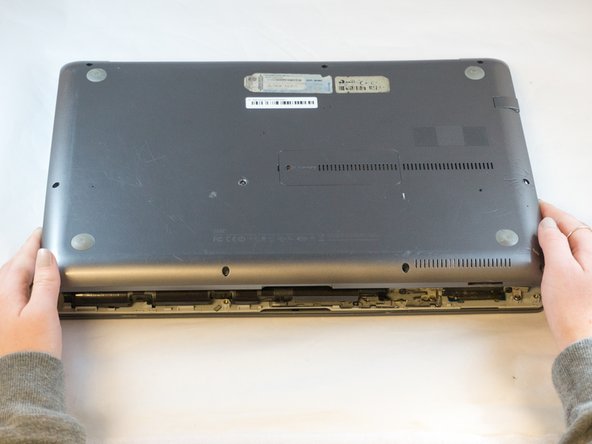
    • Wedge your fingers in between the upper case and the lower case

    • Gently pull the lower case away from the upper case to remove it

  4. Samsung NP700Z5AH Battery Replacement: 4 단계, 이미지 2개 중 1개 Samsung NP700Z5AH Battery Replacement: 4 단계, 이미지 2개 중 2개
    이 단계에 사용된 도구:
    Tweezers
    $4.99
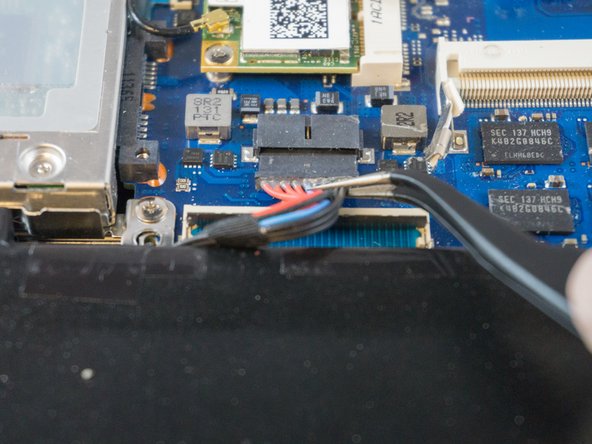
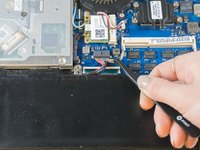
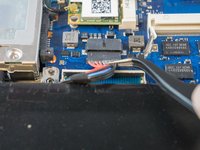
    • Using tweezers or your fingertips, carefully pull on the battery connector to disconnect it from the motherboard.

    • Be sure to pull straight backwards, or you risk damaging the wires.

  5. Samsung NP700Z5AH Battery Replacement: 5 단계, 이미지 1개 중 1개
    • Remove the two 4.4mm Phillips#00 screws from the battery case.

  6. Samsung NP700Z5AH Battery Replacement: 6 단계, 이미지 2개 중 1개 Samsung NP700Z5AH Battery Replacement: 6 단계, 이미지 2개 중 2개
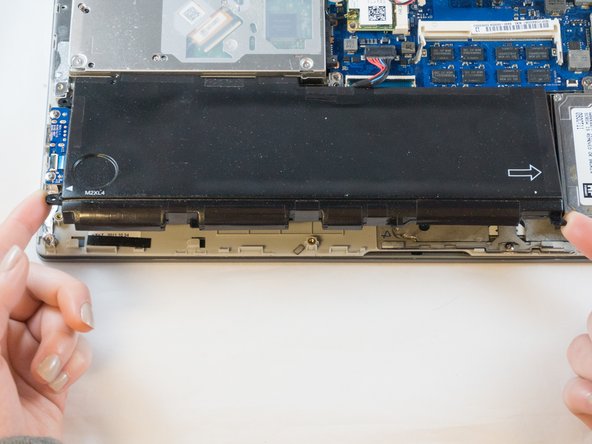
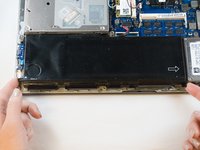
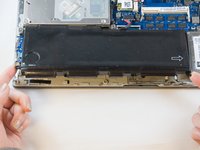
    • Place your fingers on the corner sections of the battery.

    • Lift to remove the battery.

    • If you choose to use tools to remove the battery be careful not to damage it. A damaged lithium-ion battery may leak dangerous chemicals and/or catch fire. Use only plastic pry tools.

결론

To reassemble your device, follow these instructions in reverse order.

다른 5명이 해당 안내서를 완성하였습니다.

작성자

3다른 기여자 명과 함께

Erik

회원 가입일: 09/27/17

895 평판

안내서 6개를 작성함

1가이드 댓글

ifixit@distinctlydifferent.co.uk

Jacqueline - 답글 공유

댓글 쓰기

조회 통계:

지난 24시간: 2

지난 7일: 9

지난 30일: 44

전체 시간: 1,533