주요 콘텐츠로 건너뛰기
수리 커뮤니티 가입 - 계정 만들기

Samsung Portable Dualband Tri-Mode Keypad Replacement

필요한 것

  1. Samsung Portable Dualband Tri-Mode Keypad Replacement, Battery: 1 단계, 이미지 2개 중 1개 Samsung Portable Dualband Tri-Mode Keypad Replacement, Battery: 1 단계, 이미지 2개 중 2개
    • Slide the battery out from the battery compartment on the back of the phone.

  2. Samsung Portable Dualband Tri-Mode Keypad Replacement, Antenna: 2 단계, 이미지 2개 중 1개 Samsung Portable Dualband Tri-Mode Keypad Replacement, Antenna: 2 단계, 이미지 2개 중 2개
    • Unscrew the antenna top.

  3. Samsung Portable Dualband Tri-Mode Keypad Replacement: 3 단계, 이미지 3개 중 1개 Samsung Portable Dualband Tri-Mode Keypad Replacement: 3 단계, 이미지 3개 중 2개 Samsung Portable Dualband Tri-Mode Keypad Replacement: 3 단계, 이미지 3개 중 3개
    이 단계에 사용된 도구:
    Tweezers
    $4.99
    • Clasp the antenna with tweezers and push toward the top.

    • Remove the antenna.

  4. Samsung Portable Dualband Tri-Mode Keypad Replacement, Backplate: 4 단계, 이미지 3개 중 1개 Samsung Portable Dualband Tri-Mode Keypad Replacement, Backplate: 4 단계, 이미지 3개 중 2개 Samsung Portable Dualband Tri-Mode Keypad Replacement, Backplate: 4 단계, 이미지 3개 중 3개
    • Remove the four screws (3 mm) from the battery compartment.

    • Press the release buttons located on the side of the phone while gently prying the back plate off.

  5. Samsung Portable Dualband Tri-Mode Keypad Replacement, Motherboard: 5 단계, 이미지 3개 중 1개 Samsung Portable Dualband Tri-Mode Keypad Replacement, Motherboard: 5 단계, 이미지 3개 중 2개 Samsung Portable Dualband Tri-Mode Keypad Replacement, Motherboard: 5 단계, 이미지 3개 중 3개
    • Press the release tabs on the sides of the back casing.

    • Gently pry the motherboard loose and remove it.

  6. Samsung Portable Dualband Tri-Mode Keypad Replacement, Keypad: 6 단계, 이미지 3개 중 1개 Samsung Portable Dualband Tri-Mode Keypad Replacement, Keypad: 6 단계, 이미지 3개 중 2개 Samsung Portable Dualband Tri-Mode Keypad Replacement, Keypad: 6 단계, 이미지 3개 중 3개
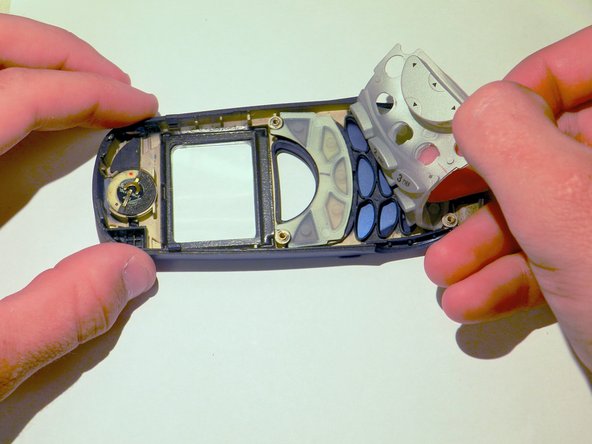
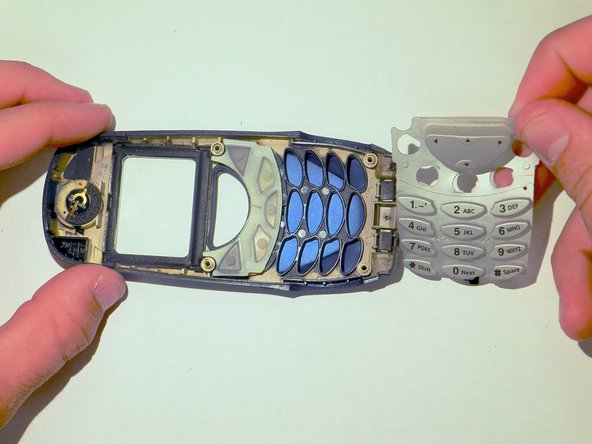
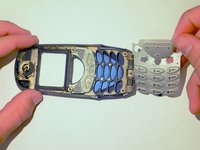
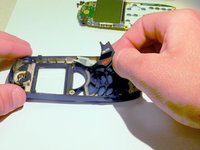
    • Remove the gray keypad from the phone by peeling it back.

  7. Samsung Portable Dualband Tri-Mode Keypad Replacement: 7 단계, 이미지 2개 중 1개 Samsung Portable Dualband Tri-Mode Keypad Replacement: 7 단계, 이미지 2개 중 2개
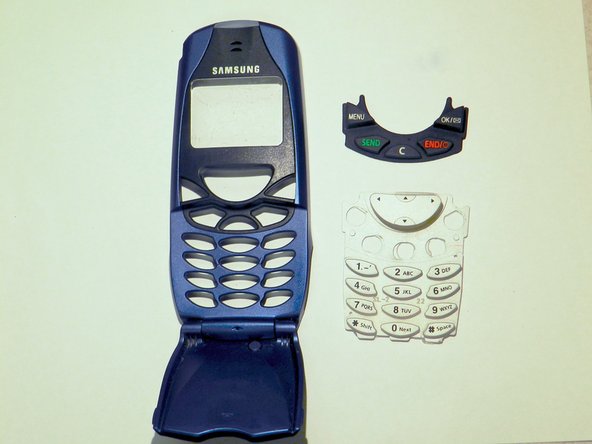
    • Remove the black keypad from the phone casing.

    • Clean the keypad and check for any damage. If the keypad is damaged, then replace it with a new one.

결론

To reassemble your device, follow these instructions in reverse order.

작성자

2다른 기여자 명과 함께

Barbara

회원 가입일: 03/26/14

413 평판

안내서 4개를 작성함

Clemson, Team 6-2, Benson Spring 2014 Clemson, Team 6-2, Benson Spring 2014 회원

CLEM-BENSON-S14S6G2

4 회원들

안내서 14개를 작성함

0가이드 댓글

댓글 쓰기

조회 통계:

지난 24시간: 1

지난 7일: 11

지난 30일: 36

전체 시간: 333