주요 콘텐츠로 건너뛰기
수리 커뮤니티 가입 - 계정 만들기

Samsung S860 LCD Screen Replacement

필요한 것

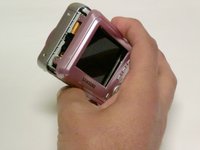
  1. Samsung S860 LCD Screen Replacement, LCD Screen: 1 단계, 이미지 2개 중 1개 Samsung S860 LCD Screen Replacement, LCD Screen: 1 단계, 이미지 2개 중 2개
    • Remove all screws along the edges of the camera, using a #00 Phillips screwdriver.

    댓글 쓰기

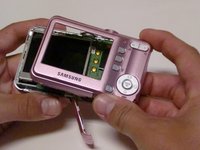
  2. Samsung S860 LCD Screen Replacement: 2 단계, 이미지 1개 중 1개
    • Slide open the battery compartment cover before removing the exterior covers of the camera.

    댓글 쓰기

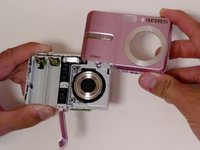
  3. Samsung S860 LCD Screen Replacement: 3 단계, 이미지 3개 중 1개 Samsung S860 LCD Screen Replacement: 3 단계, 이미지 3개 중 2개 Samsung S860 LCD Screen Replacement: 3 단계, 이미지 3개 중 3개
    • Carefully pull the back case (the side showing the LCD screen) away from the front half.

    • There are clips securing the top of the back case. Do not be afraid to use the proper amount of force to remove the back case.

    • Turn the camera around to the front (the lens side). Carefully remove the front case.

    • There are also clips on the lens' side as well, so do not be afraid to use force.

    댓글 쓰기

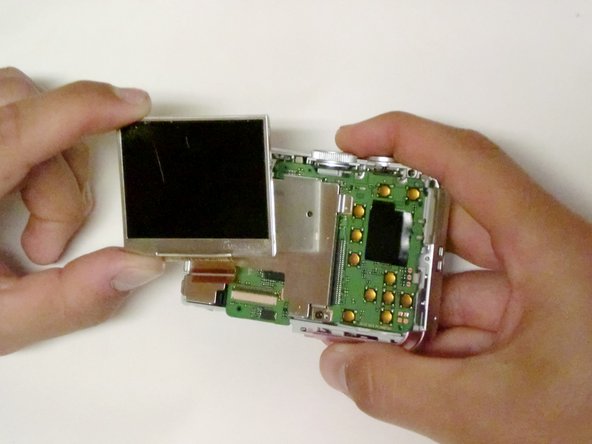
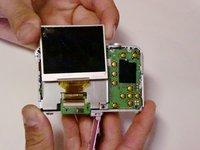
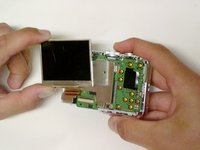
  4. Samsung S860 LCD Screen Replacement: 4 단계, 이미지 2개 중 1개 Samsung S860 LCD Screen Replacement: 4 단계, 이미지 2개 중 2개
    • Position the camera so the LCD screen is facing you.

    • Remove the LCD screen from the screen plate.

    • Replace the broken LCD screen with the functioning LCD screen.

    댓글 쓰기

결론

To reassemble your device, follow these instructions in reverse order.

취소: 해당 안내서를 완성하지 않았습니다.

다른 3명이 해당 안내서를 완성하였습니다.

작성자

7다른 기여자 명과 함께

Kando Ogunrinola

회원 가입일: 04/17/10

203 평판

안내서 3개를 작성함

Cal Poly, Team 33-72, Johann Spring 2010 Cal Poly, Team 33-72, Johann Spring 2010 회원

CPSU-JOHANN-S10S33G72

4 회원들

안내서 7개를 작성함

0가이드 댓글

댓글 쓰기

조회 통계:

지난 24시간: 2

지난 7일: 14

지난 30일: 74

전체 시간: 9,729