주요 콘텐츠로 건너뛰기
수리 커뮤니티 가입 - 계정 만들기

Samsung SGH-X105 Keypad Replacement

필요한 것

  1. Samsung SGH-X105 Keypad Replacement, Battery: 1 단계, 이미지 1개 중 1개
    • Rotate the phone onto its front side so that the LCD screen is facing away from you.

  2. Samsung SGH-X105 Keypad Replacement: 2 단계, 이미지 3개 중 1개 Samsung SGH-X105 Keypad Replacement: 2 단계, 이미지 3개 중 2개 Samsung SGH-X105 Keypad Replacement: 2 단계, 이미지 3개 중 3개
    • Remove the battery by pressing down on the battery release button while sliding the battery downwards.

  3. Samsung SGH-X105 Keypad Replacement, Front & Back Panels: 3 단계, 이미지 1개 중 1개
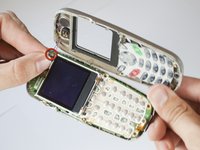
    • Remove the four small black screws that secure the back phone panel using the Phillips #00 screwdriver.

    • Complete removal of screws may not be necessary.

  4. Samsung SGH-X105 Keypad Replacement: 4 단계, 이미지 3개 중 1개 Samsung SGH-X105 Keypad Replacement: 4 단계, 이미지 3개 중 2개 Samsung SGH-X105 Keypad Replacement: 4 단계, 이미지 3개 중 3개
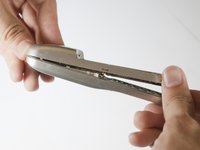
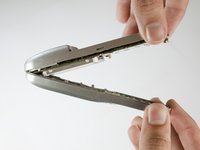
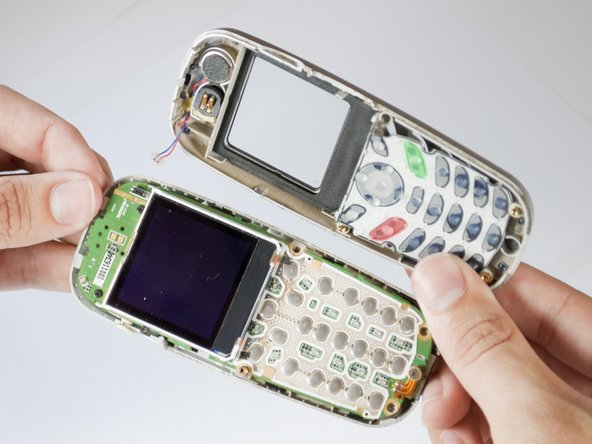
    • Carefully separate the front and back panels by gently prying them apart. Start at the bottom of the phone (near the AC charger input).

    • Volume control button will be unsecured and may fall out as soon as the panels are separated.

    • Gentle force may be required to separate the panels at the top latch.

    • There are two wires connecting the front and back panels. Be careful not to rip these wires out when separating the panels.

  5. Samsung SGH-X105 Keypad Replacement: 5 단계, 이미지 2개 중 1개 Samsung SGH-X105 Keypad Replacement: 5 단계, 이미지 2개 중 2개
    이 단계에 사용된 도구:
    Tweezers
    $4.99
    • Using your nails, tweezers, or any precise grabbing tool, pinch the antenna wire connector (clear plastic plug) and pull gently. It should pop out rather easily.

  6. Samsung SGH-X105 Keypad Replacement, Keypad: 6 단계, 이미지 1개 중 1개
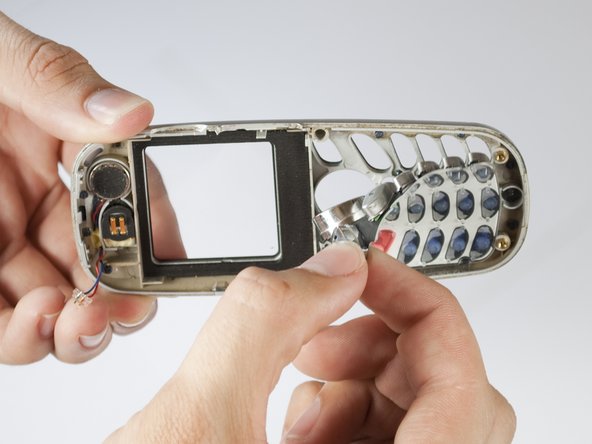
    • Put aside the back panel. You will only be working with the front panel from here on.

  7. Samsung SGH-X105 Keypad Replacement: 7 단계, 이미지 2개 중 1개 Samsung SGH-X105 Keypad Replacement: 7 단계, 이미지 2개 중 2개
    • Take out the key pad by pressing the keys on the face of the phone and pulling the rubber keypad from the other side.

결론

To reassemble your device, follow these instructions in reverse order.

작성자

4다른 기여자 명과 함께

Alex Martinez

회원 가입일: 04/15/10

1 평판

안내서 1개를 작성함

Cal Poly, Team 28-29, Regan Spring 2010 Cal Poly, Team 28-29, Regan Spring 2010 회원

CPSU-REGAN-S10S28G29

4 회원들

안내서 12개를 작성함

0가이드 댓글

댓글 쓰기

조회 통계:

지난 24시간: 0

지난 7일: 15

지난 30일: 65

전체 시간: 1,532