주요 콘텐츠로 건너뛰기

Samsung WB35F Menu/Control Buttons Replacement

필요한 것

  1. Samsung WB35F Menu/Control Buttons  Replacement, Rear Case: 1 단계, 이미지 3개 중 1개 Samsung WB35F Menu/Control Buttons  Replacement, Rear Case: 1 단계, 이미지 3개 중 2개 Samsung WB35F Menu/Control Buttons  Replacement, Rear Case: 1 단계, 이미지 3개 중 3개
    • The first thing to do will be unscrew all the screws using Phillips #000 Screwdriver.

    • Keep all the screws in order. Black screws goes under the bottom of camera, and the silver screws goes on the sides and inside of the camera.

  2. Samsung WB35F Menu/Control Buttons  Replacement: 2 단계, 이미지 2개 중 1개 Samsung WB35F Menu/Control Buttons  Replacement: 2 단계, 이미지 2개 중 2개
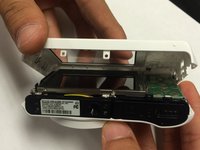
    • Using the spudger, and plastic opening tool open the casing of camera.

  3. Samsung WB35F Menu/Control Buttons  Replacement: 3 단계, 이미지 3개 중 1개 Samsung WB35F Menu/Control Buttons  Replacement: 3 단계, 이미지 3개 중 2개 Samsung WB35F Menu/Control Buttons  Replacement: 3 단계, 이미지 3개 중 3개
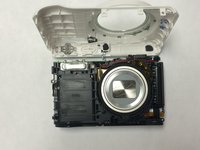
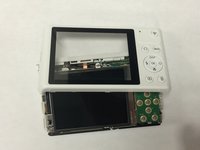
    • Once you open the camera case, you will be able to work on any part of the camera.

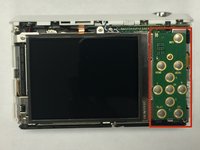
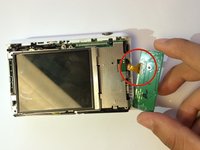
  4. Samsung WB35F Menu/Control Buttons  Replacement, Menu/Control Buttons: 4 단계, 이미지 2개 중 1개 Samsung WB35F Menu/Control Buttons  Replacement, Menu/Control Buttons: 4 단계, 이미지 2개 중 2개
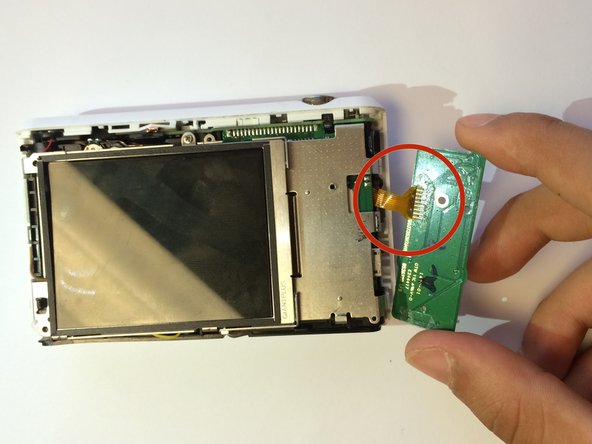
    • Carefully unplug the ribbon from the Menu/Control board.

  5. Samsung WB35F Menu/Control Buttons  Replacement: 5 단계, 이미지 1개 중 1개
    • Once you unplug the ribbon. Take out the old board and replace it with new menu/control board.

결론

To reassemble your device, follow these instructions in reverse order.

작성자

2다른 기여자 명과 함께

Sarmad Khan

회원 가입일: 01/09/15

525 평판

안내서 5개를 작성함

USF Tampa, Team 1-6, Tanski Winter 2015 USF Tampa, Team 1-6, Tanski Winter 2015 회원

USFT-TANSKI-W15S1G6

4 회원들

안내서 10개를 작성함

0가이드 댓글

댓글 쓰기

조회 통계:

지난 24시간: 0

지난 7일: 3

지난 30일: 8

전체 시간: 736