주요 콘텐츠로 건너뛰기
수리 커뮤니티 가입 - 계정 만들기

Sanyo Katana Screen Protector Replacement

필요한 것

  1. Sanyo Katana Screen Protector Replacement, Screen Protector: 1 단계, 이미지 2개 중 1개 Sanyo Katana Screen Protector Replacement, Screen Protector: 1 단계, 이미지 2개 중 2개
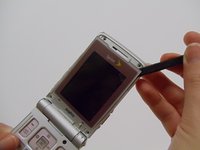
    • With the flat end of a spudger, remove the plastic covers located on the corners of the display near the hinge and above the screen, revealing four screws underneath.

  2. Sanyo Katana Screen Protector Replacement: 2 단계, 이미지 2개 중 1개 Sanyo Katana Screen Protector Replacement: 2 단계, 이미지 2개 중 2개
    • Remove the 4.4mm screw in each corner using the Tri-wing Y0 screwdriver.

  3. Sanyo Katana Screen Protector Replacement: 3 단계, 이미지 2개 중 1개 Sanyo Katana Screen Protector Replacement: 3 단계, 이미지 2개 중 2개
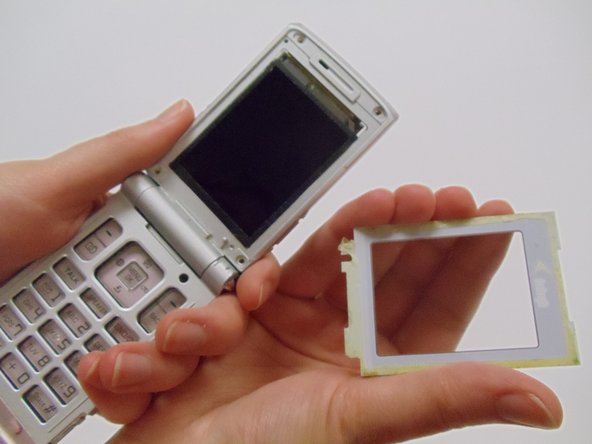
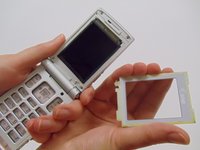
    • Carefully pry the screen protector off the phone using the flat end of the spudger.

    • This will require a bit of force as the back of the screen protector is lined with an adhesive material.

    • Once free from the adhesive, pull the screen protector away from the phone.

결론

To reassemble your device, follow these instructions in reverse order.

작성자

4다른 기여자 명과 함께

StephenYH

회원 가입일: 03/11/13

20 평판

안내서 3개를 작성함

Clemson, Team 12-1, Benson Spring 2013 Clemson, Team 12-1, Benson Spring 2013 회원

CLEM-BENSON-S13S12G1

4 회원들

안내서 20개를 작성함

0가이드 댓글

댓글 쓰기

조회 통계:

지난 24시간: 0

지난 7일: 2

지난 30일: 15

전체 시간: 450