주요 콘텐츠로 건너뛰기
수리 커뮤니티 가입 - 계정 만들기

Sanyo VPC-T850 Shutter Button Replacement

필요한 것

  1. Sanyo VPC-T850 Shutter Button Replacement, Battery: 1 단계, 이미지 1개 중 1개
    • Make sure the camera is powered off by pressing and holding the small, square button embedded in the top rim of the camera.

  2. Sanyo VPC-T850 Shutter Button Replacement: 2 단계, 이미지 1개 중 1개
    • Locate the hatch found on the bottom of the camera.

    • Open the hatch by gripping the small notch and sliding it outwards.

  3. Sanyo VPC-T850 Shutter Button Replacement: 3 단계, 이미지 1개 중 1개
    • Push the small, plastic arm out of the way to free the battery.

    • The battery is spring loaded and will pop out slightly when the arm is moved.

  4. Sanyo VPC-T850 Shutter Button Replacement: 4 단계, 이미지 1개 중 1개
    • Pull the battery out of the camera and close the hatch.

    • To reinsert, there is a triangle on the battery indicating which direction to slide it in.

  5. Sanyo VPC-T850 Shutter Button Replacement, Outer Casing: 5 단계, 이미지 3개 중 1개 Sanyo VPC-T850 Shutter Button Replacement, Outer Casing: 5 단계, 이미지 3개 중 2개 Sanyo VPC-T850 Shutter Button Replacement, Outer Casing: 5 단계, 이미지 3개 중 3개
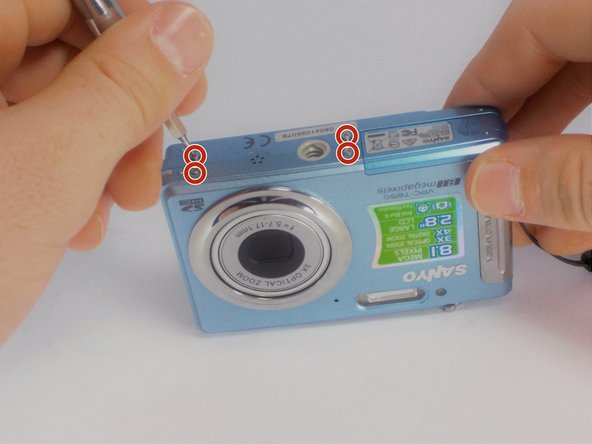
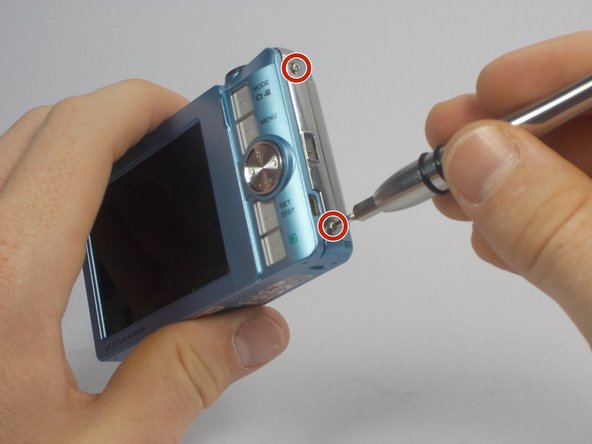
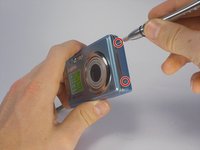
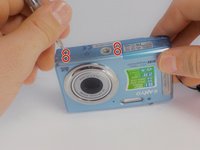
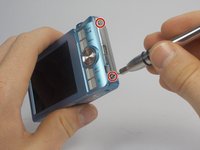
    • Using your Phillips #000 Screwdriver, remove the eight screws located around the sides and bottom of the camera.

    • Be sure to keep track of the side each screw comes from, as they come in different lengths.

  6. Sanyo VPC-T850 Shutter Button Replacement: 6 단계, 이미지 2개 중 1개 Sanyo VPC-T850 Shutter Button Replacement: 6 단계, 이미지 2개 중 2개
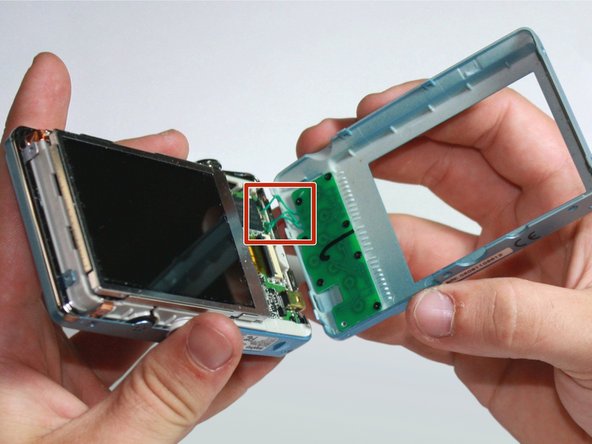
    • Orient the camera so the display is facing up.

    • Gently pull off the rear panel surrounding the display.

    • There are still three green wires connecting the panel to the rest of the camera.

    • Use your prying tool if you have difficulties removing the panel by hand.

  7. Sanyo VPC-T850 Shutter Button Replacement: 7 단계, 이미지 1개 중 1개
    • Remove the eight black screws connecting the keypad circuit board to the rear panel.

  8. Sanyo VPC-T850 Shutter Button Replacement: 8 단계, 이미지 2개 중 1개 Sanyo VPC-T850 Shutter Button Replacement: 8 단계, 이미지 2개 중 2개
    • With a plastic opening tool, gently remove the chrome framing on the left and right sides of the camera.

  9. Sanyo VPC-T850 Shutter Button Replacement: 9 단계, 이미지 1개 중 1개
    • Flip the camera over so the lens is facing up.

    • Gently lift up the front panel to remove it from the rest of the camera.

    • Use your plastic opening tool if you have difficulties removing the panel by hand.

  10. Sanyo VPC-T850 Shutter Button Replacement, Shutter Button: 10 단계, 이미지 1개 중 1개
    • Find the chrome framing located on the top of the camera.

    • The physical shutter button apparatus is directly attached to this frame.

  11. Sanyo VPC-T850 Shutter Button Replacement: 11 단계, 이미지 2개 중 1개 Sanyo VPC-T850 Shutter Button Replacement: 11 단계, 이미지 2개 중 2개
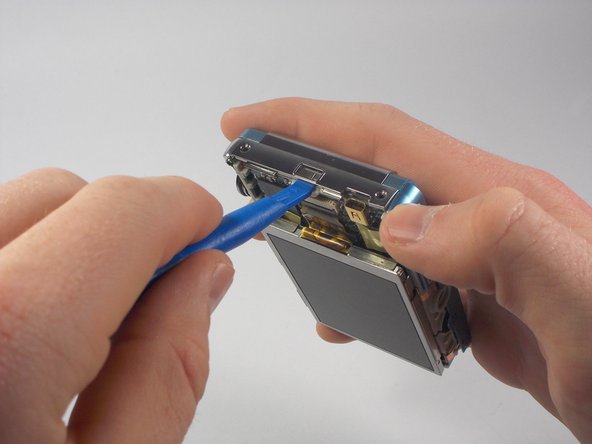
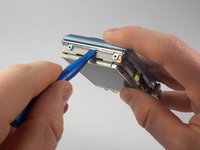
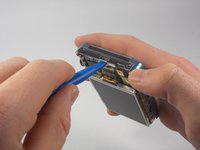
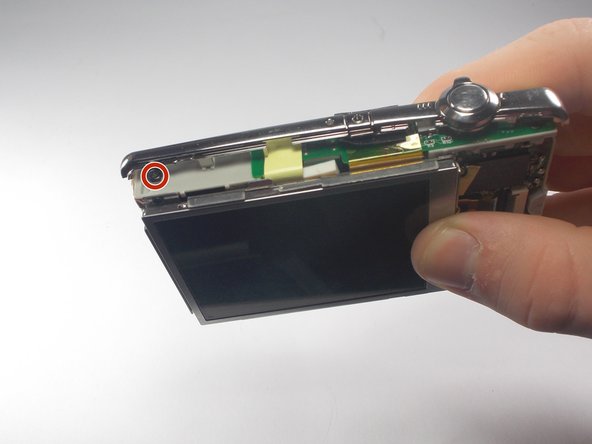
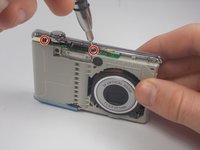
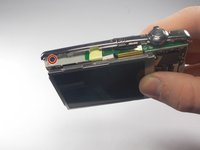
    • Remove the three black screws connecting the chrome frame to the camera.

    • Three screws are located toward the front, with the remaining one above the display.

  12. Sanyo VPC-T850 Shutter Button Replacement: 12 단계, 이미지 1개 중 1개
    • Gently remove the loosened chrome frame and connected shutter button from the camera.

결론

To reassemble your device, follow these instructions in reverse order.

작성자

2다른 기여자 명과 함께

James Robinson

회원 가입일: 10/27/15

459 평판

안내서 4개를 작성함

UMass Dartmouth, Team 5-5, Gulbrandsen Fall 2015 UMass Dartmouth, Team 5-5, Gulbrandsen Fall 2015 회원

UMASSD-GULBRANDSEN-F15S5G5

3 회원들

안내서 10개를 작성함

0가이드 댓글

댓글 쓰기

조회 통계:

지난 24시간: 1

지난 7일: 6

지난 30일: 28

전체 시간: 436