주요 콘텐츠로 건너뛰기
수리 커뮤니티 가입 - 계정 만들기

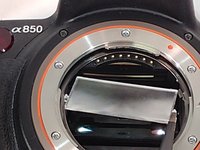
Sony Alpha DSLR- A850 Focusing Screen Replacement

필요한 것

    1. Sony Alpha DSLR- A850 Focusing Screen Replacement, Focusing Screen: 1 단계, 이미지 3개 중 1개 Sony Alpha DSLR- A850 Focusing Screen Replacement, Focusing Screen: 1 단계, 이미지 3개 중 2개 Sony Alpha DSLR- A850 Focusing Screen Replacement, Focusing Screen: 1 단계, 이미지 3개 중 3개
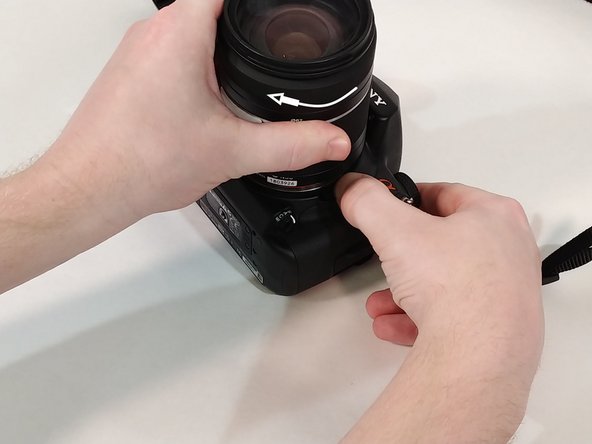
      • Push in the button next to the lens.

      • While holding the button twist the lens counter-clockwise.

      • Pull up and remove lens from camera.

      댓글 쓰기

    2. Sony Alpha DSLR- A850 Focusing Screen Replacement: 2 단계, 이미지 3개 중 1개 Sony Alpha DSLR- A850 Focusing Screen Replacement: 2 단계, 이미지 3개 중 2개 Sony Alpha DSLR- A850 Focusing Screen Replacement: 2 단계, 이미지 3개 중 3개
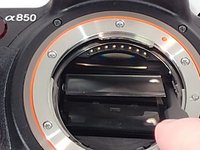
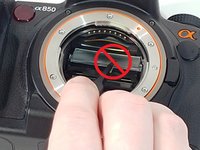
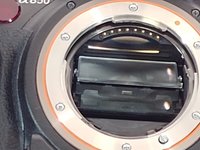
      • Inside toward the top you will find a small slit in the plastic piece.

      • Insert a flat head screw driver into the slit and pull down to access the focusing screen.

      댓글 쓰기

    3. Sony Alpha DSLR- A850 Focusing Screen Replacement: 3 단계, 이미지 3개 중 1개 Sony Alpha DSLR- A850 Focusing Screen Replacement: 3 단계, 이미지 3개 중 2개 Sony Alpha DSLR- A850 Focusing Screen Replacement: 3 단계, 이미지 3개 중 3개
      이 단계에 사용된 도구:
      Tweezers
      $4.99
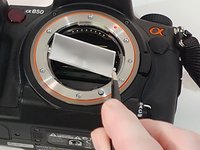
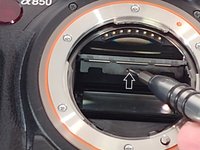
      • Using tweezers grab the focusing screen on the side by the two tabs that are on it.

      • Do not grab the focusing screen in the middle as this will damage it.

      • Pull out and remove focusing screen from camera.

      댓글 쓰기

    4. Sony Alpha DSLR- A850 Focusing Screen Replacement: 4 단계, 이미지 3개 중 1개 Sony Alpha DSLR- A850 Focusing Screen Replacement: 4 단계, 이미지 3개 중 2개 Sony Alpha DSLR- A850 Focusing Screen Replacement: 4 단계, 이미지 3개 중 3개
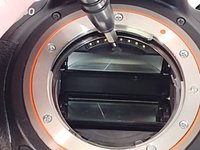
      • When inserting new screen make sure to orient it where the two tabs are facing towards you with the smaller tab facing up.

      • Angle the focusing screen to make installation easier.

      • Lay the new focusing screen into the plastic tray.

      • It does not snap into place.

      댓글 쓰기

    5. Sony Alpha DSLR- A850 Focusing Screen Replacement: 5 단계, 이미지 2개 중 1개 Sony Alpha DSLR- A850 Focusing Screen Replacement: 5 단계, 이미지 2개 중 2개
      • Insert screw driver into the slit and push up to close.

      • You can also use your thumb, if you are careful not to touch the screen as this could leave a smudge on it.

      • You will hear a click when the plastic tray is back in place.

      댓글 쓰기

    6. Sony Alpha DSLR- A850 Focusing Screen Replacement: 6 단계, 이미지 2개 중 1개 Sony Alpha DSLR- A850 Focusing Screen Replacement: 6 단계, 이미지 2개 중 2개
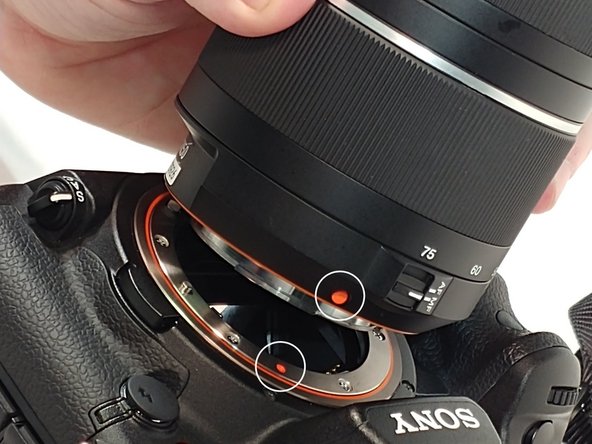
      • When re-installing the lens line up the orange dots that are one both lens and camera.

      • Fit lens into place and turn clockwise to secure it back to camera.

      댓글 쓰기

결론

You have now completed a focusing screen replacement.

취소: 해당 안내서를 완성하지 않았습니다.

다른 한 분이 해당 안내서를 완성하였습니다.

작성자

3다른 기여자 명과 함께

Walter Littlefield

회원 가입일: 03/21/18

286 평판

안내서 2개를 작성함

0가이드 댓글

댓글 쓰기

조회 통계:

지난 24시간: 1

지난 7일: 15

지난 30일: 47

전체 시간: 1,421